10 Automated Publishing Services: Features and Pricing
Oct 22, 2026 · 17 min read
Automated publishing services are often compared by the length of their feature lists. That's the wrong starting point. A scheduler can save little time if your real bottleneck is client approvals, while a powerful enterprise suite may add cost and complexity when all you need is a reliable posting calendar.
The stronger choice depends on how your team creates, reviews, adapts, and measures content. This comparison groups tools by operational fit, including cross-platform scheduling, AI-assisted production, visual planning, reusable content, team approvals, reporting, and agency workflows. It also considers pricing structure and the practical limits that can change the total cost, such as per-seat charges, account allowances, add-ons, and differences in automatic publishing support.
The case for reducing manual work is real, but automation itself isn't a differentiator. In a 2024 industry comparison, 49% of marketing decision-makers automated social media, making it the second most automated marketing channel in that comparison, according to NapoleonCat's summary of marketing automation data. The more useful question is whether a service removes the specific handoffs and repeated tasks slowing your team down.
For a broader view of how teams can structure those workflows, see this guide for modern content teams. Then compare the tools below against the actual work your team needs to get published.
1. Social Media Scheduler
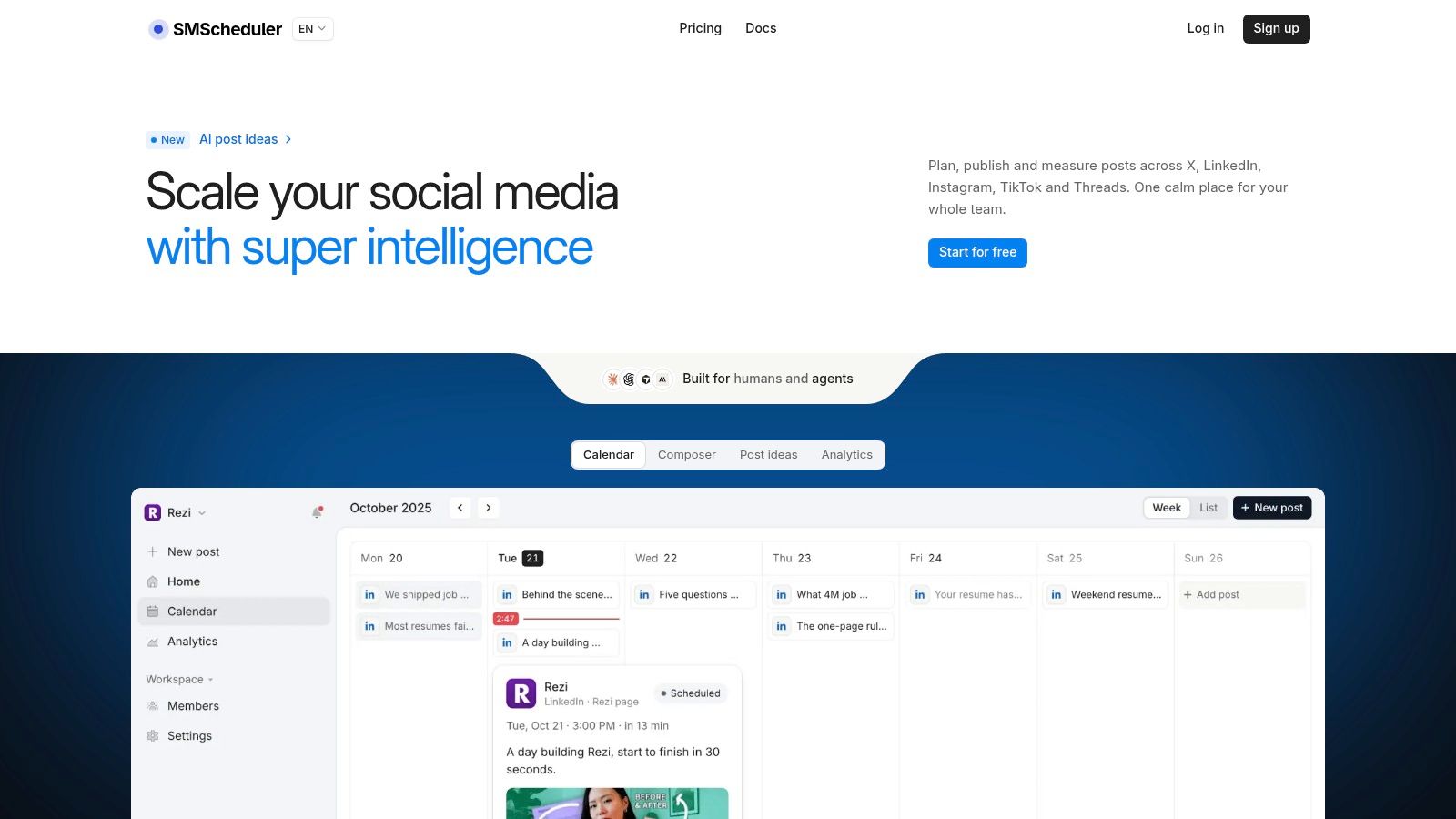
The scheduling problem this entry targets is fragmentation: drafting in one app, adapting copy in a second, and checking results in a third. Social Media Scheduler consolidates planning, drafting, publishing, and analytics into a single shared calendar covering X, LinkedIn, Instagram, Threads, Facebook, TikTok, YouTube, and Bluesky. That range suits teams distributing campaigns across established and newer networks at the same time.
The workflow centers on drafting an idea once, then adapting the copy, media, and format for each channel. AI-assisted drafting can draw on a team's documents and past content, while the visual calendar organizes posts for automatic publishing. This is more useful than simple cross-posting when a campaign needs platform-specific versions rather than identical text everywhere.
Where the workflow adds value
Analytics cover impressions, reach, engagement, and clicks, with top-performing posts surfaced to inform future planning. Team collaboration plus integrations with ChatGPT, Claude, and Cursor make the platform relevant to teams exploring agent-assisted scheduling. Those integrations do not remove the need for editorial review: a human still needs to check accuracy, tone, disclosures, and accessibility before a post goes live.
Teams that batch their planning can use this guide to planning a month of content to structure the calendar in advance. The service offers a free start and a seven-day trial for $0 with no credit card required. Paid-plan pricing is not published on the vendor site, so confirm the plan cost and feature limits before committing.
Best fit: Teams that want a shared, AI-assisted publishing calendar across multiple networks. Trade-off: Verifying ongoing plan costs requires a trial signup or direct contact, which makes budget comparison harder than with tools that publish their pricing.
2. Buffer
Buffer suits creators and small teams that want a straightforward publishing queue instead of a broad social-management system. Its publishing platform combines scheduled posts and drafts with content ideas, an AI Assistant for refining or repurposing copy, analytics, and community tools.
The free plan includes up to three channels and ten scheduled posts per channel. That can make it practical for testing a basic workflow, but the post limit may constrain teams with a busy calendar. Paid billing is per channel, so teams can start with a smaller setup and add channels as their publishing needs grow. The trade-off is that costs rise with the number of channels.
Buffer also includes team access controls and approval workflows, which help add review without requiring a full enterprise platform. Check publishing support by network and post format before standardizing on it, because support can vary. A draft that can be scheduled for one channel may need a different publishing method on another.
Practical rule: Test a real post for every network you rely on, not just the easiest format in the demo.
Buffer is a sensible fit when the main job is drafting, scheduling, and reviewing posts with a small team. For help writing stronger opening lines before scheduling, see these social post hook ideas.
3. Hootsuite
Hootsuite is built for organizations that need publishing alongside customer engagement, monitoring, and reporting. Its social-management platform brings connected profiles into a central planning workflow, with bulk scheduling, recommended publishing times, and OwlyWriter AI for content ideas and captions.
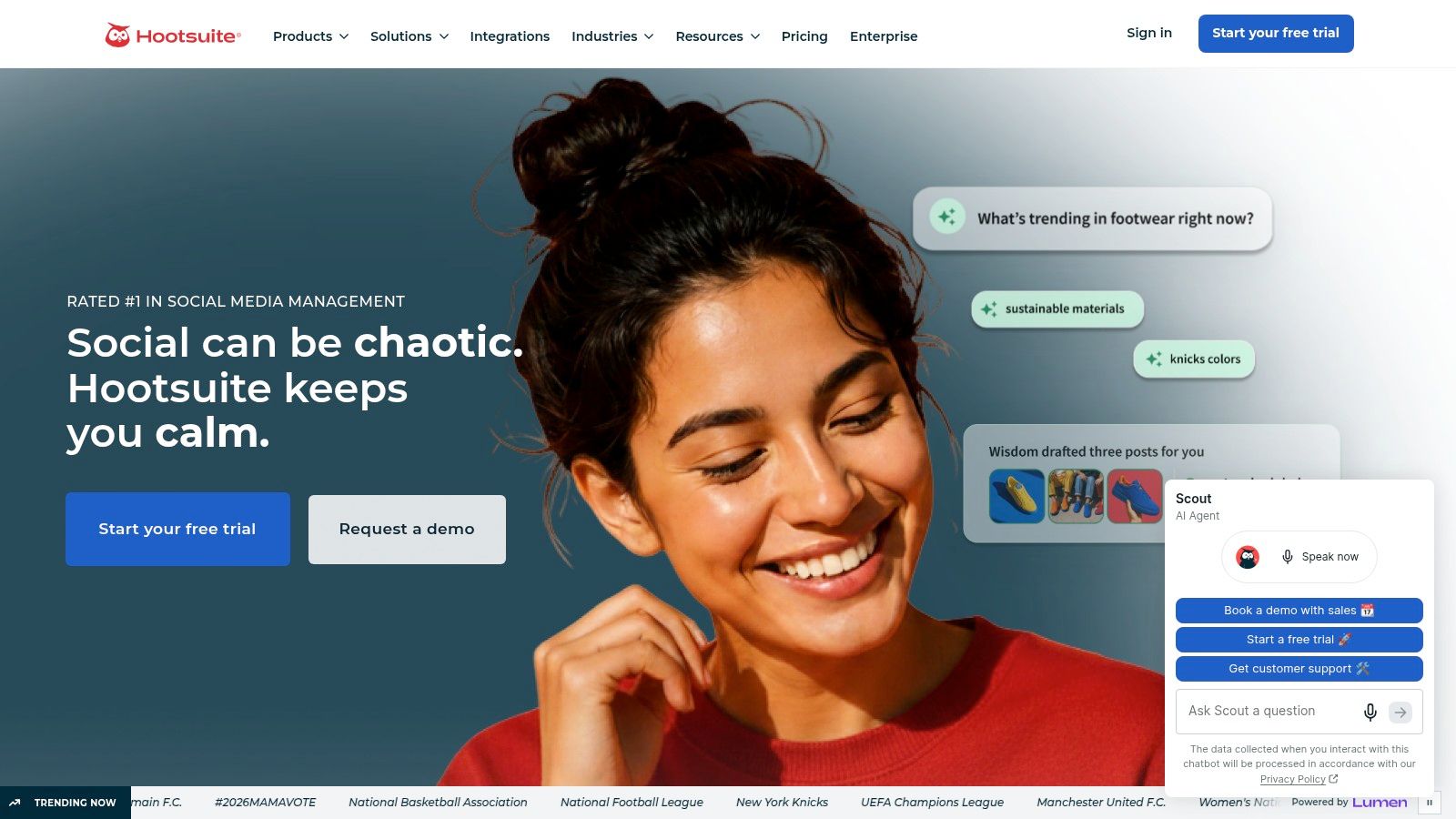
The operational case for Hootsuite is strongest when social publishing is part of a wider support or monitoring function. A team that needs to respond to incoming messages and track activity alongside scheduled content may benefit from consolidating those tasks. A solo creator who only needs a calendar may be paying for breadth they won't use.
Consider the scale of the workflow
Inbox, analytics, and monitoring capabilities depend on the plan, and profile allowances differ as well. That makes a plan comparison more important than a quick feature scan. Confirm which profiles, reporting functions, and collaboration controls are included in the proposed tier.
Enterprise offers onboarding and support, but advanced enterprise capabilities require a sales conversation. That can suit organizations with complex workflows, while making the total cost and implementation effort less transparent upfront.
Best fit: Businesses that manage social publishing as part of customer care, monitoring, and reporting. Trade-off: Its broad feature set may be unnecessary for small teams, and advanced needs can require plan evaluation with sales.
4. Sprout Social
Sprout Social combines publishing with shared engagement and reporting workflows. Its platform offers scheduled publishing and content planning, a unified inbox, collaboration tools, profile- and post-level reporting, and AI or monitoring capabilities that vary by tier.
For teams that need to coordinate replies and measure performance as well as schedule content, this breadth can reduce the number of separate systems involved. The value depends on whether the team will use those connected workflows. A small startup focused on publishing may find that the platform offers more than it needs.
Price the team, not just the account
Sprout Social uses per-seat pricing, so total cost depends on both the selected plan and the number of people who need access. Some analytics and workflow features require higher plans or add-ons, which can make an entry-level price a poor estimate of the cost of the intended setup. A 30-day free trial is listed for paid plans, giving teams a chance to test the workflow before choosing a tier.
During a trial, include the people who approve, publish, and report on posts. That reveals whether the shared inbox and collaboration features simplify handoffs or merely add another interface to manage. Compare the tool's reports with the metrics your team already uses, especially when different networks define engagement in different ways.
Best fit: Professional teams that need publishing, engagement, and detailed reporting in a shared system. Trade-off: Per-seat pricing and tier-dependent functions can make it expensive as access expands.
5. Later
Later is a visual-first planner for brands and creators whose calendars revolve around images and video. Its social media planning platform includes a drag-and-drop planner, Instagram feed planning, multi-profile scheduling, saved captions, drafts, and AI caption and idea features with credits that vary by plan.

A visual planner can make campaign sequencing easier to review than a text-heavy queue. That matters when the order, look, and balance of creative assets are part of the publishing decision. Later also offers a customizable link-in-bio page, which can support creator workflows that connect social posts to an external destination.
Check what “automatic” means for each post
Later can automatically publish for supported account types and formats, but some posts may require notification-based publishing instead. That distinction affects whether the workflow is hands-off or still depends on someone completing the final step in an app. Teams should test their actual account types and formats before building a calendar around auto-publishing.
Monthly post allowances and limits on teams or profiles vary by tier. Paid plans include a 14-day trial. If Instagram is a priority, compare Later's visual planning with this Instagram scheduling workflow, paying attention to format support and the amount of manual intervention each requires.
Best fit: Visual creators and brands that plan content around Instagram, TikTok, and other image- or video-led channels. Trade-off: Automatic publishing isn't available for every account type or format, and plan limits differ.
6. SocialBee
SocialBee organizes publishing around reusable content categories and queues. Its social publishing service supports category-based scheduling, AI content generation and planning, bulk editing, CSV uploads, and publishing across a range of social networks.
That structure can help businesses keep evergreen posts in rotation while scheduling timely content separately. Instead of rebuilding a queue from scratch, a team can sort material by purpose and reuse appropriate posts. The approach won't suit everyone: teams that think primarily in a chronological calendar may find categories and queues less intuitive.
Reuse needs review
Evergreen recycling reduces repetitive scheduling work, but it doesn't guarantee a recycled post is still accurate or appropriate. Teams should review time-sensitive references, offers, and platform-specific details before content re-enters a queue. Automation can handle distribution; editorial judgment still needs to determine whether an older post deserves another turn.
Paid plans include AI content generation, and the service offers a 14-day trial with no contract required, according to the vendor information provided. Account, workspace, and user limits vary by plan. Advanced analytics, approvals, and bulk tools require higher tiers, so businesses should include those functions in their cost comparison rather than assuming they come with the basic queue.
Best fit: Teams with a substantial library of evergreen material and repeatable content categories. Trade-off: Queue-based organization may feel less natural to teams that prefer to plan by date and time.
7. Metricool
Metricool combines publishing with analytics and reporting, making it relevant to creators, small businesses, and agencies handling multiple brands. Its platform supports content planning and automated publishing, along with reporting across connected profiles. Advanced tiers add team management, roles, approvals, report templates, and API access.
The free plan supports one brand and up to 20 posts per month. Paid plans use a brand-based structure, which gives teams a different way to estimate costs than per-seat pricing. However, brand limits matter for agencies: adding clients can affect the plan fit even when the publishing workload is otherwise similar.
Budget for exclusions and add-ons
The free tier has network exclusions, while X/Twitter access and advanced analytics can add to the cost. Teams should check these details before using the free plan as a budget baseline. A service can appear inexpensive until the required network or reporting feature moves into a paid add-on.
Metricool's appeal is the connection between scheduled content and reporting. That connection is most useful when teams have a clear reporting routine and know which metrics they need to compare. Separate reach, engagement, and engagement rate in internal reviews rather than relying on a single combined score; that makes it easier to understand what a post achieved.
Best fit: Teams and agencies that want publishing and reporting in one system, with costs organized around brands. Trade-off: Brand limits, network exclusions, and add-ons can complicate the true cost.
8. Agorapulse
Agorapulse brings publishing, inbox, and reporting into a social-management suite. Its platform includes a shared calendar, drafts, team workflows, approval assignments, social inbox, and reporting. Paid plans include unlimited scheduled posts, while Advanced adds bulk publishing and content queues.
The free plan is available for three profiles and one user, and paid plans include a 30-day free trial. That gives solo users a way to explore the workflow, though a single-user setup doesn't test how approvals and collaboration will work across a team.
Plan for profile and seat growth
Per-user pricing can increase costs as teams expand, and extra social profiles may also cost more. Some X/Twitter features are available as a paid add-on. Agencies should estimate the plan against both the number of people who need access and the profiles they manage, then verify which features are included.
The strongest operational fit is a growing social team that needs to move posts through review while handling incoming engagement in the same product. If the team only needs scheduling, the inbox and reporting may not justify the additional cost. If those functions already form part of the daily workflow, bringing them together may reduce tool switching.
Best fit: Growing teams and agencies that want calendar-based approvals alongside inbox and reporting. Trade-off: Per-user and profile costs, plus add-ons, can raise the total as the operation grows.
9. Publer
Publer offers a flexible route from individual publishing to agency workflows. Its social media management platform supports post customization and previews for different networks, AutoSchedule using preset publishing times, and paid-tier capabilities such as bulk publishing, recurring posts, approvals, analytics, and RSS automation.
The free plan supports up to three social accounts, with some network exclusions. Professional and Business plans include trials, while plan costs depend on the accounts and team members selected. That configuration can help teams pay for a setup aligned with their needs, but it means a headline plan price may not reflect their eventual subscription cost.
Separate basic scheduling from advanced automation
Professional adds bulk scheduling and RSS automation. Business includes recurring posts, approvals, and advanced analytics. X/Twitter is excluded from the free tier, and some advanced reporting and automation features require Business, so teams should map requirements to plan levels before migrating.
Publer is worth comparing when post customization matters across networks and the team wants to grow into richer automation. Test how previews represent the formats you publish, then verify whether the selected tier supports the accounts and approval process you need. Free access is useful for trying a workflow, but network exclusions can limit how representative that test is.
Best fit: Individuals or agencies that want customizable plans and a path from basic scheduling to more advanced workflows. Trade-off: Total cost depends on selected accounts and team members, and some useful features sit in Business.
10. Planable
Planable is designed for teams that need review and sign-off to be as organized as scheduling. Its content planning and publishing platform provides feed and calendar views, configurable approval steps, and workspaces for separating brands, teams, or clients. A grid view is available on Pro, while analytics, social inbox, and listening are add-ons.
Separate workspaces can make agency workflows easier to manage when each client has distinct calendars and review processes. Plans include unlimited users, which can be attractive when many stakeholders need to review content. But Basic and Pro have post and page allowances, and per-workspace pricing can increase as client or brand counts grow.
Make approval the test
Planable's free access includes the first 50 posts with no time limit. That creates an opportunity to test how a real draft moves from creation through feedback and approval. On Pro, required approval can enforce a clearer sign-off process, rather than relying on informal messages that are easy to miss.
The main limitation is that analytics and inbox capabilities cost extra. If the goal is organized approvals and client calendars, those add-ons may be optional. If the team expects one tool to handle publishing, engagement, and performance measurement, include their cost in the comparison before choosing Planable.
Best fit: Agencies and teams where approvals, workspaces, and client separation are core workflow needs. Trade-off: Post and page allowances, add-ons, and per-workspace costs can shape the final plan.
Top 10 Social Media Scheduling Tools Compared
| Scheduler | Target audience | Core features & workflow | Standout value | Price & trial |
|---|---|---|---|---|
| 🏆 Social Media Scheduler | 👥 Solo creators and social teams | AI-tailored drafting, unified calendar, auto-publishing, analytics across 8 networks | ✨ Learns from documents and past performance; supports ChatGPT, Claude, and Cursor | 💰 Free start; 7-day $0 trial; paid pricing not listed |
| Buffer | 👥 Creators and small teams | Drafts, scheduling queue, AI Assistant, analytics, community inbox | ✨ Simple setup; scale by channel | 💰 Free plan: up to 3 channels and 10 scheduled posts per channel; paid price varies |
| Hootsuite | 👥 Businesses and larger organizations | Scheduling, bulk publishing, AI writing, inbox, monitoring, analytics | ✨ Broad social-management toolkit and enterprise support | 💰 Plan pricing and features vary |
| Sprout Social | 👥 Professional and mid-sized teams | Publishing, shared inbox, collaboration, detailed reporting | ✨ Strong integrated engagement and reporting workflows | 💰 Per-seat pricing; 30-day trial listed |
| Later | 👥 Creators and visual-first brands | Visual planner, feed planning, scheduled publishing, AI captions | ✨ Visual-first workflow and link-in-bio page | 💰 14-day trial on paid plans; limits vary by tier |
| SocialBee | 👥 Businesses focused on evergreen content | Category-based queues, AI drafting, bulk editing, approvals | ✨ Recycles evergreen posts to maintain a consistent cadence | 💰 14-day trial; advanced features vary by plan |
| Metricool | 👥 Creators, small businesses, and agencies | Scheduling, analytics, reporting, team tools | ✨ Brand-based plans combine publishing and reporting | 💰 Free plan: 1 brand and up to 20 posts/month; some features cost extra |
| Agorapulse | 👥 Agencies and growing social teams | Calendar, scheduling, approvals, inbox, reporting | ✨ Unifies publishing and engagement workflows | 💰 Free plan for 3 profiles and 1 user; 30-day paid trial |
| Publer | 👥 Individuals through agencies | Custom posts, AutoSchedule, bulk publishing, recurring posts | ✨ Flexible account and team configuration | 💰 Free plan for up to 3 accounts; paid cost varies by setup |
| Planable | 👥 Agencies and teams needing approvals | Calendar and feed views, approval workflows, workspaces | ✨ Organizes client calendars and sign-offs | 💰 First 50 posts free; analytics and inbox are add-ons |
Choose the Publishing System That Scales With You
Start with the bottleneck, not the brand name. If staff lose time switching between networks and rewriting the same campaign, prioritize a shared calendar, channel-specific adaptation, and reliable automatic publishing. If posts wait on stakeholder feedback, focus on approval steps and workspace separation. If your team manages a library of evergreen material, reusable categories and queues may solve more than a broader analytics suite.
Then price the workflow you need. Per-seat pricing can become costly as more collaborators join, while per-channel or per-brand plans make the number of accounts central to the estimate. Add-ons and network exclusions matter too. A low entry price will not help if the features, profiles, or formats you need sit outside the plan.
Before you migrate, test a representative publishing cycle: prepare a draft, adapt it for your main networks, route it through review, schedule it, and inspect the resulting report. Check whether each network supports automatic publishing for the account type and format you use. Also confirm who can approve a post, how failed publishing attempts appear, and whether your reporting definitions match the team's existing goals.
The broader publishing challenge isn't just scheduling. A survey summary reports that 92% of surveyed publishers used automation to improve operational efficiency, while 63% had implemented or were implementing automated metadata workflows, according to industry data on publishing workflows. That points to a practical distinction: a service that only queues posts may remove a manual step, but a well-designed workflow also manages content details, review states, delivery, and measurement.
Accessibility and transparency deserve a place in the test, not an afterthought. Research discussed by Clemson University on social media accessibility found that, among 349 image posts examined, 115 had no alt text, 209 had inaccurate AI-generated alt text, and only 20 had accurate alt text. A scheduler should help teams check descriptions and captions rather than assume generated metadata is ready to publish. For AI-assisted content, define who reviews the work and how the team handles platform disclosure requirements; a study of TikTok disclosure behavior highlights that disclosure choices can have nuanced engagement effects.
Social Media Scheduler is a strong option for teams seeking an AI-native calendar with cross-platform publishing and consolidated performance measurement. Later may better suit visual-first planning, SocialBee may fit evergreen reuse, Planable puts approvals and client workspaces at the center, and Hootsuite offers broader social-management workflows. For more options to compare against your own process, explore these tools to save posting time, then choose the service that removes your actual bottleneck.
Social Media Scheduler brings AI-assisted drafting, platform-specific post tailoring, scheduling, and analytics together in one calendar for major and emerging networks. If you want to compare that workflow with the needs of your team, visit Social Media Scheduler and test how it fits your publishing routine.