Best Social Media Posting Times: A Data-Driven Guide
Oct 9, 2026 · 10 min read
The strongest published evidence does not point to one magic hour. In one foundational analysis of 144 million social-media posts and 1.1 billion reactions, most engagement arrived within the first two hours after publication, yet the “best time” still changed by platform and audience, and the study's personalized timing recommendations lifted Facebook reactions by 17% and Twitter reactions by 4% (LSE overview of the 2015 analysis). That is where the starting point for best social media posting times lies, not in a universal timetable copied from a blog post.
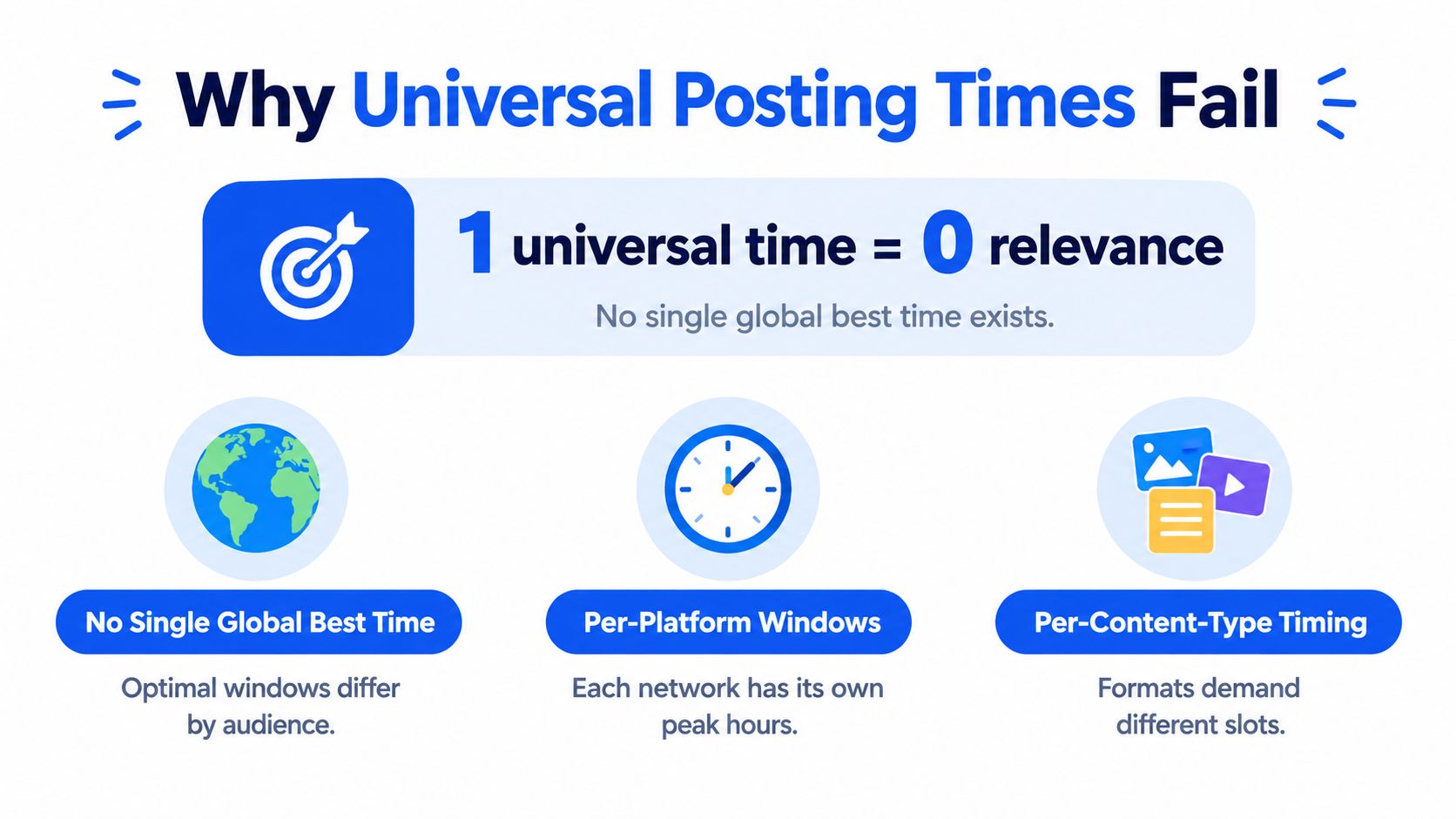
Why Universal Posting Times Fail
A universal posting time fails for the same reason a universal headline fails. Audiences don't open every network for the same reason, and platforms don't distribute posts on the same curve. The foundational 2015 analysis showed that most reactions land in the first two hours, but that window is not identical everywhere, and it's not even close between Twitter and Facebook (LSE overview of the 2015 analysis).
The three variables that actually matter
The first variable is audience behavior. People check different platforms at different moments in the day, which is why a single clock time can look strong in one account and weak in another.
The second is platform decay. Some networks reward speed, others give a post more breathing room before engagement tapers. The third is content type. A quick update, a paid post, and a tutorial don't ask for the same attention from the same person.
Practical rule: if you copy a “best time” list without mapping it to your own audience and content mix, you're scheduling by folklore, not evidence.
A useful mental model is simple. No single global best time exists, because the clock is only one input. Geography, platform, and creative format all change the answer.
How Engagement Decay Shapes Posting Time
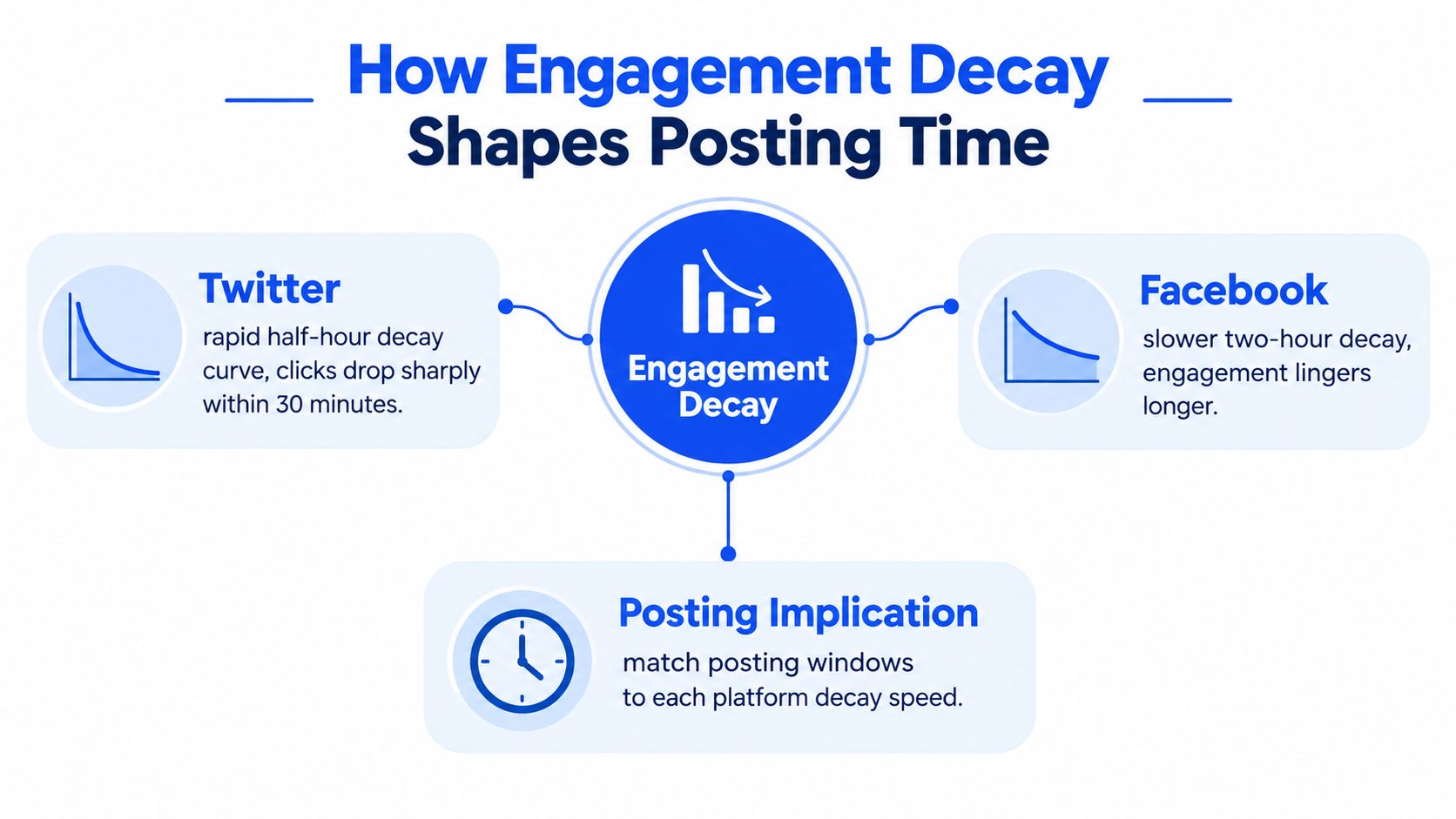
The most useful timing question isn't “when is everyone online?” It's “how long does a post have to earn attention before the feed moves on?” The 2015 analysis found that Twitter reached 50% of reactions within 30 minutes, while Facebook needed about two hours to reach the same point (LSE overview of the 2015 analysis). That is a completely different operating environment.
Fast decay needs immediate distribution
When a platform decays quickly, the first burst matters more. A post needs to enter active viewing periods while the audience is already present, because the feed won't wait around for late arrivals.
The same research also found an evening secondary peak around 7 to 8 p.m. on both Twitter and Facebook, which fits post-work usage patterns (LSE overview of the 2015 analysis). That doesn't mean the evening is universally better. It means attention is often split into two practical ramps, the workday window and the post-work window.
Slow decay gives you more room to compound
Facebook's slower curve means timing still matters, but the post has more time to gather reactions after publication. That's why dayparting can't be read as a single minute on a clock. You're choosing how much of the early audience you can catch before the post ages out of the feed.
The right scheduling question is not “What time does my audience exist?” It's “How much of the platform's early-life attention can I capture before decay wins?”
Video context can help here too, especially if you're comparing feed behavior across formats.
Platform by Platform Posting Windows
Large-scale timing analysis is useful because it gives you a defensible starting point instead of an intuition. A 2023 Sprout Social study analyzed nearly 2 billion social engagements, data from 400,000 social profiles, and activity associated with 34,000 customers, and it found the strongest cross-platform period was Tuesday through Thursday, broadly from 9 a.m. to noon (Sprout Social analysis summary). Sunday was the weakest day in that dataset.
A working timetable by channel
| Platform | Strongest Days | Strongest Window | Notes |
|---|---|---|---|
| Monday through Thursday | 8 a.m. to 1 p.m. | Strong morning performance in the Sprout Social analysis | |
| TikTok | Tuesday through Thursday | 2 p.m. to 6 p.m. | Later than Facebook, which reflects different usage patterns |
| Twitter/X | Tuesday through Friday | 9 a.m. to noon | Mid-morning remains the most consistent cross-platform window |
These are starting points, not universal rules. They're useful because they separate the calendar by network, which is what a multi-channel team needs.
If you need a deeper platform-specific planning view for short-form video, data on Instagram Reel scheduling is a useful companion read because Reel timing often behaves differently from static-feed timing. For workflow planning, the platform's own Instagram scheduler can help keep those slots separated inside one calendar.
Match Content Type to Time of Day
Timing isn't only about where the audience lives, it's about what the post asks them to do. In a Baylor University study of 5,706 Facebook posts from a major U.S. newspaper, non-boosted posts earned 8.8% more link clicks in the morning, while boosted posts got 21% more clicks in the afternoon than in the morning (Baylor study summary). That's a strong hint that organic and paid posts shouldn't share the same slot by default.
Use cognitive load as a routing rule
Simple, emotionally direct content often fits earlier in the day, when users are scanning and deciding quickly. More demanding content, like tutorials, analysis, or promoted posts that need extra consideration, can benefit from later slots when attention is less fragmented.
The same Baylor research also linked timing to cognitive load, with more demanding content performing better in the afternoon and evening, while high-arousal negative content did better in the morning (Baylor study summary). That doesn't mean every brand should chase emotion before lunch. It means you should classify the job of the post before you pick the time.
A practical split looks like this:
- Morning slots for organic discovery, short updates, and content meant to hook quickly.
- Afternoon slots for boosted posts, explanations, and more analytical or considered material.
If you're planning hooks, framing, and opening lines alongside timing, these scroll-stopping hook patterns help you keep the creative side aligned with the schedule.
Local Time Zones and Staggered Releases
A global audience makes “best time” a local question, not a universal one. Recent large-scale analysis of nearly 20 billion engagements across more than 200,000 profiles normalized posting times to each audience's local time and found a broad peak at 9 a.m. to 12 p.m. Tuesday through Thursday (iqfluence analysis summary). That matters because UTC scheduling can look tidy while missing the people you want to reach.
Why one slot can be the wrong operational choice
If your audience is concentrated across North America, Europe, and Asia, one publish time can't be optimal for everyone. Daylight-saving shifts make that even messier, because the same UTC time can drift out of the best local window without anyone changing the calendar.
A 2024 peer-reviewed study of university Facebook pages found higher afternoon reactions, comments, and shares than morning posts, with practical windows of 10:00–13:00 and 13:00–16:00 in local time (2024 Facebook study). That's useful as a local-time reference, but the sample context means it's a starting point, not a global commandment.
Operational takeaway: if two regions matter commercially, stagger the release instead of forcing one slot to serve both.
The hard part is not finding a time, it's deciding which audience segment deserves the first publish. Once that's clear, local-time scheduling becomes a measurable trade-off rather than a guess.
Deriving Your Own Best Times From Analytics
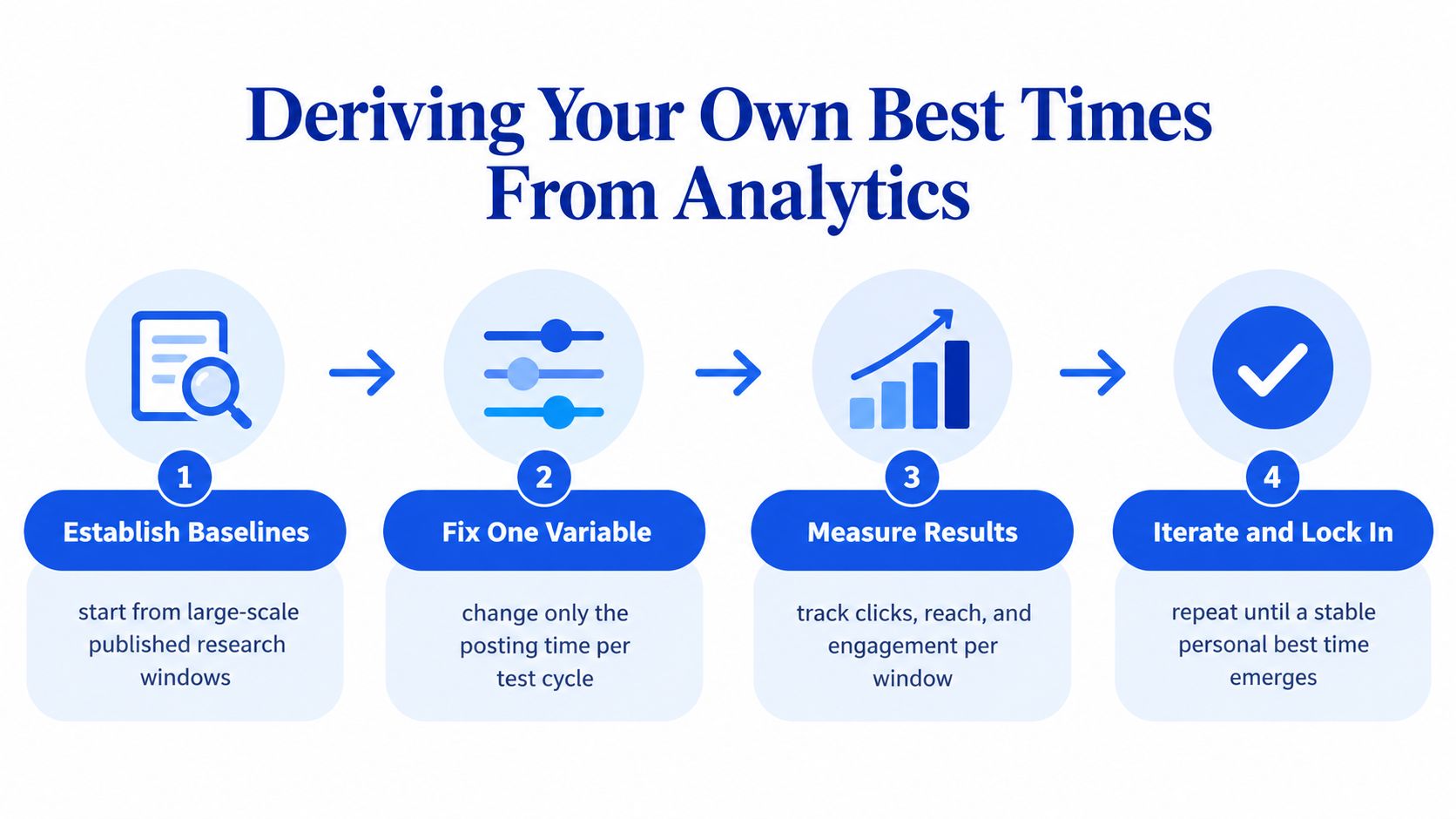
Published research gives you the baseline. Your own analytics decide whether the baseline is right for your audience. A clean timing test starts with an existing window, changes only one variable, and judges success by the action that matters most to you, not by impressions alone.
A four-step timing test
- Establish baselines. Start from the strongest published windows for the platform you use, then choose one or two nearby slots to test against them.
- Fix one variable. Keep content format, caption style, and audience target as steady as you can. Only move the posting time.
- Measure the right outcome. Compare clicks, reach, and engagement, then rank the time slot by the metric that supports your goal.
- Iterate until the result stabilizes. Keep testing until one slot consistently outperforms the others in your own data.
That workflow aligns with tools built for ongoing review, especially if you're tracking short-form video performance alongside feed posts. For a broader view of metrics and reporting, tracking short-form video KPIs is a practical reference point for what to watch once the test is running.
The biggest mistake is stopping too early. A single good post doesn't prove a slot, and a single weak post doesn't disqualify it. You need enough posts in each bucket to see whether the pattern repeats.
Automating Experiments With a Unified Scheduler
The easiest way to run timing tests is to keep the workflow in one place. A unified scheduler lets you draft once, tailor the post for each network, place the variants into per-channel time slots, and publish automatically from a single calendar. That removes the tab-switching that usually breaks disciplined testing.
Social Media Scheduler is one option built around that kind of workflow. It centralizes drafting, scheduling, and analytics across major networks, and it supports per-channel slots, automated publishing, and performance views that show reach, engagement, and engagement rate from the same place (Social Media Scheduler).
What the workflow looks like
You start with one idea, then adjust the copy for each channel before queuing it. That matters because the test stays clean, the schedule stays organized, and the comparison stays readable.
For teams that want a wider comparison of scheduling systems and publishing workflows, TheContentMap on scheduling workflows is a solid external reference for how teams structure the calendar side of the job.
The point isn't automation for its own sake. The point is consistency. If you can queue the same concept into different time slots, then your analytics start telling you which slot truly earned the result.
Common Misconceptions About Posting Time
Peak activity and peak outcomes are not the same thing. A busy slot can also be a crowded slot, which means your post may enter a noisier feed even if more people are online. That's why correlation alone is a weak guide.
Another myth is that a universal minute exists. The data doesn't support that, and neither do the platform differences. The evidence points to separate patterns for audience behavior, platform decay, and content type.
The third myth is that boosted posts follow the same rules as organic ones. The Baylor findings showed different click behavior for boosted and non-boosted posts, which is exactly why paid and organic need separate timing logic (Baylor study summary).
Schedule for the slot that gives your post early attention against manageable competition, measure the action you care about, and refine per channel instead of copying someone else's calendar.
If you want to turn timing from a guess into a repeatable system, use Social Media Scheduler to separate per-channel slots, queue controlled experiments, and review reach and engagement from one calendar. It's built for the kind of testing this topic demands, where the goal isn't just to publish, but to learn which windows work for your audience.