Best Time to Post on YouTube in 2026: A Data-Backed Playbook
Oct 16, 2026 · 12 min read
The most popular advice on the best time to post on YouTube is too confident for what the evidence shows. There isn't one clock time that wins for every channel, every format, or every audience, and YouTube itself says publication time is not known to affect long-term performance because recommendations deliver relevant videos regardless of upload time, while audience activity mainly affects early viewership (YouTube Help).
That matters because timing is better treated as an early-signal experiment than a ranking lever. If you publish before your audience is active, your video has room to process, circulate, and collect initial signals. If you publish at the wrong local hour, you may suppress that early lift without changing the long tail at all.
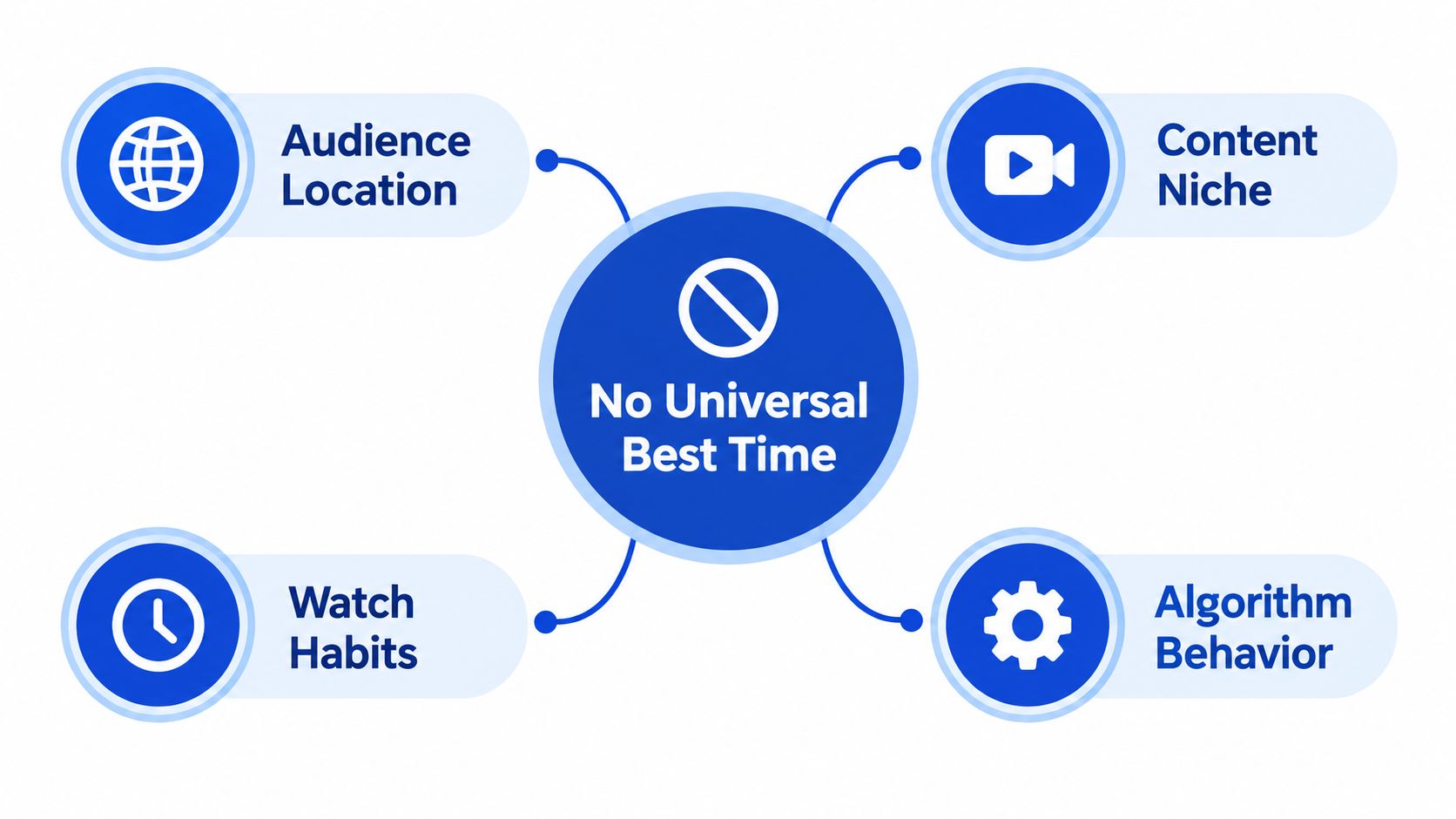
Why There Is No Universal Best Time to Post on YouTube
The mistake in most timing advice is treating YouTube like a broadcast schedule. Viewer habits vary by region, routine, and format, and YouTube's own documentation notes that recommendation systems continue matching videos after upload time, while audience activity mainly shapes the first wave of views.
That makes any generic table a starting point, not a rule. A long-form tutorial for a business audience, a Shorts clip, and a livestream each face different timing constraints. One benefits from a buffer before the audience is active, one depends on fast pickup in the feed, and one needs people online at the same moment.
Practical rule: treat post time as a way to improve the first wave of distribution; it does not control the whole ranking lifecycle.
The better question is which audience you are trying to meet, and at what stage your channel is operating. A local channel may line up neatly with one region's evening habits. A global channel may need to prioritize its largest audience segment, or use separate posting windows for different regions.
Read timing as an experiment, not a universal setting. The next useful step is to separate broad study results from channel-level behavior, then use YouTube Studio's audience heatmap to test whether your own viewers show a real pattern before you change your publishing schedule.
What the Large-Scale Studies Actually Show
Two datasets point in the same direction, but they do not support a single universal posting hour. A large-scale analysis of 1.8 million YouTube videos found that timing patterns vary by format and day of week rather than collapsing into one fixed best hour. In that dataset, Sunday at 10:00 a.m. was the strongest single publishing time for long-form videos, and weekend mornings generally performed well (Buffer). A separate dataset covering 31,852 YouTube videos found that the best and worst weekday differed by only 21% when all content was pooled, which shows how quickly aggregate averages can flatten channel-level differences (air.io).
Aggregate data hides niche behavior
The same air.io dataset becomes more useful when you split it by niche. It reported a best slot of Friday at 16:00 UTC for Kids and Teens, Sunday at 04:00 UTC for Lifestyle, and Friday at 00:00 UTC for Business and Finance. Median views also shifted sharply across those groups. A broad posting rule can miss that spread.
| Niche | Best Slot (UTC) | Median Views | Sample Behavior |
|---|---|---|---|
| Kids and Teens | Friday at 16:00 | 36,402 | Viewing concentrated around a narrower window |
| Lifestyle | Sunday at 04:00 | 4,534 | Early weekend timing mattered more than a midday default |
| Business and Finance | Friday at 00:00 | 5,978 | Late-night UTC outperformed the pooled weekday average |
How to interpret the two studies together
The useful reading is simple. The Buffer analysis gives a directional long-form baseline. The air.io data shows that niche can move that baseline enough to matter. Both findings argue against treating a single public average as a final answer.
That also makes timing a two-stage problem. Start with a broad window that fits likely audience activity, then narrow it by niche, geography, format, and your own historical performance. If those signals disagree, your channel data should come first.
Reading Your Own YouTube Studio Audience Heatmap
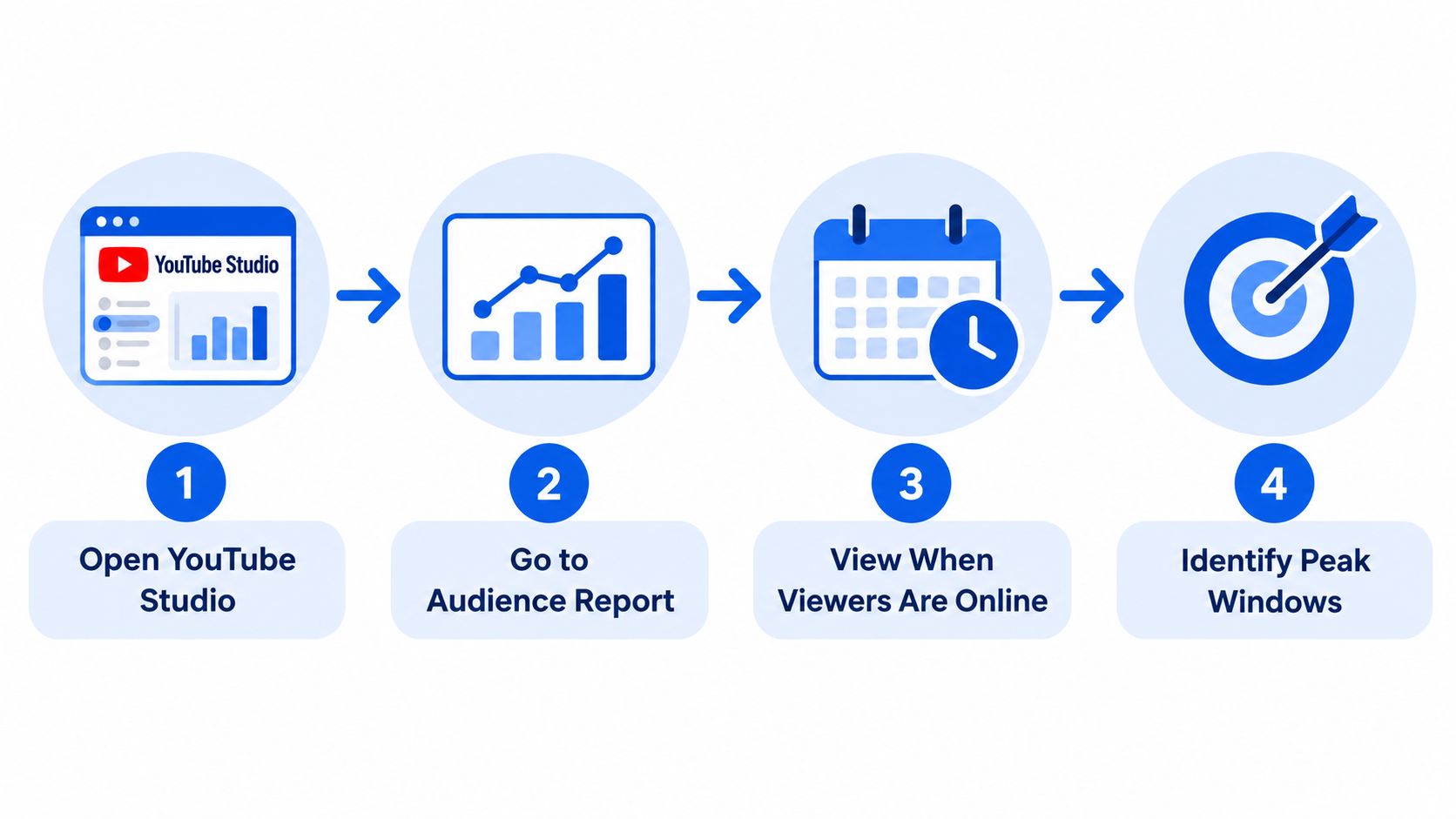
YouTube Studio gives a stronger signal than any public timing table. In the Audience report, the “When your viewers are on YouTube” heatmap shows when your channel's viewers were active on YouTube over the previous 28 days, which makes it a rolling first-party sample of your actual audience (d3mfollow).
The chart only becomes useful once you translate it into a publishing rule. The darkest blocks mark the audience-activity window, but long-form uploads usually benefit from going live one to two hours before that peak so processing can finish and early signals can accumulate before viewers arrive. That is a more workable rule than publishing at the exact peak.
How to use the heatmap without overreading it
- Open the Audience tab. Look for the weekly pattern, not one isolated day.
- Identify the darkest blocks. Those are the main activity windows, shown in your local time in Studio.
- Shift earlier. Schedule long-form uploads ahead of the peak rather than at the peak.
- Watch for regional concentration. If your audience spans multiple continents, convert the heatmap into the time zone of the largest high-value segment, not just your own workspace clock.
The heatmap is a behavioral sample, not a prophecy. It shows when your viewers are active now, not when they will always be active.
For global channels, that distinction matters. A channel with viewers across North America, Europe, and Asia may need separate release slots because one local hour rarely lines up well across all three regions. If the chart shifts from week to week, that is normal. The 28-day window rolls forward, so the pattern should be checked regularly rather than treated as fixed.
Long-Form, Shorts, Premieres, and Live Streams Need Different Timing
A single posting hour will not fit every format. Long-form videos need processing time and early distribution signals. Shorts move through recommendation systems on a different clock, so the timing problem is not the same as it is for a ten-minute upload. Premieres and livestreams depend on people showing up together, which makes audience availability the main constraint.
Long-form content needs processing runway
Long-form uploads usually need more lead time than creators expect. HD processing can take hours, so a post that is supposed to meet a viewing peak should be published well before that moment. The Sunday 10:00 a.m. pattern noted earlier supports that approach, but the useful part is the sequencing, not the clock time itself. If processing finishes late, the video loses the early exposure window that helps it gather initial signals.
Shorts, Premieres, and live content follow different rules
Shorts do not need the same runway. Adobe's analysis found that Shorts posted outside the commonly assumed 8–10 a.m. peak, especially during midnight to 7 a.m. and 11 a.m. to 11 p.m., outperformed Shorts posted during that peak period (Adobe). That does not make every off-peak slot better, but it does show that long-form timing logic does not map cleanly onto Shorts. If you want a practical Shorts reference point, check ClipOven's 2026 Shorts advice and compare it with your own audience data instead of carrying over your long-form schedule.
Premieres and livestreams are different again. They work only if viewers are present at the same time, so scheduling should follow audience availability, not upload convenience. Announce them in advance and treat them as live events, because that format lives or dies on real-time attendance.
Running a Timing Test You Can Actually Trust
Timing tests work only if you keep the rest of the system steady. If you change the topic, thumbnail, title style, or upload cadence at the same time, you won't know whether the time slot helped. Hold those variables constant, then rotate the publish window across a few cycles so you can compare like with like.
What to measure in the first window
Start with the metrics that tell you whether early distribution changed. First-hour impressions, click-through rate, average view duration, and 24-hour watch time are the most useful early signals because they show how quickly the video got traction and whether viewers stayed once they arrived. If one slot consistently lifts those signals while the video quality stays stable, that's meaningful.
How to avoid fooling yourself with noise
A single upload can win or lose for reasons that have nothing to do with timing. Topic strength, thumbnail clarity, subscriber mood, and even external traffic can move the result. That's why one lucky publish time doesn't prove much. Look for the same slot outperforming adjacent slots over multiple cycles, then keep the comparison narrow enough that the result stays readable.
Testing rule: change one timing variable at a time, or you'll only measure your own uncertainty.
If you want software to handle the calendar side of that process, A/B testing resources from FLYP LTD are useful for thinking in controlled variations rather than one-off guesses. A scheduling system can help too, especially one that keeps posting windows organized inside a single queue such as Social Media Scheduler, so the test doesn't collapse into manual reminders and missed slots.
As the audience mix changes, refresh the test. The 28-day heatmap is rolling, so the winner from last month can fade if viewer geography or weekly habits shift. A good timing test is never “done,” it just becomes part of the channel's operating rhythm.
Time Zones, Global Audiences, and the Sunday Morning Baseline
Global channels need a starting point that matches audience geography, not the publisher's clock. If your viewers are split across regions, pick the segment that matters most and publish for its active hours. For broad channels, two slots can be cleaner than one compromise time.
For long-form, Sunday at 10:00 a.m. remains a useful benchmark, as noted earlier. It is not a universal winner, but it gives you a defensible first test when you need one. Use that baseline, then compare it with your own Audience heatmap in the time zone tied to your highest-value region.
How to think about UTC without getting lost in it
UTC helps with comparison, but viewers do not live in UTC. A slot that looks neat in a dashboard can land in a low-activity window for the audience you care about. The first signs usually appear in weak first-hour impressions and slower early engagement.
Map the audience back to local time. If North America is the largest segment, use that region's clock. If Europe is larger, switch to that. If no region clearly dominates, split the release schedule by audience cluster instead of forcing everyone into one upload window.
For channels with a wide spread, a practical setup is two publishing windows, one for the primary region and one for the next largest cluster. That approach keeps the test readable and avoids averaging distinct viewing habits into a single, vague slot.
Be honest about where your viewers are. That beats a neat, universal slot.
Turning Timing Into a Sustainable Publishing Workflow
Timing decisions become easier when they live inside a system. A unified calendar lets you assign one slot to YouTube and different slots to other channels without managing everything by memory. That matters because timing experiments need repetition, and repetition is hard when you're juggling drafts, approvals, and publishing windows manually.
Social Media Scheduler supports cross-platform planning, per-channel time slots, automated publishing, and post analytics in one workflow. It can also centralize YouTube alongside X, LinkedIn, Instagram, Threads, Facebook, TikTok, and Bluesky, which helps when you're testing YouTube timing without breaking the rest of the cadence (Social Media Scheduler).
A simple weekly rhythm
- Plan the slot once. Pick the current YouTube window from Studio, then queue the week around it.
- Publish consistently. Don't let timing experiments turn into missed upload days.
- Review at the end of the cycle. Compare the early signals and adjust the next test window.
- Keep the learning loop short. One clean cycle teaches more than six random uploads.
If you also manage sponsor placements or branded output, sponsor-friendly content calendar tips can help you keep timing tests from colliding with ad commitments.
The value here is not automation for its own sake. It's that a calendar plus analytics turns the best time to post on YouTube into a repeatable operating decision instead of a recurring guess.
Your Next-30-Days Posting Time Action Plan
Start with YouTube Studio's Audience heatmap and pick the darkest activity window. Treat that as your first test slot, not a rule. For long-form videos, schedule one slot about one to two hours before the peak, then choose a second slot far enough away to make the comparison meaningful. Keep topic, thumbnail, and cadence steady so timing remains the variable.
Week 1, read the heatmap and select two windows. Week 2 and Week 3, rotate those windows while holding the rest of the upload setup as constant as possible. Week 4, compare first-hour impressions, click-through rate, average view duration, and first-day watch time, then keep the slot that improves early distribution.
Use the Sunday morning baseline as one of the candidates, not as a fixed truth. If you need a simple publishing structure, this monthly content planning guide can help you fit the test into a normal cadence. Social Media Scheduler can keep those windows in one calendar while the experiment runs.