10 Content Calendar Free Tools and Templates for 2026
Oct 5, 2026 · 20 min read
“Free content calendar” is often treated as a synonym for “free social media scheduler.” That shortcut creates the wrong expectations. A template can organize captions, assets, owners, and publish dates, but it still leaves someone responsible for copying every post into each network. A scheduler can publish automatically, yet its free tier may restrict channels, queued posts, analytics, or collaboration.
This comparison separates publishing tools from planning and workflow workspaces. Each option is assessed by channel coverage, scheduling automation, calendar flexibility, collaboration, analytics, setup effort, and the manual work left after planning. That distinction matters because scheduling adoption has moved from a specialist habit to a mainstream workflow. One recent dataset reports that 73% of social media marketers use dedicated scheduling tools, compared with 47% in 2022, while users report saving an average of 6.3 hours per week against manual posting. See the social media scheduling statistics for the underlying figures.
The list starts with Social Media Scheduler as the reference point for teams that want one calendar for drafting, platform-specific tailoring, publishing, and measurement. It isn't the only sensible choice. Meta-only brands, solo planners, and teams managing approvals may get more value from a narrower tool that matches their actual workflow.
1. Social Media Scheduler
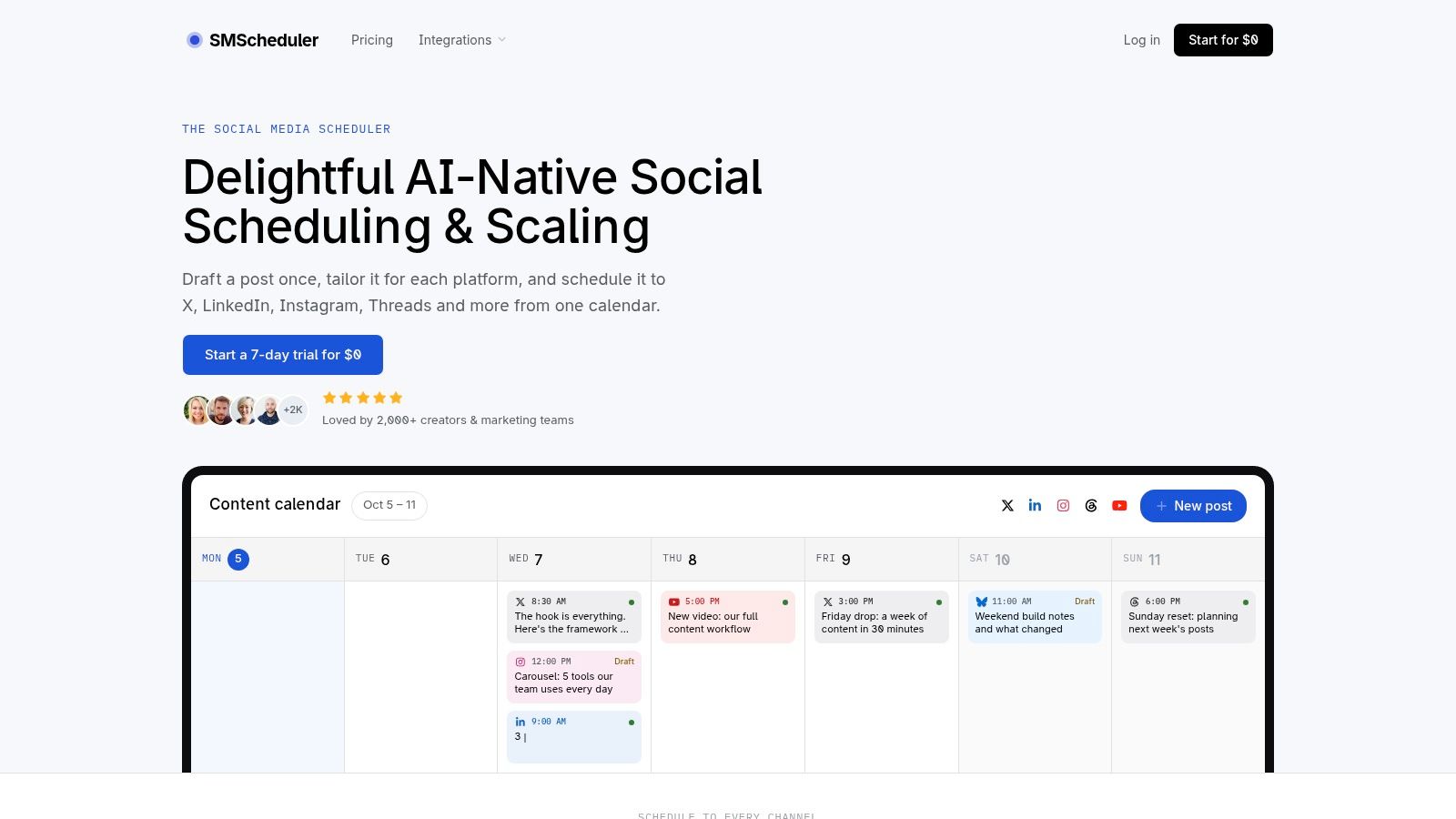
Free calendars often organize work without reducing publishing work. Social Media Scheduler takes the opposite approach: it is a publishing platform with planning tools attached. Its visual calendar covers X, LinkedIn, Instagram, Threads, Facebook, TikTok, YouTube, and Bluesky, allowing teams to manage channel-specific slots in one view instead of reconciling separate spreadsheets or network calendars.
That coverage matters for teams publishing across several networks. A planner can store captions, assets, owners, and dates, but someone still has to copy each post into the native platform. Social Media Scheduler lets users draft an idea once, then apply AI-assisted drafting and rewrites to adjust the copy, media, and format for each channel. Human review remains necessary when a post depends on platform conventions, accessibility requirements, or an API-restricted feature.
Best fit for unified publishing and learning
Drag-and-drop planning handles calendar changes, while automated publishing sends approved posts to selected channels at the chosen time. Account and post analytics remain in the same product, including reach, engagement, and engagement rate. Sortable views help teams compare posts and profiles, while historical results inform recommendations about what to publish, when to schedule it, and which format to test.
The result is a working feedback loop rather than a record of planned activity. Research on social media management software reports that 91% of tool users improved posting consistency and 42% use AI-powered features. The figures are reported in the social media management software data.
Pros
- Cross-platform tailoring: Draft once and adapt content for each channel, reducing repeated caption work.
- Publishing automation: Approved posts can go live without opening every platform separately.
- Performance feedback: Reach, engagement, and engagement rate appear beside the publishing workflow.
- Flexible entry point: A 7-day trial at $0 with no credit card required allows teams to test the workflow before committing.
- Privacy positioning: The company says it stores the data needed for publishing and reporting and does not sell user data.
Cons
- Trial rather than an unlimited free tier: Access is time-limited, so teams should confirm paid-plan capacity before building a larger process.
- Human review remains necessary: AI adaptations may need edits for tone, context, accessibility, and platform conventions.
- Feature exceptions exist: Specialised formats may still require manual work in the native network.
2. Buffer
Buffer is a straightforward option for creators and small teams that want a visual queue rather than a project-management system. It combines a calendar and drafting workflow with post previews, browser and mobile access, and basic reporting on supported profiles.
Its strength is low setup friction. A user can connect channels, establish a queue, prepare posts, and inspect how the schedule looks without designing a database or approval architecture. The free plan is suitable for validating whether a cross-platform publishing rhythm is useful, but it limits the number of channels and queued posts. More advanced analytics and team collaboration sit behind paid tiers.
Best fit for a simple queue
Buffer works best when one person owns most of the process and wants fewer publishing tabs. It also includes practical features such as first-comment scheduling for supported networks, which can reduce a small piece of manual follow-up.
The limitation is strategic rather than cosmetic. A queue can make publishing easier, but it doesn't automatically create a solid production system for briefs, asset dependencies, or multi-stage approvals. Teams should define those fields elsewhere or choose a workspace designed around them.
Practical rule: Use Buffer when the main problem is getting approved posts published consistently, not when the main problem is coordinating a complex content pipeline.
For readers using a scheduler but lacking a repeatable planning rhythm, this guide to planning a month of content offers a useful workflow distinction. Buffer's free tier is a credible starting point, but its limits should be checked against the number of active channels and posts you expect to hold in the queue.
3. Meta Business Suite Planner
Meta Business Suite is the clearest choice when your publishing universe is limited to Facebook Pages and Instagram professional accounts. Its Planner provides a calendar view for creating, previewing, and scheduling posts from one native environment, with basic Page and Instagram insights available alongside the publishing workflow.
The main advantage is not breadth. It's proximity to the platforms themselves. A Meta-only business doesn't need to connect third-party accounts or translate a general calendar into Meta-specific publishing steps. The web and mobile interfaces also make it practical for owners who need to review or schedule content without adopting a broader social management system.
Best fit for Meta-only publishing
Meta Business Suite becomes less suitable as soon as the calendar needs LinkedIn, X, TikTok, YouTube, or another network. It doesn't solve cross-network planning, and content destined for other channels will still require a separate system. Users may also encounter changes in interface behavior or reliability within Planner views, so a careful review process remains sensible.
The Facebook scheduler workflow is useful for understanding where native Meta scheduling fits compared with a multi-network calendar. Meta Business Suite is free for its supported ecosystem, but its free advantage comes with a strict channel boundary.
Choose it when your team wants native scheduling and basic measurement for Facebook and Instagram. Don't choose it as the central operating layer for a brand whose content strategy already spans several networks.
4. Zoho Social Free Edition
Zoho Social offers a true scheduling workflow on its Free Edition, rather than merely providing a place to list future posts. Its calendar can manage a single brand and connect to Facebook Pages, Instagram business accounts, LinkedIn, X, and Google Business Profile.
That makes it more capable than a planning template for a small operator who needs several destinations but doesn't yet need a large client or approval structure. The unified dashboard also includes basic monitoring and engagement tools, so the user can manage more of the routine workflow without opening every native platform.
Best fit for one brand with several networks
Zoho Social's free edition is most useful when the operating model is compact. One brand, a small number of contributors, and a need for basic scheduling create a clean fit. The setup effort is higher than Meta Business Suite because each network must be connected and permissions must be understood, but it remains lighter than building an integrated workspace from scratch.
The trade-off appears when collaboration becomes central. The free plan is limited to one brand and fewer features. Advanced analytics, approval workflows, and team roles require an upgrade, so agencies and larger marketing teams should test ownership and review requirements before moving their whole process into the free edition.
It is a publishing tool, not a full editorial production system. Use it to coordinate channel delivery. Keep detailed briefs, design requests, and asset version control in another workspace if those tasks drive the team's workload.
5. Metricool Free Plan
Metricool combines a calendar, automated publishing, and analytics for a single brand. That combination makes it a reasonable starting point for a solo creator who wants to connect scheduling decisions with basic measurement instead of using one tool for posts and another for reporting.
The calendar is designed for practical planning. Users can arrange content across connected networks, prepare posts, and inspect essential performance information. The free plan includes limited monthly scheduling and limited analytics history, which makes it better for testing a cadence than for maintaining a large evergreen publishing library.
Best fit for measurement-conscious solo users
Metricool's differentiator is the presence of analytics in the starter workflow. A planning-only workspace can tell you what was intended, while Metricool can help connect scheduled activity with observed results. That doesn't remove the need to interpret platform-specific performance, but it reduces the need to assemble a first reporting layer manually.
The free plan's limits matter more as volume grows. Monthly post caps can interrupt a consistent schedule, and restricted analytics history can make longer comparisons difficult. Deeper analytics, advertising features, and team seats require paid tiers.
Start with Metricool if you want to answer a narrow question: can one brand maintain a manageable publishing rhythm while tracking enough performance to make better decisions? If the answer is yes, review the plan limits before migrating more channels or historical reporting into it.
6. Trello Calendar View and Templates
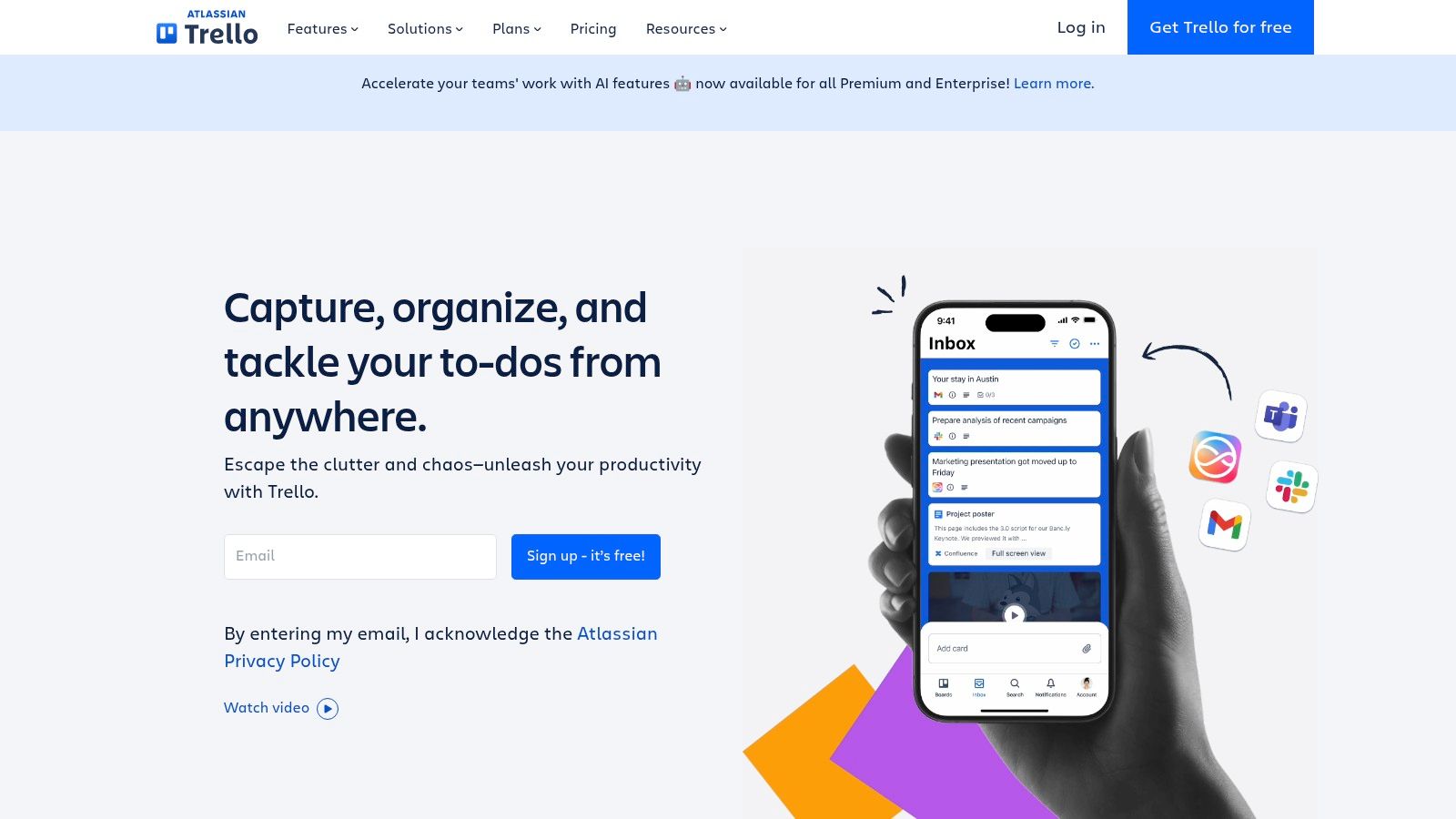
Trello is a planner, not a social publisher. Its free plan supports boards, cards, labels, checklists, attachments, collaboration, and a native Calendar view, allowing a team to turn a basic editorial process into a visual schedule without connecting social accounts.
That distinction is important. A card can contain a caption draft, an asset link, an owner, a checklist, and a due date. Moving the card changes the plan, not the publication. Someone still has to copy the approved content into a native platform or a separate scheduler.
Best fit for lightweight production control
Trello's setup friction is low because the board metaphor is easy to understand. A small team can create columns such as idea, drafting, design, review, approved, and published, then use calendar dates to see when work should move. Labels can separate channels, campaigns, or content pillars.
The free workflow becomes less convenient when teams need a global view across many boards or more complex automation. Cross-board calendars and advanced automation may require add-ons or paid tiers. Trello also won't provide post-level social analytics unless the team links or records those results manually.
- Use it for: Flexible editorial planning, asset handoffs, and simple approval stages.
- Don't expect: Native auto-publishing, platform-specific previews, or consolidated reach and engagement reporting.
- Reduce manual work: Add a required published URL and performance-notes field to each completed card.
A weekly content system can complement Trello by defining when ideas become scheduled posts. Without that operating rhythm, the board can become a well-organized backlog rather than a reliable publishing calendar.
7. Notion Templates and Calendar Databases
Notion is useful when a content calendar needs to hold more than dates. A database can display the same records as a calendar, timeline, board, or table, while each record can contain a brief, caption, asset links, checklist, approval notes, and publishing context.
That flexibility makes Notion closer to a content operating system than a simple calendar. It also creates the main risk. The team has to decide which properties matter, what each status means, and how contributors should move work through the process. A free template can shorten the initial setup, but it doesn't remove the need for governance.
Best fit for briefs and approvals
Notion works particularly well when the same content record travels from idea to production and approval. A writer can add the draft, a designer can attach the visual, and a reviewer can leave comments without splitting the context across a spreadsheet and a chat thread.
It doesn't natively auto-publish social posts. Users must post manually or connect a third-party bridge, which introduces more setup and another possible failure point. Advanced permissions and automation may also require paid plans or integrations.
The best use case is a small team that values context over automation. If your primary question is “What does this post need before it can be approved?”, Notion is compelling. If the question is “Can this approved post go to eight networks without another click?”, a dedicated scheduler is a better fit.
8. Airtable Content and Social Calendar Templates
Airtable sits between a spreadsheet and a relational database. Its content calendar and social planner templates give teams a structured way to track dates, channels, owners, statuses, assets, and campaign relationships while switching between Calendar, Grid, and Gallery views.
That structure is valuable when a team needs to slice the same content by different dimensions. A manager can filter by owner, a designer can view asset-related work, and a social lead can isolate posts for one channel or campaign. Those views reduce the ambiguity that often develops in a single flat spreadsheet.
Best fit for structured multi-channel planning
Airtable's strength is schema design. Custom fields can capture approval state, content format, campaign, asset status, and destination URL. Forms can support intake, while integrations and automations can move information between systems, although free access limits those capabilities.
Airtable isn't a native social publisher. Approved records still need manual posting or an integration that passes content into another tool. That means the platform can make production more orderly without removing the final publishing task.
The free plan also has limits around records, views, automations, and advanced features. Teams should map their expected content volume and attachment needs before building an elaborate base. A well-designed Airtable base can be powerful, but it can also become a maintenance project if every possible field is added before the team has established a stable cadence.
Use Airtable when data relationships and filtering matter more than immediate publishing automation.
9. ClickUp Social and Content Calendar Templates
ClickUp treats the content calendar as part of project execution. Its social media templates can connect dates to task-level copywriting, design, review, and approval work, while Calendar, List, and Timeline views give different contributors a view suited to their responsibilities.
This approach is more process-heavy than Trello and more task-oriented than Notion. A post can carry comments, attachments, subtasks, and ownership, which helps teams coordinate work that must happen before publication. Automations can support status changes and handoffs, though some collaboration and automation functions require paid access.
Best fit for teams managing dependencies
ClickUp makes sense when a social post is one deliverable inside a larger campaign. A launch can contain related tasks for messaging, video, design, legal review, and channel adaptation, with the calendar showing the intended publication date. That gives managers more control over production risk than a simple queue.
The cost is setup and learning. New users may find the interface and feature choices heavier than a basic calendar needs. A solo creator testing a few weekly posts could spend more time configuring the system than producing content.
ClickUp also doesn't replace a publishing platform by itself. Its calendar can say that a post is approved and due, but a person or integration still has to send that post to the relevant network. Pick it when workflow visibility is the bottleneck, not when hands-off publishing is the top requirement.
10. Asana Editorial and Social Calendar Templates
Asana provides a familiar project-management environment with editorial and social calendar templates. Its Calendar, List, and Board views can organize content by date, production stage, owner, and campaign, while subtasks and integrations support creative and communications workflows.
The free personal tier is useful for an individual who wants a ready-made structure without designing a database. Small teams can also test whether task-based planning improves ownership and visibility. The free experience is less suited to organizations that need advanced administration, deeper collaboration controls, or extensive workflow governance.
Best fit for an established project process
Asana is strongest when marketing work already lives in project management. A social post can sit beside campaign tasks, launch milestones, and creative deliverables instead of becoming a separate calendar that the team forgets to update. The interface is usually easier to explain to contributors than a heavily customized database.
It remains a planning workspace, not a complete social publishing system. Users should expect manual publishing or an additional connection to a scheduler. That extra step is acceptable when approvals and dependencies cause most delays, but inefficient when the team mainly needs reliable cross-network delivery.
Paid team plans can also have minimum seat requirements, so a small organization should review access rules before making Asana the center of its content operation. The right test is simple: can each person find their task, understand its status, and know what must happen before publication?
Free Content Calendar Tools Comparison
| Product | Core features | Quality ★ | Price / Value 💰 | Best for 👥 | Unique selling point ✨ |
|---|---|---|---|---|---|
| 🏆 Social Media Scheduler | AI-native: cross-platform scheduling, AI drafting + per-channel tailoring, visual drag‑and‑drop calendar, automated publishing, post analytics | ★★★★★ (4.9/5 G2) | 💰 7‑day free trial (Start $0); paid tiers | 👥 Solo creators → agency teams | ✨ Draft once, tailor everywhere; privacy‑forward; realtime learning recommendations |
| Buffer | Unified calendar & queue, drafting/previews, basic analytics, browser & mobile apps | ★★★★ | 💰 Generous free tier; paid plans for teams & advanced analytics | 👥 Solo creators & small teams | ✨ Simple, reliable workflow; long‑standing reputation |
| Meta Business Suite (Planner) | Compose/schedule & preview for Facebook Pages + Instagram, calendar view, basic Page/IG insights | ★★★ | 💰 Free (native to Meta) | 👥 Businesses focused on FB & IG | ✨ Native, no‑cost publishing for Meta platforms |
| Zoho Social (Free Edition) | Calendar & scheduling for one brand; connects FB, IG, LinkedIn, X, GBP; basic monitoring | ★★★ | 💰 Free edition for single brand; paid upgrades | 👥 Single‑brand users / small teams | ✨ True multi‑network free scheduler with clear upgrade path |
| Metricool (Free plan) | Planning/calendar, basic automated publishing, essential analytics history (limited) | ★★★ | 💰 Free plan with monthly caps; paid for deeper analytics | 👥 Solo creators validating cadence | ✨ Scheduler + starter analytics in one place |
| Trello (Calendar view + templates) | Kanban board with native Calendar view, drag cards, labels, attachments, Power‑Ups | ★★★ | 💰 Free planner; no native auto‑publishing | 👥 Teams wanting lightweight, customizable editorial calendar | ✨ Extremely easy to set up a visual editorial workflow |
| Notion (templates + calendar DBs) | Databases with Calendar/Timeline/Board views, rich pages for briefs & assets, community templates | ★★★ | 💰 Free personal tier; no native auto‑publish | 👥 Creators wanting an all‑in‑one content OS | ✨ Fully customizable editorial workspace with templates |
| Airtable (templates) | Relational DB with calendar/grid/gallery views, content templates, automations & integrations | ★★★ | 💰 Free limited tier; paid for advanced records/views | 👥 Teams needing structured, multi‑channel planning | ✨ Powerful schema & filters for complex workflows |
| ClickUp (templates) | Social calendar templates, multiple views (Calendar/List/Timeline), automations, comments & attachments | ★★★ | 💰 Free‑forever; paid for advanced automations & seats | 👥 Teams requiring task‑level production workflows | ✨ Task‑driven content production tied to calendar |
| Asana (editorial templates) | Editorial/social templates, Calendar/List/Board views, custom fields, integrations | ★★★ | 💰 Free tier; paid team plans for advanced features | 👥 Small teams preferring project‑management UI | ✨ Familiar PM tooling with content‑specific templates |
Choose the Calendar That Matches Your Workflow
There isn't one universally best free content calendar because “calendar” describes two different jobs. A publishing calendar schedules content into social networks. A workflow calendar organizes the work needed to make that content publishable. Choosing between them first will save more time than comparing interface details.
Choose Meta Business Suite if Facebook and Instagram are the only channels that matter. Its native connection keeps setup direct and avoids paying for cross-platform coverage you don't need. Choose Buffer or Zoho Social when the priority is lightweight cross-network scheduling, with Buffer favoring a simple queue and Zoho Social offering a free single-brand workflow across several major networks.
Choose Metricool when basic analytics should sit close to scheduling. That arrangement suits a solo creator or small brand that wants to review what was published and use the available data to adjust future content. Choose Social Media Scheduler when the workflow needs broader channel coverage, AI-assisted drafting and tailoring, automated publishing, a unified visual calendar, and post-level performance measurement in one place. Its free entry is a 7-day trial, not an unlimited permanent tier, so it should be evaluated as a publishing-and-learning platform rather than described as a forever-free scheduler.
The planning tools solve a different problem:
- Trello suits lightweight boards, simple statuses, and visual ownership.
- Notion suits briefs, captions, assets, and approvals in one flexible database.
- Airtable suits structured records, filtering, relationships, and asset tracking.
- ClickUp suits task dependencies and production-heavy campaigns.
- Asana suits teams already managing marketing projects through tasks and milestones.
The broader market direction supports separating these categories. The social media management software market is projected to grow from USD 38.16 billion in 2026 to USD 190.98 billion by 2034, with a projected 22.30% CAGR, while publishing tools represented 42% of the market in 2024. The social media management software market analysis also identifies SMEs as the fastest-growing user segment. That suggests smaller teams increasingly need practical publishing and collaboration systems, but it doesn't mean every team should adopt the most feature-rich option.
A sensible implementation sequence keeps the decision grounded:
- Define the channels and cadence: Decide which networks are active and what publishing rhythm the team can sustain.
- Choose one calendar structure: Don't duplicate the same plan across Trello, Notion, a spreadsheet, and a scheduler.
- Add ownership and status: At minimum, record who owns the post and whether it is an idea, draft, review item, approved post, scheduled item, or published record.
- Schedule a small test batch: Use enough content to expose channel, approval, and publishing problems without creating a large migration task.
- Review the free limits: Check channel counts, queued posts, monthly caps, analytics history, seats, attachments, automation, and approval features before expanding.
- Leave room for change: Planning guidance commonly recommends post-level scheduling around 2 to 4 weeks ahead, broader themes across 1 to 3 months, and 20% to 30% of slots open for reactive content. The content calendar planning guidance also argues for refresh dates because evergreen content may have a shorter useful lifespan than teams expect.
The final point is the one most free calendar advice misses. A rigid plan can preserve outdated content just as efficiently as it publishes good content. Use the calendar to create consistency, but keep review dates, performance fields, and open capacity so the team can replace weak ideas instead of defending them.
Social Media Scheduler combines a visual multi-network calendar with AI-assisted drafting, channel-specific tailoring, automated publishing, and analytics for reach and engagement. If you want to test a publishing workflow rather than maintain a planning-only template, visit Social Media Scheduler and use the no-card trial to see whether one calendar reduces your manual work.