How to Get More Engagement on LinkedIn Posts
Oct 11, 2026 · 16 min read
Most advice on how to get more engagement on LinkedIn posts starts with the wrong question. It asks whether you should post more often, publish at a particular hour, or turn every idea into a carousel. Those choices matter, but they don't explain why a thoughtful post can stall while a less polished one keeps spreading.
A more useful model treats engagement as an interaction-engineering problem. You design the post for attention, select a format that matches the outcome you want, and deliberately manage the opening period after publication. The evidence points to a system shaped by dwell time, early interactions, format fit, and the way reactions, comments, and reposts reinforce one another.
Why LinkedIn Engagement Feels Random
LinkedIn engagement looks random when creators track the easiest metrics instead of the ones that shape distribution. Posting frequency and follower count are visible. They say little about whether someone paused, expanded the post, read far enough to form an opinion, or saw a reason to add their own comment.
A 2025 peer-reviewed study of a random sample of 991 LinkedIn posts examined which factors predicted reactions, comments, and reposts using negative-binomial regression. The researchers found that relevant tagging and hashtags were associated with higher expected reactions, while tagging also increased expected comments. Follower count showed a smaller positive relationship, and post age was negative across all three engagement measures. Older posts drew less engagement over time. (Peer-reviewed LinkedIn engagement study)
The practical conclusion is narrower than many creators assume. More tags are not a universal answer, and neither is chasing a formula. The opening distribution period deserves more attention than many LinkedIn users give it, because engagement accumulates fastest when a post creates immediate reasons to stop, expand, respond, and pull another relevant person into the thread.
Practical rule: Treat publication as the start of a managed interaction window, not the end of the writing task.
The three variables you can control
The first variable is algorithmic attention. The opening lines need to earn the expansion click and hold attention long enough for the post to prove it is worth reading.
The second is format fit. Different formats create different kinds of behavior. A structured lesson often works better as a document. A sharp opinion or observed pattern may travel better as plain text because it reduces friction and invites a fast response. The useful question is not which format is “best.” It is which format best supports the outcome you want, reach, discussion, or authority.
The third is interaction design. A specific prompt, a credible tag to a subject-matter expert, and thoughtful early replies make participation easier. Vague requests for opinions usually produce weaker discussion because they ask readers to do too much work.
A practical overview such as how to boost LinkedIn engagement can help with implementation ideas. The stronger habit is controlled testing with your own audience, especially during the first two days, instead of treating familiar advice as settled truth.
How the LinkedIn Feed Rewards Your Posts
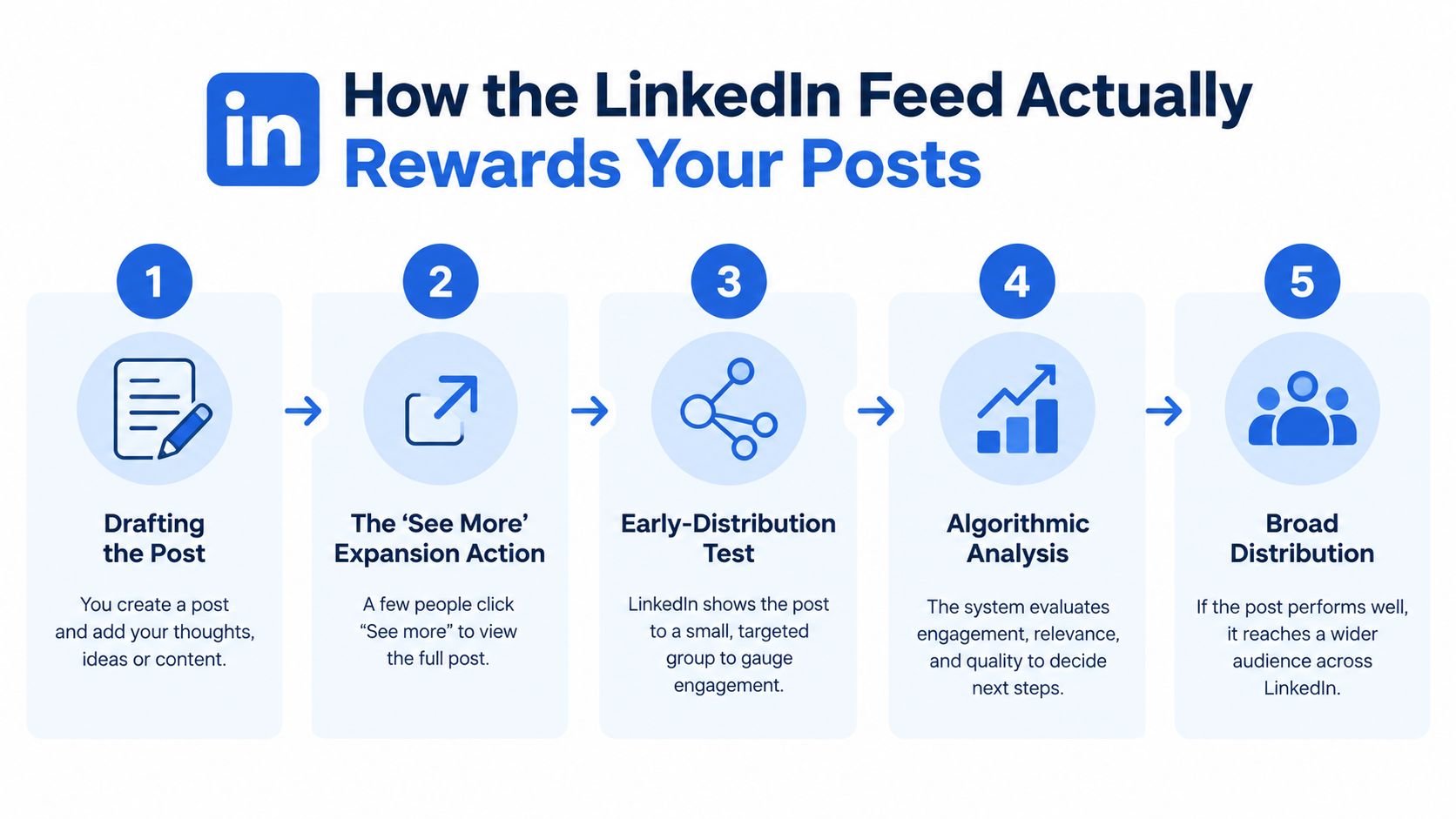
LinkedIn rewards posts that hold attention long enough to justify broader distribution. The clearest public explanation comes from the Stony Brook University Small Business Development Center's algorithm analysis, which noted that LinkedIn added dwell time to feed ranking in May 2020. In practice, that means the feed is evaluating more than reactions. It is also evaluating whether someone pauses on a post, expands it with “see more,” and keeps reading. (Stony Brook LinkedIn algorithm analysis)
That changes how to write for LinkedIn. The opening lines are not throat-clearing space. They are the part of the post that must earn the expansion click. If the first visible lines do not offer a clear observation, a sharp claim, or a concrete consequence, the post wastes the one part every impression is guaranteed to see.
Think in distribution tests, not viral luck
The same Stony Brook analysis described a meaningful test period in the first two hours after publication. Posts that later exceeded 50,000 views averaged about 100 engagements in that window. Posts finishing between 30,000 and 50,000 views averaged 65 early engagements. Posts reaching 20,000 to 30,000 averaged 42, and posts in the 10,000 to 20,000 range averaged 28. Those figures are observations from that analysis, not targets that guarantee reach.
The practical conclusion is less glamorous than “go viral.” LinkedIn appears to widen distribution after a post shows early signs of attention and interaction. So the first readers matter disproportionately. If they comment, your replies should add information, answer objections, or sharpen the claim. Short courtesy replies keep the thread alive socially, but stronger replies make the thread more worth reading for the next person.
The same analysis also associated document posts with roughly 40–60% higher performance and video posts with about 20–40% higher performance in the sample it examined. It identified 8:00–10:00 a.m., especially Tuesday morning, as a strong publishing window there. Treat both findings as testable starting points, not fixed rules for every audience.
Put the core payoff in the first 2 to 3 lines. Use the next lines to earn discussion, not to repeat the hook.
Choosing Formats That Match Your Goal
Format choice should follow the job you need the post to do. Reach, conversation, authority, and qualified leads are different outcomes, so the strongest format depends on what you want the audience to do after seeing the post.
A benchmark covering approximately 1 million LinkedIn posts from 9,000 business pages reported the following average engagement rates. Use these figures as directional comparisons, because audience mix, industry, distribution patterns, and the engagement denominator all shape the result. (LinkedIn format benchmark)
| Format | Avg. engagement rate | Best used for |
|---|---|---|
| Multi-image posts | 6.60% | Visual discovery and step-by-step ideas |
| Native documents | 6.10% | Structured education and authority |
| Video | 5.60% | Demonstration and personal presence |
| Text | 4.00% | Clear opinions and discussion |
| Link posts | 3.30% | Selective traffic-driving content |
The practical read is straightforward. Multi-image posts and documents are strong default choices when you need more initial attention or clearer explanation. Text posts usually give up some average engagement rate, but they often create sharper disagreement, qualification, and first-hand responses, which makes them useful when your real goal is discussion quality rather than broad exposure.
Start with the intended outcome
For structured education, start with a native document. Give page one a single promise, build a progression of 5–10 concise pages, and end with one practical takeaway or discussion prompt. Native delivery keeps the reader inside LinkedIn long enough to evaluate the idea, which supports authority better than asking for an external click before the value is clear.
For conversation, run the same thesis as a text post. Make one claim that a professional can agree with, challenge, or qualify from experience. Good prompts narrow the response space. “Where does this break in practice?” will produce better comments than a generic request for opinions.
For discovery, use a multi-image post or poll as the challenger format. The benchmark reported that polls drove the highest impressions in its dataset. That makes polls useful for exposing a question to more people, but impressions alone do not prove expertise, intent, or commercial value. Judge the format by what happens next: discussion quality, profile visits, and the kind of follow-up actions it creates.
Run a controlled format test
Use one substantive idea and publish three versions: a poll for reach, a document for authority, and a text post for discussion. Keep the topic category, audience, posting frequency, and measurement denominator constant. Compare engagement rate by impressions over a fixed 30-day period, and evaluate at least 8–12 posts per format before changing strategy.
Treat the test as a way to match each format to one audience segment and business objective, then re-run it quarterly.
Engineering the First 48 Hours
LinkedIn engagement often looks random because creators focus on the moment of publishing and ignore the system that follows. The post itself matters, but the first 48 hours matter more as an interaction window. As noted earlier, the 991-post study found that comments, reactions, and reposts tend to reinforce one another. In practice, that means early discussion does more than signal approval. It can create the conditions for broader distribution and better downstream responses.
The job, then, is to design the opening exchange. A post that attracts one informed comment can prompt clarification, disagreement, or a second example. That sequence is more useful than a burst of low-context reactions because it gives LinkedIn more evidence that the conversation is worth showing to additional people.
Prepare the interaction before publication
Start before you publish. Write a question that someone with direct experience can answer quickly and specifically. “What do you think?” asks for effort with no clear angle. “Where has this process failed in your team?” gives readers a concrete way in.
Choose participants with care. Tagging a relevant operator, manager, or specialist can improve the discussion because they have a real reason to add context, a counterexample, or a practical constraint. Tagging someone only because they have reach usually produces weaker conversation and makes the post feel engineered for visibility.
A useful routine looks like this:
- Before publishing: Draft the prompt, identify relevant contributors, and decide what kind of evidence or experience you want the thread to surface.
- Immediately after publishing: Watch for early comments and reply with follow-up questions that sharpen the point or draw out specifics.
- During the first day: Invite qualified subject-matter experts to add a counterexample or implementation detail, without excessive tagging.
- After 48 hours: Review engagement rate and comment quality, then revisit the post again after seven days.
A LinkedIn post scheduler can reserve the slot and keep testing disciplined, but scheduling only handles timing. You still need to be present when the first serious readers arrive.
Avoid interaction that looks like noise
Engagement pods, repetitive comments, and forced exchanges can inflate activity without improving the quality of attention. Excessive tagging creates a similar problem. Attract responses from people who understand the problem and can make the discussion more valuable.
Timing also deserves a colder, more analytical approach. One benchmark roundup reported Thursday at 7.1% average engagement as its strongest day and Sunday at 5% as its weakest, while another source in the same roundup pointed to a Wednesday afternoon peak. Those benchmarks used different samples, which is exactly why timing advice should be treated as a hypothesis to test on your own audience rather than a universal rule. Use two or three weekday windows for similar content, compare like with like, and keep the winner only if it holds up over repeated posts. (LinkedIn algorithm benchmark analysis)
Writing Posts That Earn Comments and Reposts
Comments and reposts are a higher bar than likes. They ask the reader to attach their name, experience, or network to your idea. If you want more of them, write posts that give people a clear reason to add something.
As shown by the 991-post study earlier, credible tagging beats volume tagging. Make participation credible: tag a person who can add a real perspective, and choose hashtags that describe the subject.
Build a low-friction commenting architecture
Posts that generate useful discussion usually contain three parts, and each one does a different job:
- A definite position: state a claim grounded in professional experience or a clearly described observation.
- A useful tension: show the trade-off, failure mode, or condition that makes the claim worth debating.
- An answerable prompt: ask for an example, exception, or implementation detail instead of a vague request for agreement.
This structure matters because LinkedIn engagement is not only about reach. It is about what kind of interaction the post makes easy in the first place. A reader can react to a broad statement in a second. A reader comments when the post narrows the problem enough that a specific reply feels worth writing.
So replace “Do you agree?” with a question such as which step in the process creates the most friction, where the advice breaks in practice, or what constraint changes the decision. Those prompts invite experience, not performance.
The first line also filters who joins the thread. A specific opening attracts people with context. A generic motivational opener attracts lightweight reactions from people with little to add. If you need ideas for stronger openings, study hooks that stop the scroll, then evaluate them by comment quality and repost depth, not only by the pause they create.
The LinkedIn content strategy for 2026 resource is useful for planning formats and post structure. Still, the better standard is your own controlled testing. Compare prompts across similar topics, keep the denominator consistent, and watch which version produces informed disagreement, concrete examples, and second-order conversation.
Replies matter more than many creators assume.
Do not end the exchange with “Thanks for sharing.” Add a follow-up question. Contrast the commenter's example with your own. Explain how their point changes the original claim, supports it, or reveals a boundary condition. A strong reply creates another readable unit of content, extends the post's useful life, and gives later readers a better reason to join.
Here is a visual walkthrough of the interaction logic in practice:
Reading Your Analytics Without Fooling Yourself
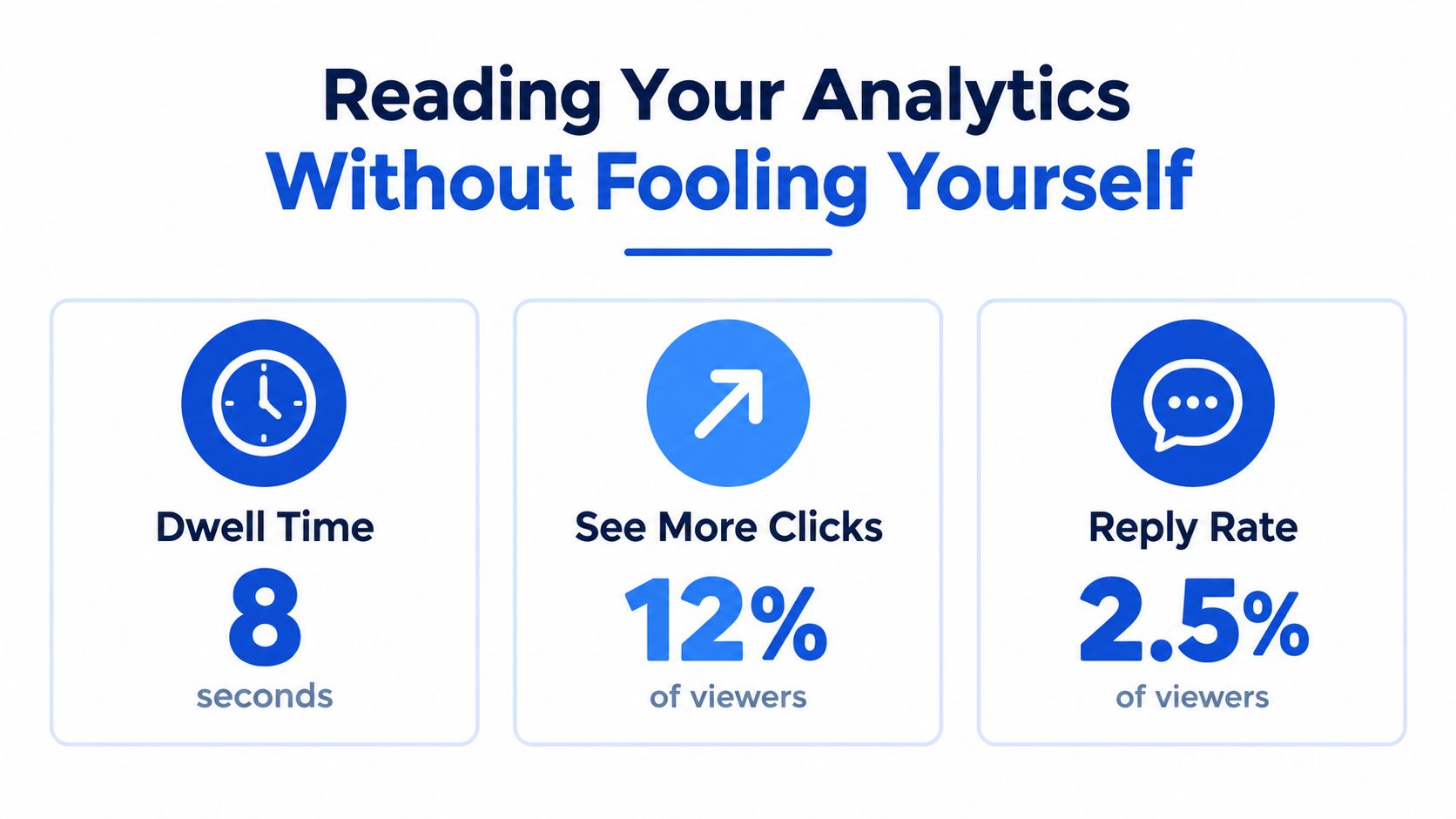
LinkedIn analytics often create false confidence. A post can collect reactions and still miss the audience you want, fail to hold attention, or produce a thread that goes nowhere. If engagement is an interaction-engineering problem, measurement has to separate surface activity from useful response.
Build a scorecard around attention, participation, and relevance. Track impressions, engagement rate by impressions, comment quality, reposts, and who is responding. If your account shows dwell-time or expansion signals, use them as diagnostic clues, not as a verdict on success.
Use a fair denominator
Engagement by impressions measures how often viewers acted after the post reached them. Engagement by followers answers a different question and can hide what happened at the post level. Choose one denominator for a comparison and keep it fixed, especially if you are testing formats or hooks.
Keep the comparison clean. Personal-profile posts and company-page posts operate under different distribution patterns and attract different kinds of interaction. Topic changes also distort the read. If one post is a polished document on a high-interest subject and another is a casual text post on a niche issue, the result does not isolate format.
Change one variable at a time
The format benchmark cited in the formats section makes the broader point correctly: stable inputs matter. Hold audience, topic category, posting cadence, and denominator steady long enough to see a pattern. If you post infrequently, wait until each option has produced enough observations to show whether the result repeats or was just one strong or weak outing. For context on common format differences, see the LinkedIn format benchmark.
A simple spreadsheet is enough. Give each post one row, then track:
- Format and thesis: What claim did the post make, and in what form?
- Distribution: Impressions and the denominator you chose for comparison.
- Conversation: Qualified comments, substantive replies, and reposts.
- Attention: Available dwell-time or expansion indicators.
- Decision: Keep, revise, or retire the format for that audience.
Move from raw reaction counts to controlled comparisons before you change strategy.
Use the weakest useful signal to guide the next test. High impressions with thin comments usually mean the post earned discovery without earning discussion. Low impressions with thoughtful responses often point to the opposite problem: the idea has value, but the opening, packaging, or early distribution setup needs work.
A 30-Day LinkedIn Engagement Operating Plan
A month gives you enough repetitions to learn which inputs raise engagement for your audience and which ones only look promising once. Treat the next 30 days as an operating cycle with one thesis, a small set of controlled comparisons, and a defined review rule before you publish anything.
Week one defines the experiment
Start with one substantive point of view and one primary goal: reach, conversation, authority, or qualified leads. Then choose a default format and two challengers that can carry the same idea without changing the core claim.
Write down the audience, topic category, and success metric in advance. If one post targets founders, another targets recruiters, and a third shifts to a different topic, the result will tell you very little about format or execution. Your scorecard only needs a few fields: post link, format, opening angle, impressions, comments, reposts, and the specific action you want the reader to take.
Week two creates comparable evidence
Publish three versions of the same thesis in different formats. A text post can argue the claim. A native document can break the process into steps. A poll can surface disagreement that gives you language for follow-up posts.
Keep the underlying idea stable enough that the comparison remains useful.
Record the results the same way each time. The goal is not a single breakout post. The goal is a small body of comparable evidence you can use to decide what deserves another round.
Week three adds interaction engineering
Now shift from format testing to response design. Pick the strongest candidate from week two and run a deliberate moderation routine for the first 48 hours. Block 10 to 15 minutes shortly after publishing, another 10 minutes later the same day, and 10 to 15 minutes the next day. Use those windows to answer real questions, thank people who add substance, and ask one follow-up where the thread can support it.
Many creators underperform at this stage. They schedule the post, then leave the discussion unmanaged during the period when LinkedIn is still testing who else should see it.
A planning resource such as how to plan a month of content can help you map these posts and response blocks into a workable calendar.
Week four makes the next decision
Review each post twice: once after the early distribution window and once after seven days. Then apply a simple rule. Keep a format if it repeatedly produces the outcome you chose. Revise it if reach is acceptable but comment quality or repost behavior is weak. Retire it for next month if it underperforms your default format in the chosen metric across at least two comparable tests.
Social Media Scheduler can centralize LinkedIn drafting, channel-specific tailoring, scheduling, and analytics for reach, engagement, engagement rate, and top-performing posts. That makes it easier to maintain test conditions and spot patterns without switching between separate tools.
A clear hypothesis, a controlled comparison, and attention after publication beat perfect guessing.