10 Social Media Post Generator Tools for 2026
Sep 25, 2026 · 18 min read
The popular advice is to pick the social media post generator with the most convincing caption. That treats publishing as a writing exercise, when the harder problem is usually what happens after the first draft. A useful tool may need to adapt one idea for several platforms, create visuals, preserve brand voice, route work through approvals, schedule publication, and show which formats earn attention.
This comparison evaluates ten tools by the job they perform in a real publishing workflow. It separates copy generation from creative production, platform tailoring, brand control, scheduling, analytics, and team operations. The right choice depends on where your process slows down, not on which product produces the most polished sample caption.
AI-assisted social content is already visible at scale. A 2026 industry report found that publicly posted content classified as at least partially AI-generated included 54% of LinkedIn posts, 41% of X posts, 38% of Facebook posts, 29% of Instagram posts, 26% of YouTube posts, 23% of TikTok posts, and 17% of Reddit posts. That makes human review more important, not less. Generated copy still needs checking for platform nuance, factual accuracy, audience expectations, and brand fit.
The examples below use short publishing scenarios to show what each tool is good at, where it falls short, and which creator or team profile benefits most.
1. Social Media Scheduler
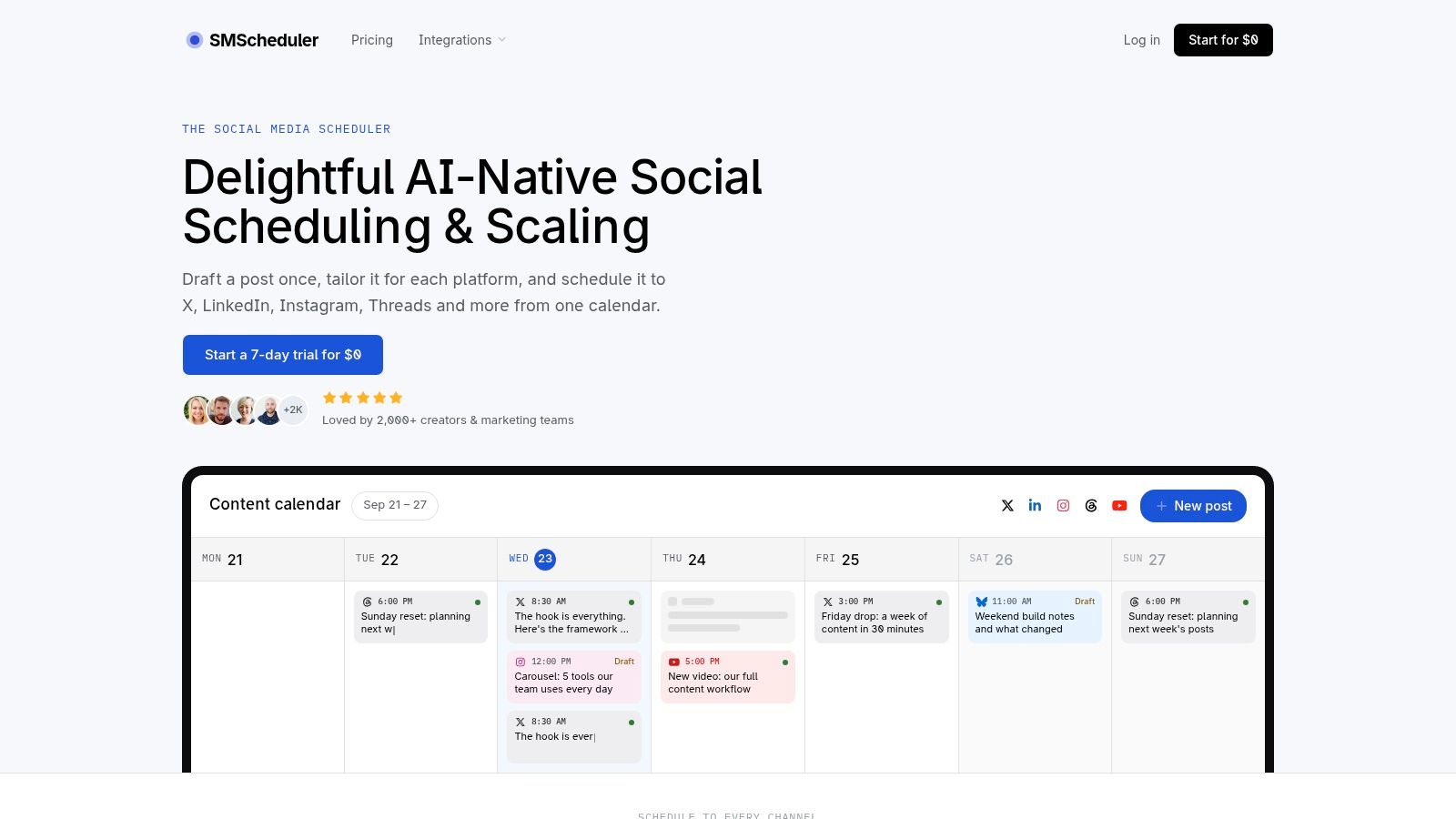
Social Media Scheduler is the strongest fit when the bottleneck isn't writing one caption, but turning one campaign idea into a coherent publishing plan across multiple networks. Its AI-native workflow lets a creator or team draft or rewrite a post once, then tailor the copy, media, and format for X, LinkedIn, Instagram, Threads, Facebook, TikTok, YouTube, and Bluesky from one visual calendar.
That distinction matters. A LinkedIn version might develop an argument, an X version might compress the hook, and an Instagram version might rely more heavily on the visual and caption structure. The tool is designed to preserve the underlying intent while adapting the execution, so the user doesn't have to duplicate the same rewriting work in separate apps.
Where it fits in the workflow
The drag-and-drop week view gives teams a single planning surface with per-channel time slots. Posts move through draft, queued, and published statuses, while automated publishing reduces the need to manually revisit each network. This is more than a caption tool. It connects generation to the operational work that determines whether content gets published consistently.
The analytics layer reports reach, engagement, and engagement rate, with sortable views of top-performing posts and profiles over selected periods. Historical performance also informs recommendations about what to publish, when to schedule it, and which format may work best for a particular channel. That creates a feedback loop between drafting and measurement instead of leaving the team to export data and interpret it elsewhere.
Practical rule: Use AI to remove repetitive adaptation, but keep a person responsible for platform-specific creative choices, claims, sensitive topics, and compliance review.
Best fit and limitations
Social Media Scheduler suits solo creators, influencers, startup and SMB social managers, mid-market marketing teams, agencies, and video creators managing both short- and long-form publishing. It also supports newer destinations such as Threads and Bluesky alongside established networks, which reduces the need to rebuild the workflow as channel priorities change.
The platform states that thousands of creators and teams use it, references 2,000+ and 12,000+ creators and teams, reports 2.4M+ posts published, and cites a 4.9/5 G2 score on its site. Each plan starts with a 7-day free trial with no credit card required, while subscription tiers and pricing should be checked directly on the Social Media Scheduler website.
Its main limitation is the same one that applies to every automated adaptation system: a human should still inspect whether a post feels native to the channel. Pricing also requires verification because the supplied product information identifies the trial but doesn't provide the subscription tiers. Teams planning a repeatable cadence can use this guide to planning a month of content before testing the workflow.
2. Hootsuite
Hootsuite is a scheduler and social management stack that happens to include a capable social media post generator. Its built-in AI, launched as OwlyWriter and now positioned as Wisdom AI, can create platform-specific captions from a prompt or URL, suggest hooks and hashtags, generate ideas, and repurpose existing content.
That makes it useful for teams that already need approvals, inbox management, scheduling, and analytics. The important advantage isn't only that Hootsuite can produce a caption. The draft appears inside the same environment where a team reviews, queues, publishes, and evaluates it.
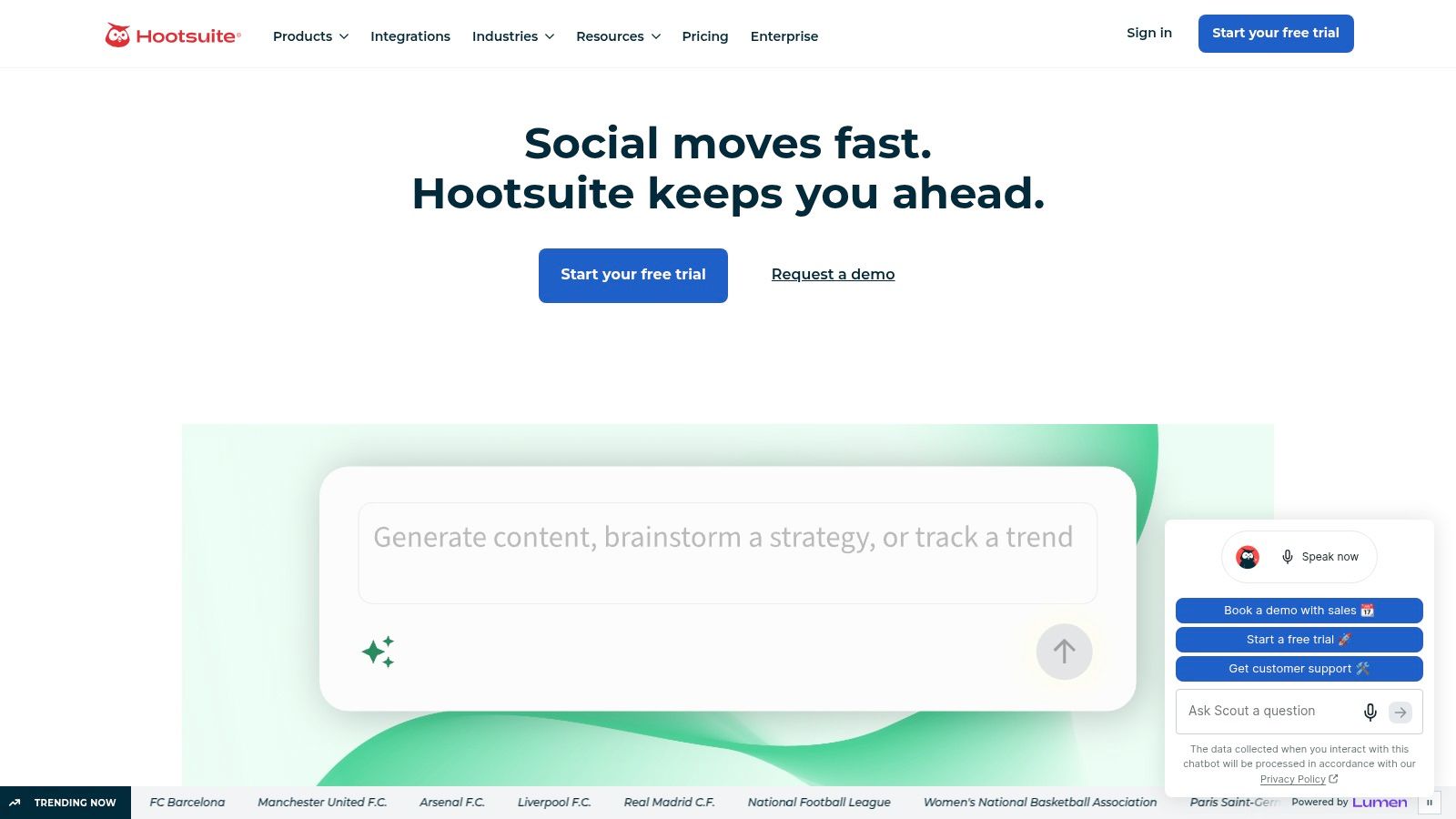
A team promoting a webinar could provide the registration page, request variants for LinkedIn and Instagram, route them through approval, and schedule the approved versions without moving text between tools. Hootsuite also positions AI across parts of its workflow, including writing, images, and trend prompts.
Best for: professional social teams that need governance around the generated copy.
Watch for: solo creators may find the broader platform heavier than their actual workflow requires. Hootsuite's value increases when approvals, account coordination, and reporting matter as much as caption speed. Human review remains necessary for claims drawn from a URL, because a fluent draft can still emphasize the wrong offer or audience.
Explore the Hootsuite social management platform if you want generation embedded in a mature publishing system rather than a standalone writing interface.
3. Buffer
Buffer's AI Assistant takes a simpler route. It drafts caption ideas and platform-specific variations directly in the composer, where users can then place the finished posts into Buffer's calendar and scheduling workflow. A free browser-based generator gives new users a low-friction way to test the experience, with limited daily outputs.
The tool is strongest at the transition from idea to first draft. A creator might enter a short product announcement, ask for a more conversational version for Instagram and a tighter version for X, then continue editing in the same composer. Buffer also provides brand voice guidelines, which can help keep recurring content from drifting too far in tone.
Buffer doesn't try to replace a full marketing knowledge system. That restraint is part of its appeal for beginners, freelancers, and small teams that want a clean workflow without building a large content operation.
Best for: creators who want quick drafting, light platform adaptation, and straightforward scheduling.
Watch for: teams with complex campaigns or deep brand documentation may outgrow the available context and control. A generated variation can sound different from the original even when it remains grammatically correct, so review each channel version before queuing it.
Try the Buffer AI Assistant when simplicity matters more than extensive campaign orchestration.
4. Canva
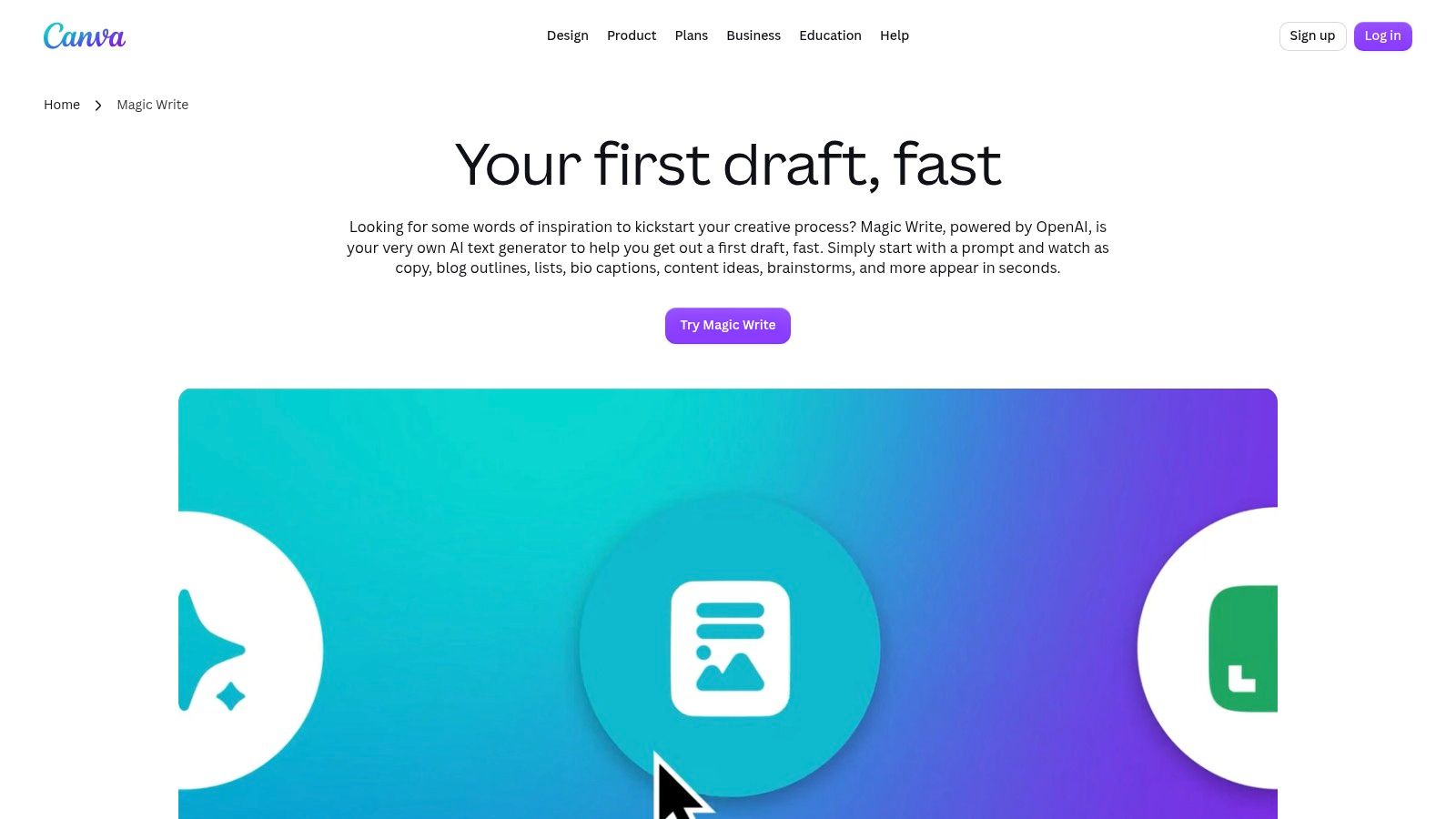
Canva is the better choice when the social post isn't finished until the words sit inside a polished visual. Magic Write generates captions, bios, and short-form social copy, then lets users apply that text to Canva's post designs. Magic Design and related AI helpers extend the workflow into layout and creative production.
That makes Canva distinct from a text-first generator. A user promoting a new service can ask for a concise caption, place a supporting headline into a template, adapt the design to the required social format, and export a visual asset without changing applications.
Copy is only one part of the deliverable
Canva's large template library supports a wide range of platform formats and campaign styles. That helps a marketer who knows the message but doesn't want to create a layout from a blank canvas. It also gives teams a practical place to keep visual consistency while they generate copy quickly.
Best for: small marketing teams, freelancers, and creators producing copy and graphics together.
Watch for: template-led production can make posts feel familiar or interchangeable if the user accepts the first design without refinement. Some AI capabilities may require the AI Pass add-on or a higher plan tier, so confirm access before building a workflow around them.
The Canva Magic Write tool fits visual-first publishing better than a scheduler-first process. Human review should cover both the caption and the design, including readability, hierarchy, image accuracy, and whether the visual communicates the intended message without the surrounding prompt.
5. Jasper
Jasper is built for marketing teams that need repeatable, brand-led generation rather than occasional caption ideas. Its Brand Voice and Knowledge assets give the system reusable context about how a company communicates and what information should guide its output. Social and caption agents can then support batch creation, repurposing, and campaign workflows.
Consider a team turning a long product guide into a sequence of social posts. Jasper can help create variants from the same source brief while maintaining a defined tone, terminology, and messaging framework. Its app and browser extension also make drafting available across different marketing workflows.
Setup determines the quality
Jasper's strength is also its main operational requirement. Teams need to invest time in defining the brand voice and loading useful knowledge assets. Without that setup, the output may be competent but generic. With it, Jasper becomes more useful for large batches where consistency matters across writers, campaigns, and channels.
Best for: marketing departments, agencies, and brands producing many variations from a shared brief.
Watch for: initial configuration takes work, and brand controls don't eliminate editorial responsibility. A human should verify product details, regulatory language, approved claims, and the suitability of each adaptation for its platform.
Teams working on stronger opening lines can pair the process with this resource on hooks that stop the scroll. Visit Jasper when reusable brand context is more important than a lightweight caption box.
6. Copy.ai
Copy.ai treats social media generation primarily as an ideation and drafting problem. Its social media manager use case includes prompt recipes and workflows for caption ideas, post variants, and multi-platform drafts. Collaboration and integrations make it more suitable for teams than a simple standalone generator.
A marketer launching a report could use one brief to generate a set of hooks, several caption directions, and platform-specific first drafts. That gives the team material to edit and approve before placing the final assets into its publishing system.
The distinction between Copy.ai and a scheduler is important. Copy.ai can accelerate the thinking and writing stages, but it doesn't provide native scheduling and analytics in the supplied workflow. Users will need another platform to manage queues, publication, and performance measurement.
Best for: teams that need many ideas and first drafts before content enters a separate publishing operation.
Watch for: adding a second platform creates handoff work. Define where approved copy lives, who moves it into the scheduler, and how the team prevents an outdated draft from being published.
Copy.ai's flexible, usage-based options can suit teams with variable production needs, but users should check current limits and packaging on the Copy.ai website. It works best as a generation layer, not as the entire publishing stack.
7. Predis.ai
Predis.ai moves beyond caption generation by creating near-complete social posts from a prompt. Its output can include captions, creatives, carousels, and short videos, with brand settings for tone, colors, and assets. Scheduling follows editing, so the product connects production and publication more directly than a pure writing assistant.
That makes it useful for a small business owner who has a campaign idea but lacks a dedicated designer. A prompt for a seasonal offer can produce a caption and a visual direction, after which the user can refine the asset, check the wording, and schedule the result.
Production speed versus creative judgment
Predis.ai's advantage is breadth. It can support carousels, short video concepts, niche formats such as memes, and content-calendar assistance in the same environment. Its brand setup can make repeated content more coherent, though the user still needs to assess whether the generated creative is distinctive and accurate.
Best for: creators and small teams that need both copy and visual assets from a single prompt.
Watch for: credit-based generation can require plan upgrades for heavy use. Review credit consumption before planning a high-volume production system, and don't treat a complete-looking asset as publication-ready without checking typography, claims, imagery, and platform fit.
The Predis.ai social media generator is a practical option when the bottleneck is creative production, not just caption drafting.
8. Ocoya
Ocoya combines caption creation, design, media generation, scheduling, hashtag suggestions, and calls to action in one application. Its ideas-to-posts pipeline is designed for users who don't want to switch between a writing tool, design editor, and scheduler for every piece of content.
The platform supports a broad network mix, including Instagram, TikTok, LinkedIn, X, Facebook, YouTube, Pinterest, Threads, and Bluesky. That range makes it relevant for a creator or small marketing team managing several formats, especially when visual assets and copy need to move through the same workflow.
A user could generate a product announcement, refine the caption, create an image or carousel, add a call to action, and place the post into a queue without assembling the workflow across separate products. The integrated approach saves handoffs, but it also means users should inspect each component individually.
Best for: small teams and creators that need copy, visuals, and scheduling together.
Watch for: advanced AI media features may be offered as add-ons. Generated imagery can also create a false sense of completion. Check whether the visual accurately represents the product, whether the text remains legible on mobile, and whether the caption sounds appropriate for each destination.
See the Ocoya AI social media manager if consolidating creative production and scheduling is your primary requirement.
9. Flick
Flick is particularly well suited to an Instagram-first workflow. Its AI Assistant supports brainstorming, caption writing, and content planning, while hashtag research, scheduling, and analytics address the practical work around the caption.
That combination helps a solo creator who doesn't need an enterprise content operation but does need a reliable way to turn an idea into a post. For example, a creator can develop several caption directions, research relevant hashtags, schedule the selected version, and review the resulting performance in one connected process.
Flick's onboarding is designed to make the initial setup approachable, and a free trial gives users a way to test the workflow. Its limitation is depth of brand knowledge. Compared with enterprise-oriented writing platforms, Flick offers fewer advanced controls for loading detailed brand context and reusable knowledge.
Best for: influencers, Instagram creators, and small teams that value hashtags, captions, scheduling, and analytics together.
Watch for: a caption that sounds suitable for Instagram may still need adaptation when reused elsewhere. Review calls to action, line breaks, cultural references, and the relationship between the caption and the visual before cross-posting.
Try Flick with a real week of content rather than isolated prompts. The important test is whether its idea generation and hashtag workflow reduce planning friction without making every post sound formulaic.
10. Later
Later places its AI Caption Writer and Ideas tools inside the Later Social scheduler. Users can generate captions from prompts, adjust tone, and use AI credits for caption creation and content ideas. The surrounding calendar, media library, and approvals keep the generated copy connected to the publishing workflow.
This is a good fit for creators who already plan and publish through Later and want to reduce the time spent staring at a blank caption field. A user can select media, request a few caption directions, edit the strongest option, and send the post through the existing calendar process.
The credit model changes the evaluation
Later's AI is not an unlimited background layer. Monthly credits make usage more visible and can keep costs predictable for light-to-medium use, but heavy users may need more credits or a higher plan. That makes the tool easier to evaluate if you can estimate how often your team will generate captions and ideas.
Best for: creators and social teams already committed to Later's calendar and media workflow.
Watch for: credit-metered generation can become a constraint when a team scales output or repeatedly requests variations. Check the current credit allowance before replacing a separate writing tool.
Later is strongest when scheduling is already the center of your process. For an Instagram-focused publishing routine, compare it with this Instagram scheduler guide, then test both with the same brief and the same media set. Visit Later to confirm current AI credits, approvals, and platform support.
Top 10 Social Media Post Generators, Comparison
| Product | Core features ✨ | Unique selling points | Best for 👥 | Quality ★ | Price / Value 💰 |
|---|---|---|---|---|---|
| Social Media Scheduler 🏆 | Cross‑platform scheduling, AI draft + per‑channel tailoring, drag‑drop calendar, live analytics | ✨ AI‑native "draft once, tailor per channel"; unified calendar; privacy‑first | 👥 Creators, SMB social teams, agencies | 4.9/5 ★★★★★ | 💰 7‑day free trial; tiers on site |
| Hootsuite, OwlyWriter / Wisdom AI | AI captions, repurpose, hashtag suggestions; integrated approvals & analytics | ✨ Native AI across full enterprise social stack | 👥 Teams, enterprises, agencies | ★★★★☆ | 💰 Paid plans; AI included (can be costly for solos) |
| Buffer, AI Assistant | Composer AI for caption variants, scheduler, brand voice controls | ✨ Simple, beginner‑friendly composer + free web generator | 👥 Solo creators, small teams, beginners | ★★★★☆ | 💰 Free tier + paid plans; limited free outputs |
| Canva, Magic Write | Caption/bio generation + one‑click apply to designs; templates | ✨ End‑to‑end write + design workflow; massive template library | 👥 Creators needing visuals & copy, marketers | ★★★★☆ | 💰 Some AI features require AI Pass / higher tiers |
| Jasper, AI for Social Media | Brand voice & knowledge assets, templates, Agents, repurposing | ✨ Strong brand controls & reusable workflows for scale | 👥 Marketing teams, brands, agencies | ★★★★☆ | 💰 Paid plans; best with initial setup |
| Copy.ai, Social Media Workflows | Prompt recipes, workflows, integrations, fast first drafts | ✨ Rapid ideation + team collaboration; flexible pricing | 👥 Teams needing idea generation (pair with a scheduler) | ★★★☆☆ | 💰 Usage‑based pricing; affordable for ideation |
| Predis.ai, Social Post Generator | Caption + creative (images/videos/carousels), brand kits, scheduling | ✨ Near‑ready posts from one prompt; strong creative gen | 👥 Creators & small teams wanting quick visuals + copy | ★★★★☆ | 💰 Credit‑based; may need upgrades for heavy use |
| Ocoya, AI Social Media Manager | Caption + design editor, AI image/video, scheduling, templates | ✨ All‑in‑one copy + creative + scheduler | 👥 Small businesses, solopreneurs wanting one app | ★★★★☆ | 💰 Tiered plans; advanced media as add‑ons |
| Flick, AI Social Media Assistant | Ideation, caption writing, hashtag research, scheduler, analytics | ✨ Instagram‑focused hashtags + clear onboarding | 👥 Instagram creators, solo users | ★★★★☆ | 💰 Free trial; paid tiers for full features |
| Later, AI Caption Writer & Ideas | Caption generation, content ideas, AI credits, calendar integration | ✨ Predictable credit model + integrated media library | 👥 Creators already on Later; light‑to‑medium AI users | ★★★★☆ | 💰 Credit‑metered AI; add credits or upgrade for heavy use |
Choose the Generator That Matches Your Workflow
A social media post generator should be selected by the handoff it removes. If the main problem is moving one idea across many channels, Social Media Scheduler is the clearest fit because drafting, per-platform adaptation, scheduling, publication statuses, and analytics share one calendar. Hootsuite belongs in the same category for professional teams that also need approvals, inbox management, and a broader social management stack.
Buffer and Later suit lighter scheduler-centered workflows. Buffer is the simpler option for fast drafting and beginner-friendly scheduling, while Later makes sense for creators already using its calendar and comfortable with AI credits. Neither should be judged only by caption quality. Their value comes from reducing the distance between a draft and a scheduled post.
Choose Canva, Predis.ai, or Ocoya when the visual is part of the generation problem. Canva is strongest when a person wants control over templates and design composition. Predis.ai is more prompt-driven, producing captions and creative formats together. Ocoya combines copy, visual creation, queues, and network support for users who want fewer tool changes.
Jasper and Copy.ai are better suited to the ideation and brand-led writing layer. Jasper requires more setup but gives teams stronger reusable brand and knowledge controls. Copy.ai is useful for generating directions and first drafts, though its lack of native scheduling and analytics means it needs a publishing partner.
Flick is the natural shortlist candidate for an Instagram-first creator who wants caption ideas, hashtag research, scheduling, and analytics in one workflow. Its narrower brand-knowledge capabilities matter less when one creator owns the voice and reviews every post.
The broader market context explains why these distinctions matter. The global AI-powered content creation market reached $3.51 billion in 2025 and is projected to reach $8.28 billion by 2030, with an 18.1% CAGR, according to The Business Research Company. The same source identifies social-media-user growth as a demand driver and North America as the largest region in 2025. More generation is entering the workflow, so the competitive advantage is shifting from producing a caption to controlling how that caption is adapted, approved, published, and improved.
Test shortlisted tools with the same brief, source material, audience, and platform set. Review whether each version preserves the intended meaning, sounds native to the channel, and avoids unsupported claims. Then check usage limits, credit systems, visual-generation allowances, and whether scheduling and analytics are native or require another platform. The Hootsuite social trends research frames the larger challenge clearly: as AI becomes common in social production, teams need to decide how much automation they can use without losing authenticity or control.
Social Media Scheduler combines AI drafting, per-channel adaptation, a unified calendar, automated publishing, and performance measurement for creators and teams managing several networks. If your current social media post generator stops at the caption, visit Social Media Scheduler to test a workflow that carries the idea through scheduling and learning.