How to Choose a Content Scheduler for Social Media
Oct 29, 2026 · 14 min read
In February 2025, DataReportal's Digital 2025 Global Overview counted 5.24 billion active social media user identities, equal to 63.9% of the world's population, after a 4.1% rise of about 206 million identities in twelve months. Among connected adults, 97.3% use at least one social network or messaging platform each month, and adoption reached 94.2% of internet users.
A content scheduler for social media is the system that plans, adapts, and publishes against that continuous audience. It is not a reminder to open five apps at 10 a.m. The useful test is narrower. Does the calendar hold native variants, and can the people making the work keep the cadence without burning out? Identical cross-posting and a universal best time fail both tests.
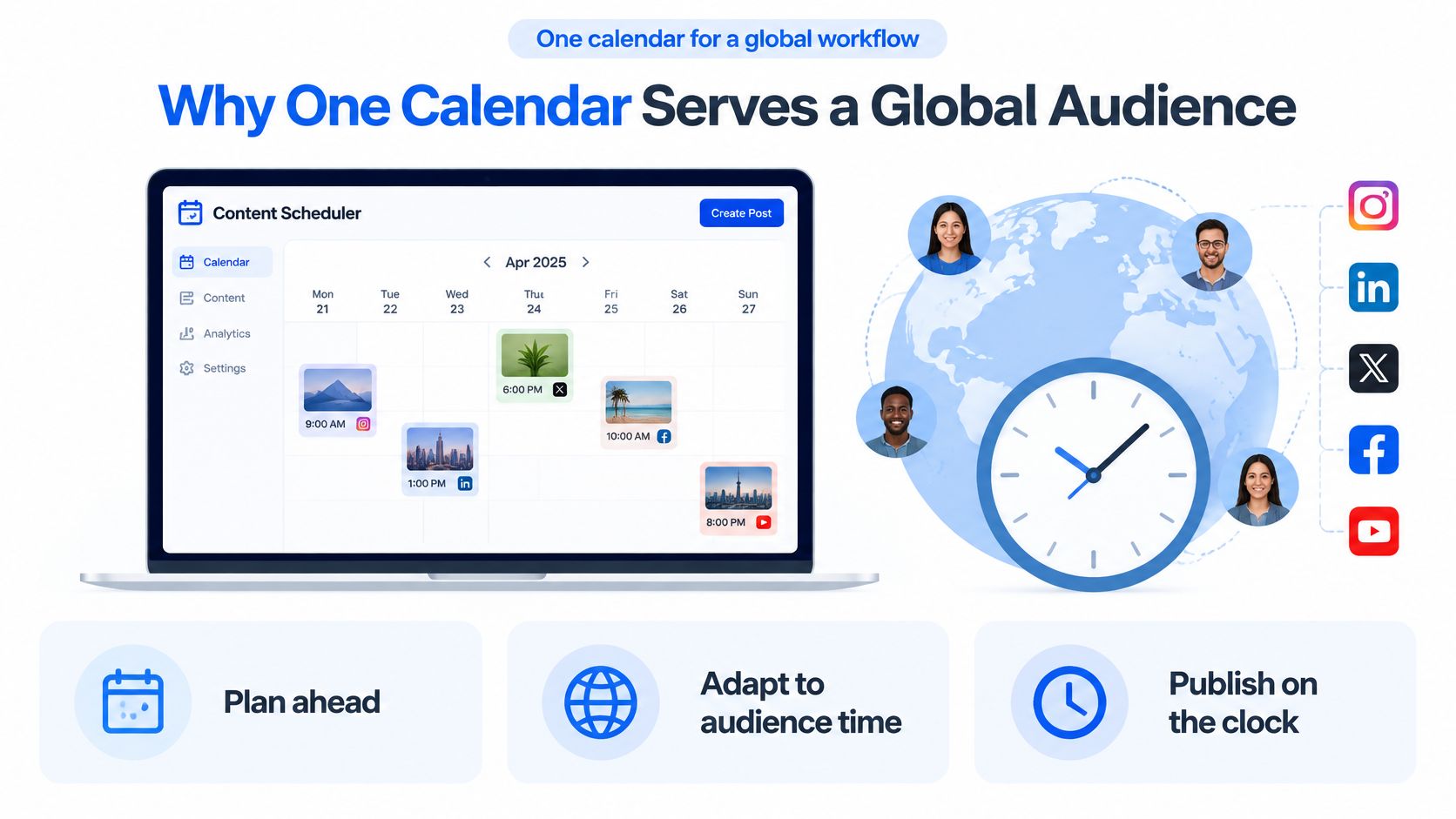
Why One Calendar Serves a Global Audience
A content scheduler plans, adapts, and publishes posts on a clock so nobody has to be logged into every app at the publish minute. At the scale DataReportal describes, that job is infrastructure. “User identities” are not unique people, because one person can hold several accounts, yet the count still measures how much platform activity a publisher is trying to reach. Creators, small businesses, agencies, and in-house teams are not posting into a quiet room. They are trying to meet an audience that is already on a network most months, and that audience grew again over the prior year.
Occasional manual posting misses windows. A bakery in Chicago and a follower in Berlin do not share a lunch hour. If the only person who can hit publish is in a meeting, the slot is gone. A single calendar turns distribution into a repeatable queue instead of a scramble across time zones.
Four beats, then stop
The workflow only has four beats.
- Capture the idea. Write the claim once, with the proof or offer attached, before anyone opens a composer.
- Tailor the format. Fit length, crop, and tone to the network that will carry it.
- Place it. Drop the variant on a week view or a list, with a time that belongs to that account's audience.
- Publish and read the result. Let the job go out, then keep the timestamp and the outcome next to the post.
Maryville University's history of social media shows why one object cannot serve every row on that calendar. SixDegrees launched in 1997, then LiveJournal, Friendster, LinkedIn, MySpace, Facebook, YouTube in February 2005, Twitter, and Instagram. By 2020 LinkedIn had reportedly exceeded 675 million users and Instagram had surpassed 1 billion. Professional updates, short text, video, and images were built as different behaviors, not as skins on one post.
A month plan only works if those different objects share one board. Teams that still rebuild the week in a spreadsheet can start from a month-of-content plan and then move the finished variants onto the clock. The next constraint is harsher than the calendar. Networks will not accept jobs as fast as a list can name them.
Capability Tests That Separate Real Schedulers
Score the product before the tour. Six capabilities decide whether a calendar is a publisher. Each row is a trial you can finish in one sitting: schedule one idea to three networks, force one rejection, and confirm the failure is visible without exporting a spreadsheet. Later constraints, timing evidence, and cadence rules sit outside this checklist.
| Capability | Pass test | Failure mode | Trial check |
|---|---|---|---|
| Cross-posting | One idea becomes channel-specific copy, crop, and length | Identical caption and media on every network | Schedule one idea to three networks and compare the variants |
| AI drafting | First draft plus a rewrite that keeps the claim, then human approval | Unreviewed text auto-publishes | Draft once, tailor twice, and confirm nothing posts until approved |
| Per-channel time slots | Separate queue and time zone per network | One clock drives every account | Set three different publish times and confirm each queue holds |
| Analytics | Reach or impressions, engagements, rate with a denominator, top posts, prior-period compare | Raw likes only, no denominator | Open one post and find the denominator and the comparison period |
| Publishing states | Draft, queued, retrying, failed, and published are visible | Silent failure or a reminder-only calendar | Force one rejection and find the failed or delayed state |
| Workload control | A week can be flagged as unrealistic | Calendar only adds more slots | Load a heavy week and see whether the tool warns |
How to run the trials
Cross-posting fails the moment the same caption and crop land on LinkedIn, Instagram, and X. Pass means you can see three variants side by side and edit one without rewriting the others.
AI drafting should start from your claim, offer a tighter rewrite, and wait. If the demo publishes the model's first sentence, stop the trial. Approval is the feature, not a setting you discover after a bad post.
Per-channel time slots need three clocks. Set Instagram for a local afternoon, LinkedIn for a weekday morning in another zone, and leave the third network empty on purpose. A tool that shifts all three when you move one has one queue wearing three logos.
What the last three rows catch
Analytics pass only when a post shows a rate and the denominator, plus a comparison with the previous period. A wall of likes cannot tell a startup manager whether this week beat last week.
Publishing states are the difference between a publisher and a reminder. Draft, queued, retrying, failed, and published should be on the post, not buried in an email you might miss.
Workload control is the row most demos skip. Load a week that your writer cannot produce, and see whether the calendar warns or offers more empty slots.
Studios comparing tools for shared production can compare scheduling platforms for studio workflows against the same six trials, especially where designers hand crops to whoever queues the post. If a product fails two rows, a prettier calendar will not fix the operating problem.
Platform Rate Limits That Cap Your Calendar
Publishing is a rate-limited job system. A clock time on a calendar does not grant permission from the network. Social API's rate-limit guide lists materially different caps, and those caps, not a vendor's “unlimited scheduling” line, set the week.
| Network | Posts per hour | Posts per 24 hours | Extra constraint |
|---|---|---|---|
| 25 | 45 | None stated in the source | |
| X | 25 | 50 | None stated in the source |
| TikTok | 25 | 13 | Rejects more than 6 attempts per minute |
Plan to the tightest account
Instagram and X share an hourly ceiling of 25 posts, then diverge on the rolling day: 45 and 50. TikTok matches the hourly 25 but allows only 13 posts per 24 hours, and it rejects more than six publishing attempts per minute. Capacity planning uses the tightest account in the campaign. In this mix, that daily ceiling is TikTok's 13 posts per account.
Fanning one asset to many profiles spends each profile's own budget. Ten client TikTok accounts are not one pool of 130 posts you can dump in an hour. They are ten separate velocity budgets, and the burst rule can fail the job even when the daily count still looks fine.
Buying test: If a demo cannot show a failed or delayed state, the calendar is a reminder, not a publisher.
States a buyer should see
A production tool should expose queued, throttled, retrying, failed, and published. Throttled means the account hit its cap and the job is waiting. Retrying means the tool will try again without you clicking publish a second time. Failed means the network refused the job and someone can see that before the client does.
Backoff should respect the account's time zone, and the tool should alert when the intended window will be missed. Ask the demo to honor a “too many requests” response and the wait time the network sends back. In plain terms, the platform says slow down and names how long to wait. The scheduler should wait that long.
Idempotency is the guard against a double post. Each job needs an identity so a retry updates the same attempt instead of creating a second one. Agencies feel this first, because client accounts do not share one velocity budget and a duplicated post is a client incident.
Size the week to the strictest network in the mix. If TikTok is in the campaign, thirteen posts a day on that account is the planning ceiling, even when Instagram and X would accept more.
Native Versions Timing and Analytics Compared
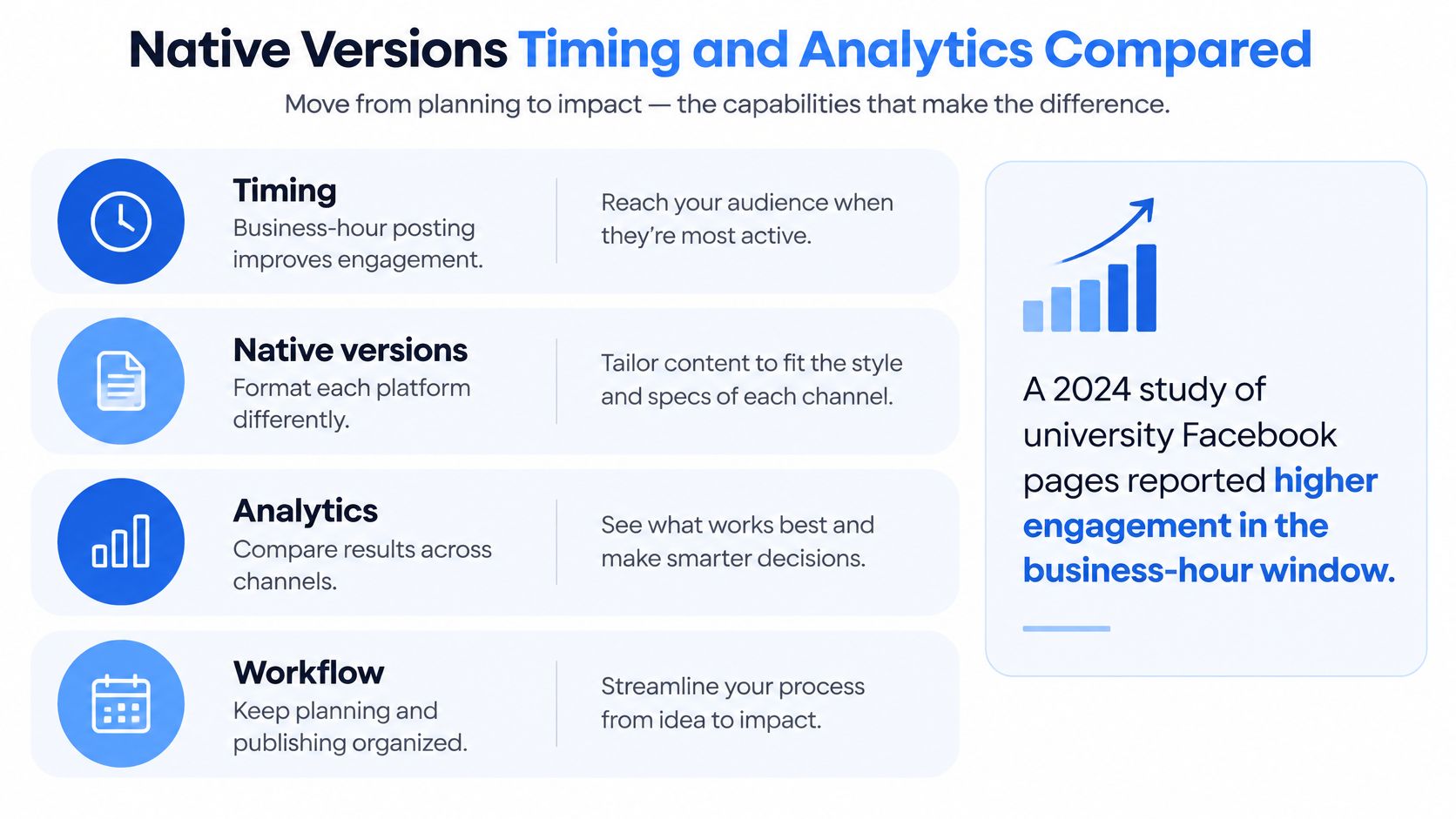
Past the checklist, four behaviors separate a useful scheduler from a blast tool: timing that learns, native versions, analytics you can compare, and a workflow that still has a human approval.
Timing is a prior, not a law
A 2024 study of university Facebook pages reported higher engagement during business-hour windows of 10:00–13:00 and 13:00–16:00. The wider record contradicts a universal chart. Another multi-platform analysis found no significant effect from publishing time, publishing frequency, or content length on engagement for Instagram, Facebook, and Twitter.
Per-channel slots should start as broad priors, then learn from that account's history, split by network, audience time zone, format, and objective. A recommendation that hides its sample size is a slogan. Prefer engagement rate over raw likes, because a large page can collect likes that do not mean the post worked. The scheduler should let you run a controlled slot test or a format test instead of locking a grid. A contextual bandit or a Bayesian model can exploit proven slots and still try under-tested ones, as long as campaign type and audience growth do not get mixed into the “winner.”
A useful scheduler recommends a controlled test. It does not enforce a blog's best-time chart.
Native versions and the approval gate
AI drafting should start from the user's topics, documents, and posts that already performed. It writes a first version, then tailors copy and media, and a person approves. Cross-posting, done properly, schedules distinct variants: a short video, a text discussion, a carousel, or a community prompt. Sometimes the right action is to skip a network. A product launch might be a 45-second clip on one channel, a paragraph with a link on another, and nothing on a third because that audience did not ask for the offer.
Analytics worth trusting keep post-level timestamps, impressions or reach, interactions, and the denominator definition. Without those, you cannot tell whether two networks are even measuring the same thing.
The demo question is specific. Can I see why this slot was suggested for this account? If the answer is a generic heatmap with no sample size, you are looking at a chart, not a recommendation.
A short walkthrough of queue design makes the difference between one caption and three variants easier to judge:
A Cadence You Can Keep Without Burning Out
A scheduler's job is not to post more. Consistency and volume get treated as the same lever, and they are not.
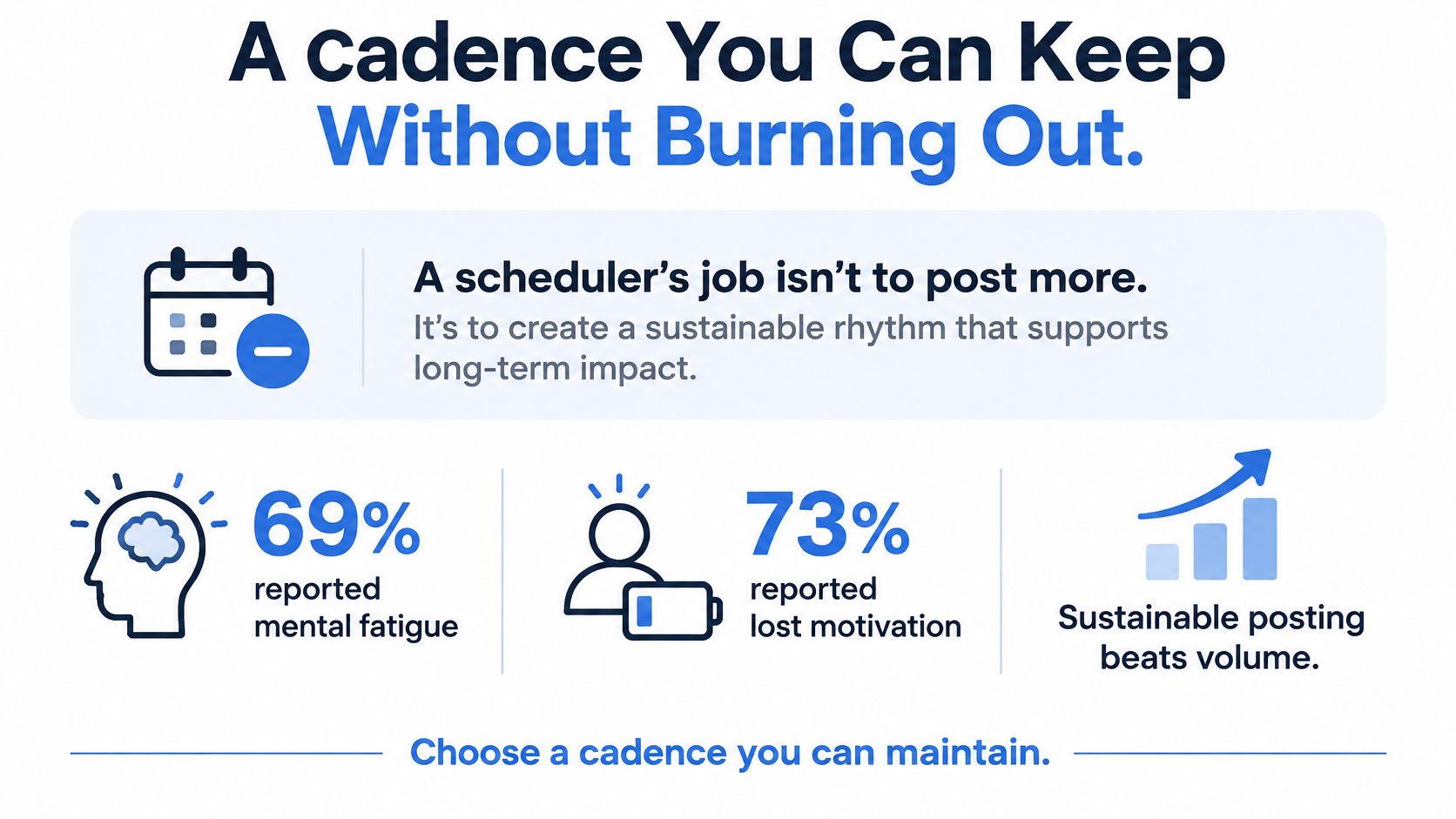
Recent research covered by B&T found that 69% of surveyed social professionals reported mental fatigue, 73% reported lost motivation or creativity, and 46% experienced burnout or near-burnout symptoms. A 2025 benchmark found reach and views increasing while engagement stayed steady, so higher output did not buy more engagement. Separately, a large six-month cross-platform analysis reported that the most consistent posters received five times more engagement per post than inconsistent posters.
Those findings fit together. Consistency can matter more than volume, and excess volume can waste the week. The people who reply to comments are often the same people filling the queue. If the calendar consumes the week, community management disappears, and the account looks automated even when the posts are fine.
Three modes, not one quota
A tool should be able to represent three calendar modes.
- Minimum viable cadence. The smallest set of native posts you can ship every ordinary week, including time to reply.
- Campaign-intensive period. A launch or sale, time-boxed, with extra variants and a named end date.
- Recovery or experiment week. Fewer posts, or a deliberate test of one format, so the producer is not running the launch pace forever.
Batch the production into two or three sittings. A reuse rule can bring a strong idea back only after a native cut: new length, new crop, or a different prompt. An alert should fire when scheduled posts exceed a chosen cap or when community-management time is missing from the week.
An editable example, not a law: three native posts a week on the primary network and one adapted post on each of two secondary networks. Raise that only after engagement rate holds for a month. A launch week is the exception. Campaign mode is deliberate and dated, then the calendar returns to the baseline. A weekly content system is easier to keep when the lighter week is a real mode, not a guilty gap.
If the product cannot represent a lighter week, it will push people toward burnout. Empty slots are not a strategy.
Matching Your Workflow to the Right Scheduler
Pick the headcount row before you compare price. Each situation below has one emphasis, one thing to watch, and a real week.

Solo creator. Emphasis is batching: one brand, two or three sessions a week, and protected reply time. A 2025 Metricool study of about 700 million Instagram posts from 28 million influencer accounts found influencers drew about three times the likes and comments of brand accounts. Posting 10 or more times weekly was associated with 79% average growth versus 19% for accounts posting two to three times weekly. That is association, not a prescription to fill every day. Watch that batching does not become identical blasts. Example week: one asset cut into a short video, with replies blocked on two afternoons.
Startup social manager. One voice, native cuts, and discovery beyond followers. Eurobarometer data in that same release shows 37% of respondents follow influencers or content creators, while much social use is passive viewing rather than a search for brand posts. Check per-channel tailoring and account analytics before seat count. Example week: one campaign as a short video, a LinkedIn text post, and an optional community prompt.
Mid-size team. Shared week view, an approval step, and an experiment log of slot versus format. Check that enough seats exist so the writer is not the only person who can queue. Example week: the same three cuts, plus a reviewer who can send one back without unpublishing the others.
Agency. Separate brand spaces, per-account rate budgets, and an alert when a client post fails. Example week: one asset per client, customized, with a visible failed state if a network refuses the job.
Teams that want drafting help outside the scheduler can find AI tools for faster content creation and still keep approval inside the calendar. Cutting the busywork of rewriting is the point of a posting-time workflow, not adding more slots.
Social Media Scheduler fits everyday multi-network posting. We post to eight networks, X, LinkedIn, Instagram, Threads, TikTok, YouTube, Facebook, and Bluesky, and every plan includes all eight. The Pro plan costs $39 per month, billed yearly, is labelled the most popular plan, and is for creators posting every day. The Agentic Composer drafts posts with you, tailors each network, and adds media and a first comment. You can set up manually or with an agent, and you can disconnect any channel to revoke its access.
Next step: connect the networks you already use, schedule one week at the sustainable baseline, and keep the tool only if failed or delayed posts are visible and the customized copy still sounds like the account.
Social Media Scheduler gives you one calendar for native variants, per-channel timing, and a cadence you can realistically maintain across eight networks. If you are finished judging tools by identical cross-posting and a universal best time, start a week on the baseline and see whether failed posts stay visible. Visit Social Media Scheduler and connect the channels you already publish on.