How to Plan Social Media Marketing in 2026
Nov 3, 2026 · 16 min read
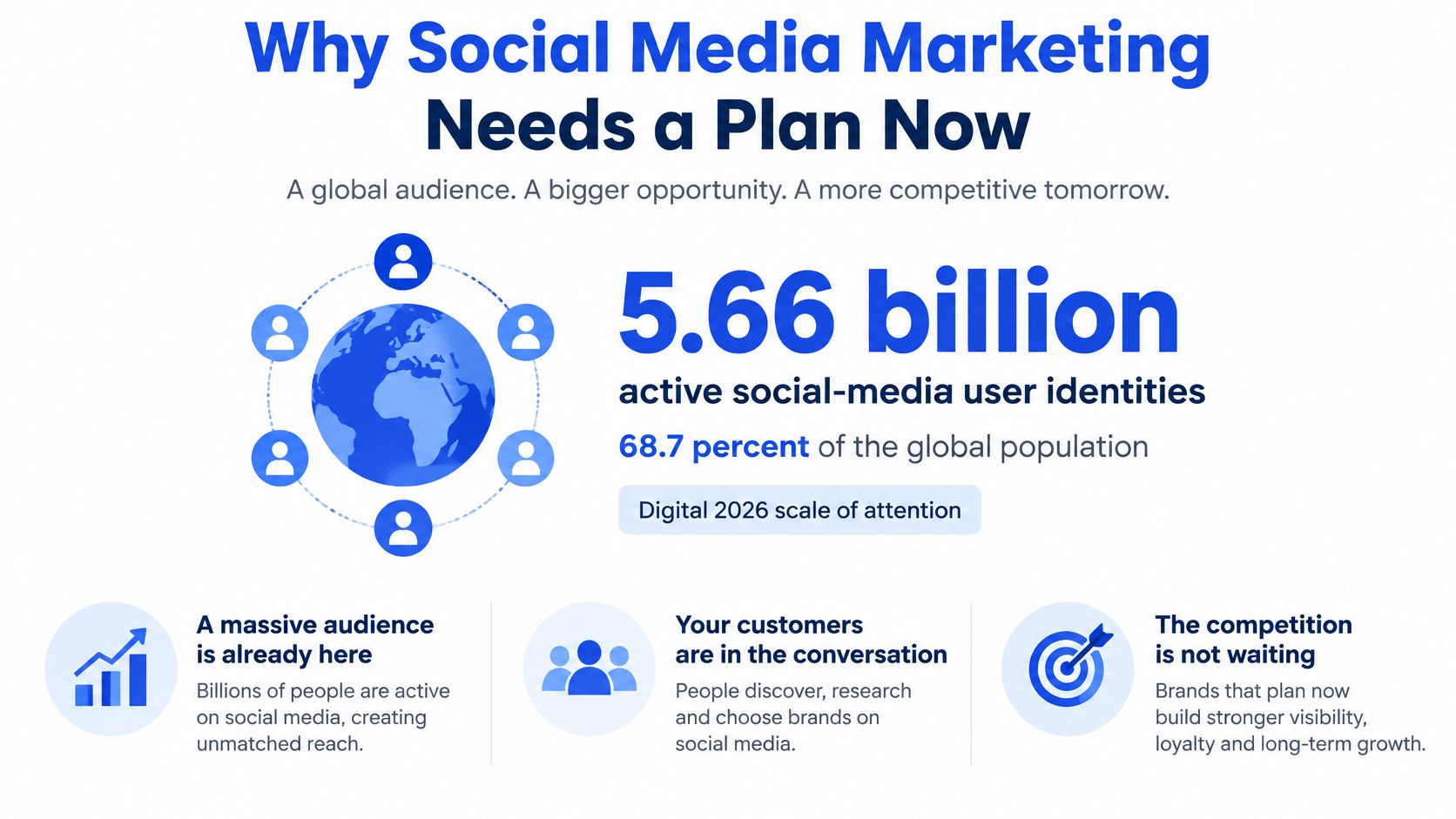
5.66 billion active social-media user identities, equivalent to 68.7% of the global population, is the scale estimated in DataReportal's Digital 2026 analysis. The typical internet user also actively uses or visits an average of 6.66 social platforms each month. To plan social media marketing in that environment, you need more than a list of topics. You need a way to decide which audience behaviors are worth earning, which formats you can sustain, and what evidence would make you change direction.
Why Social Media Marketing Needs a Plan Now
An audience spread across several feeds creates a coordination problem. Your buyer might encounter an explanation on LinkedIn, watch a demonstration on Instagram, and return later through search. Publishing everywhere doesn't necessarily help you understand which encounter mattered.
Treat your social media marketing plan as a set of testable bets, not a promise that consistent posting will produce sales. Each bet should connect an audience, a content job, and an observable action.
Define the decisions before the posts
A usable plan settles these decisions before anyone writes captions:
- Business outcome: Choose the commercial action you want to support.
- Audience behavior: Identify what the intended buyer would do if the content helped.
- Channels: Select a manageable group of networks with evidence of audience fit.
- Cadence: Commit to a publishing rhythm your team can maintain.
- Measurement: Name the result that could show the approach isn't working.
- Review: Set a date to keep, change, or stop the approach.
Assign every post a job: discovery, education, proof, or community. A discovery video needs an accessible opening. A proof asset needs evidence. A community post needs a question you're prepared to discuss, not merely a request for comments.
That distinction makes copying the same caption across feeds a weak default. The campaign idea can stay consistent while its explanation, media, and next step change.
If you're still deciding how social fits alongside other unpaid visibility work, the business visibility tips from SimpleLab Digital provide a useful companion checklist. Keep the social plan narrower: use organic publishing to test themes and audience responses, with paid amplification outside this exercise.
Planning rule: A post belongs on the calendar only when someone can explain its job and the action that would indicate progress.
Use the following form to turn those choices into instructions a teammate could execute.
Six Decisions That Make the Plan
Start with a completed default, then rewrite it. For a hypothetical small business, the initial commitment might be a primary business outcome for the quarter, a clearly defined buyer segment, a small channel set, and a publishing load that survives someone taking sick leave.
The intervals and counts below are operating defaults to test, not research-backed prescriptions.
Six decisions in a social media marketing plan
| Decision | Question it answers | Starting default | Review every |
|---|---|---|---|
| Goal | What business action should social cause? | One primary outcome for 90 days | 90 days |
| Audience | Whose behavior must change? | One primary segment and one observable behavior | Quarterly |
| Channels | Where does that segment already spend time? | Two or three native networks, not every network | Monthly |
| Cadence | How often, in which formats? | 3–5 posts a week on the core channel | Weekly |
| KPIs | Which number can falsify the bet? | One north-star plus two diagnostics, formula written down | Weekly and monthly |
| Review | What do we keep, change, or stop? | Decide after four published weeks | At each completed publishing cycle |
Make each cell executable
Goal. Replace a broad ambition such as greater awareness with an outcome you can count and qualify. For example, a software company could choose demo requests from operations managers; a retailer could choose repeat purchases from existing customers. Done means the team knows which action counts and which doesn't.
Audience. Describe a person in a buying situation, not everyone who might enjoy the content. An operations manager replacing a manual approval process is more useful than business professionals. Pair that segment with observable behavior, while recognizing that a save or profile visit doesn't establish someone's job title unless you have supporting evidence.
Channels. Look for relevant conversations, customer interview answers, referral information, and your existing account history. Done means naming where you'll publish and documenting why those environments deserve production time.
Cadence. Write down formats as well as counts. A calendar full of unspecified posts leaves the production burden unresolved. Include who supplies evidence, who creates the asset, and who approves it.
Specify how decisions change
For KPIs, choose a business-facing north star and diagnostic measures that explain movement toward it. A teammate should be able to calculate them without choosing a denominator on the spot.
For review, record a decision owner and a condition for action. If a format gets attention but doesn't lead people toward its intended next step, change its content or call to action before expanding production.
For owners who need an accessible companion to this worksheet, social media guidance for small business owners from Blu Dragonfly LLC offers another planning resource.
A plan with many competing goals and an account on every network is a wish list unless someone has assigned the time, evidence, and measurement needed for each.
Complete the defaults even when some choices remain provisional. Replace channel assumptions and production guesses with evidence as you publish.
Channel Benchmarks That Change the Choice
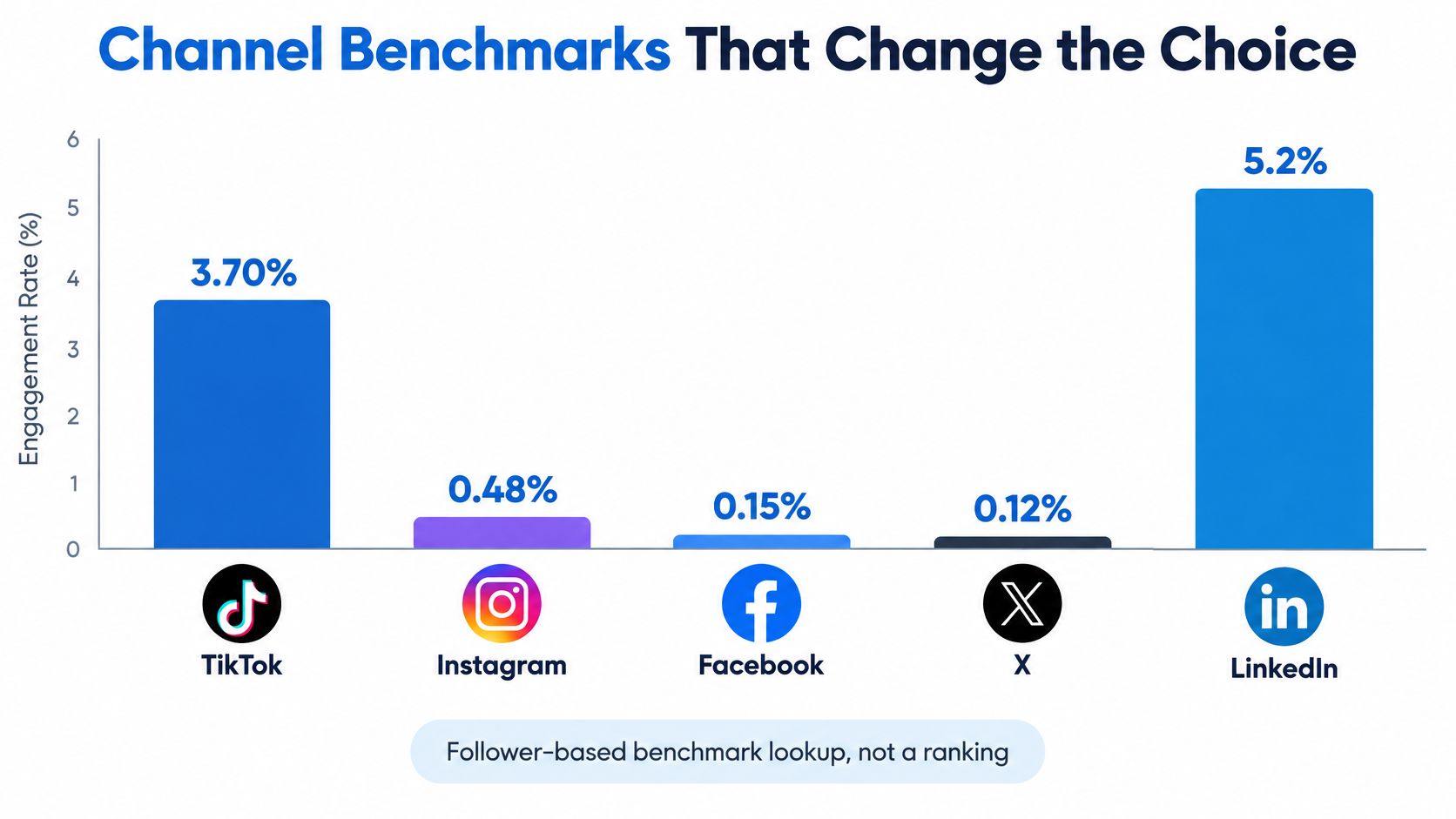
Engagement benchmarks by platform and denominator
| Platform | Reported average | Denominator | Planning use |
|---|---|---|---|
| TikTok | 3.70% | Followers | Judge against this account's own TikTok baseline, not against Facebook |
| 0.48% | Followers | Don't call the channel weak because its rate sits below TikTok | |
| 0.15% | Followers | Watch reach-normalized movement and clicks alongside engagement | |
| X | 0.12% | Followers | Test conversation and distribution rather than chasing the highest engagement |
| 5.2% | Impressions | Never rank it directly against follower-based rates |
These reported averages come from the ShortsIntel 2025 engagement benchmark compilation, which separates LinkedIn's impression-based measure from the follower-based measures used for the other listed platforms. Treat the table as a lookup, not a league table.
The denominator changes the question
A follower-based rate asks how much interaction occurred relative to the account's existing audience size. An impression-based rate asks how much interaction occurred relative to the number of times content was displayed.
Neither denominator describes unique people who acted. Someone may generate repeated impressions or several interactions, and people who don't follow an account may still engage with its posts.
That means the largest displayed percentage isn't automatically the best channel. The figures below must be read with the denominator distinction in the table, particularly for LinkedIn.
Choose for audience fit and production fit
Use channel roles as hypotheses. TikTok or Instagram might suit discovery when your offer can be demonstrated through short video. LinkedIn might suit an argument buyers need to examine across several pages. Facebook or X might justify their place through relevant conversations and useful traffic rather than standout engagement percentages.
Validate those roles against your audience. A visually demonstrable product doesn't establish that its buyers use Instagram, and a business audience doesn't make every LinkedIn account worth maintaining.
Then assess production fit. Can you make the native asset repeatedly without stripping out evidence or skipping review? When organizing Instagram variants, an Instagram scheduling workflow should follow the format decision rather than determine it.
Keep the metric formula beside every result. Also record account size, distribution conditions, and the measurement window, then compare posts within the same account and platform.
A small account shouldn't treat a global average as a pass mark. Its more useful question is whether a new format improves on comparable historical posts while supporting the intended business action.
Keep only the networks you can serve reliably. Adding another account before you can sustain the current mix creates more publishing obligations without necessarily creating better evidence.
Cadence Built From Native Formats
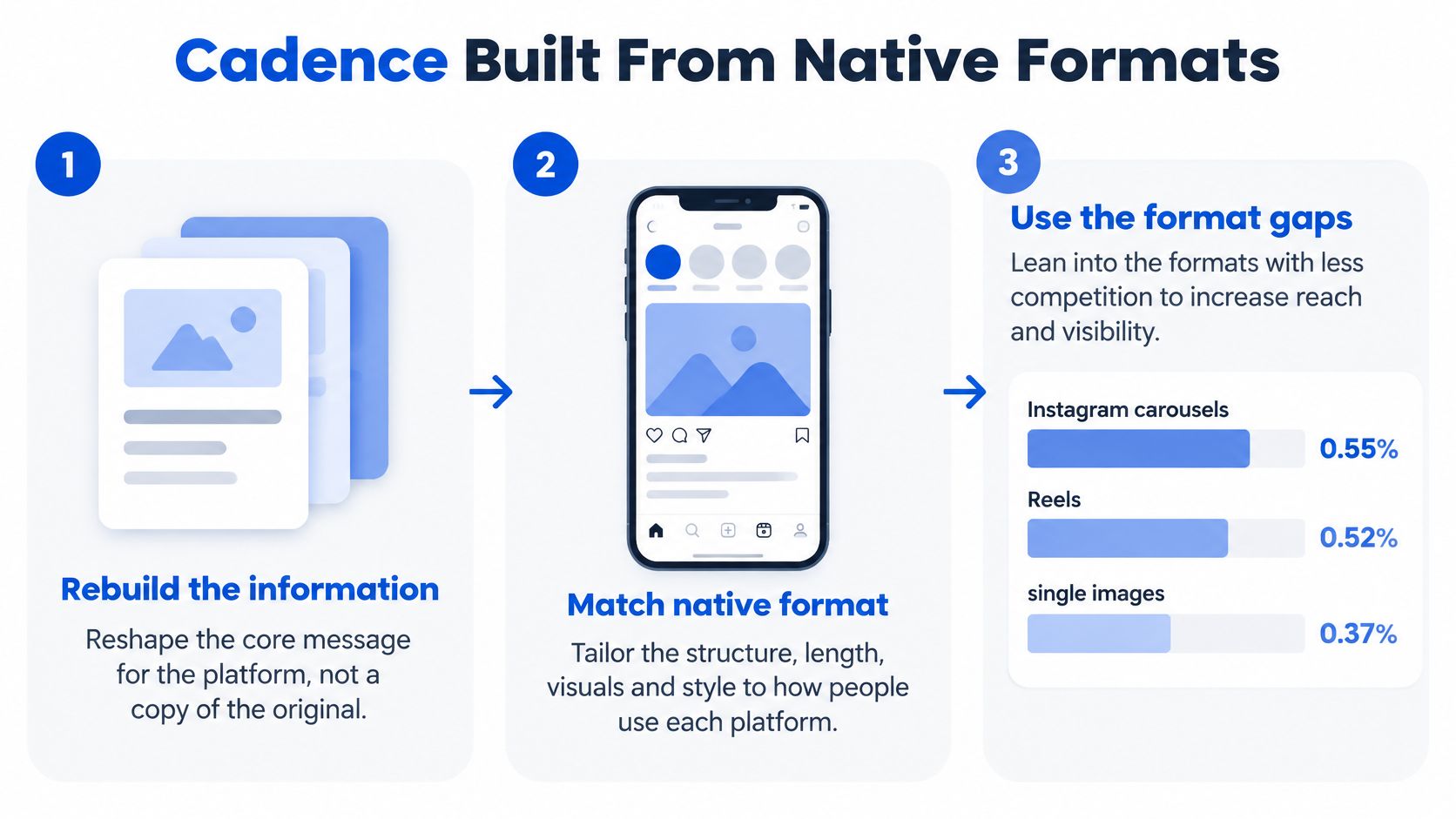
Format deserves its own test. SocialPilot's 2025 benchmark summary reports the following engagement averages, including approximately 0.55% for Instagram carousels and 7.00% for LinkedIn documents.
Format engagement that should change the calendar
| Format | Platform | Reported engagement | Planning move |
|---|---|---|---|
| Carousel | 0.55% | Short visual hook, then a swipe sequence aimed at saves | |
| Reel | 0.52% | Vertical video with subtitles | |
| Single image | 0.37% | Use when the idea works as one picture | |
| Document | 7.00% | Turn an argument into several pages | |
| Multi-image | 6.45% | Show several frames supporting the same point | |
| Video | 6.00% | Use when motion supplies useful proof | |
| Text only | 4.50% | Test a focused opinion or discussion prompt |
These differences justify testing, not a claim that changing format alone causes better performance. Rebuild the information: change the opening, length, aspect ratio, subtitles, sequence, and call to action while preserving the campaign's central idea.
Build a mix you can compare
As a hypothetical weekly skeleton, try a LinkedIn document, a pair of short vertical videos, an Instagram carousel, and a conversation post. Reduce volume if that load compromises quality.
Use opening hooks that fit the content, then keep topic and audience reasonably steady while testing publishing windows. Compare results using consistent reach or impression denominators. Schedule by content job and format, then assign the appropriate channel.
Pick KPIs and Write the Formulas
Choose a north-star metric tied to the business outcome, plus diagnostics that help explain it. For a hypothetical B2B campaign, use social-assisted demo requests as the north star, with tagged-link click rate and saves relative to reach as diagnostics.
Write these definitions into the plan so nobody has to reconstruct them during reporting.
| Metric | Formula | Suggested review |
|---|---|---|
| Social-assisted demo requests | Count of distinct demo requests with a documented social touch inside the defined window | Monthly |
| Tagged-link click rate | Tagged-link clicks ÷ impressions | Weekly |
| Saves per thousand reach | Saves ÷ reach × 1,000 | Weekly |
| Follower-based engagement rate | Engagements ÷ followers × 100 | With comparable account history |
| Impression-based engagement rate | Engagements ÷ impressions × 100 | With comparable impression-based results |
| Reach-normalized engagement | Engagements ÷ reach | During format tests |
These are calculation definitions and proposed review rules, not performance targets. Define which interactions count as engagements, and keep percentage rates distinct from ratios.
Record enough context to check the result
Store audience size, any paid distribution, and the observation window beside each result. Don't compare a newly published post with one that has accumulated responses over a much longer period.
Reach normalization adjusts for exposure size; it doesn't remove differences in audience quality, topic, or timing. If diagnostic measures improve while demo activity stays flat across a completed test cycle, investigate the offer, destination page, and content job rather than declaring success from engagement alone.
Schedule the Rhythm and Review What Moved
Keep humans responsible for evidence and judgment. HubSpot's social media trends report reports that 94% of social marketers use AI in some capacity. Adoption is a reason to establish boundaries, not permission to automate every sentence.
Use AI to cluster approved topics, draft captions, propose accessibility text, prepare translations for review, and summarize past performance. Keep source selection, original opinions, factual approval, and community replies under human control.
Set a human review boundary
Give the drafting system a source packet: approved product facts, attributable evidence, customer permissions, and examples of the brand's actual perspective. Require the reviewer to check the finished claim against that packet rather than merely deciding whether the sentence sounds plausible.
Don't let AI invent testimonials, fabricate a person presented as real, or answer sensitive customer situations without human judgment. Check applicable disclosure obligations before publishing synthetic media, and don't treat an AI-written assurance of compliance as legal review.
Trust check: If your reviewer can't identify the evidence behind a factual claim, remove the claim or obtain the evidence before scheduling.
Label AI-assisted work internally so you can compare saves, substantive comments, and repeat engagement with human-originated work. Treat any difference as a reason to inspect the content, not automatic proof that its method of creation caused the result.
Run the publishing week
Use this sequence as an operational checklist:
- Connect the planned channels. Leave unselected accounts out of the publishing routine.
- Draft from approved inputs. Supply topics, documents, and examples of content that previously performed.
- Check every factual statement. Assign a named reviewer, including for captions and on-screen text.
- Tailor the assets. Adapt the explanation and next step to each network.
- Inspect the calendar. Confirm timing, destinations, media, and ownership before publication.
- Review the completed period. Compare results with the previous period and make a keep, change, or stop decision.
At Social Media Scheduler, once your agent is connected, you can ask it to plan the week: the agent drafts posts, we tailor them for each channel, and schedule them. Our calendar shows every channel's posts in a week or list view, while analytics show impressions, engagement, clicks, and top posts compared with the last period.
Use the weekly content system checklist to make that routine repeatable. A proposed 28-day review gives the team a firm decision point without turning every disappointing post into an immediate strategy change.
A Month of Posts for a Small Team
Consider a hypothetical startup with four people, selling a workflow product to operations managers. Its quarterly target is 40 demo requests assisted by social. Those are scenario assumptions, not a forecast or benchmark.
The team chooses LinkedIn and Instagram, using Instagram for short video and a conditional carousel test. It assigns an evidence owner, a writer, a designer-editor, and an approver, while allowing people to share responsibilities.
The calendar needs room for both production and review.
Repeat the pattern, not the argument
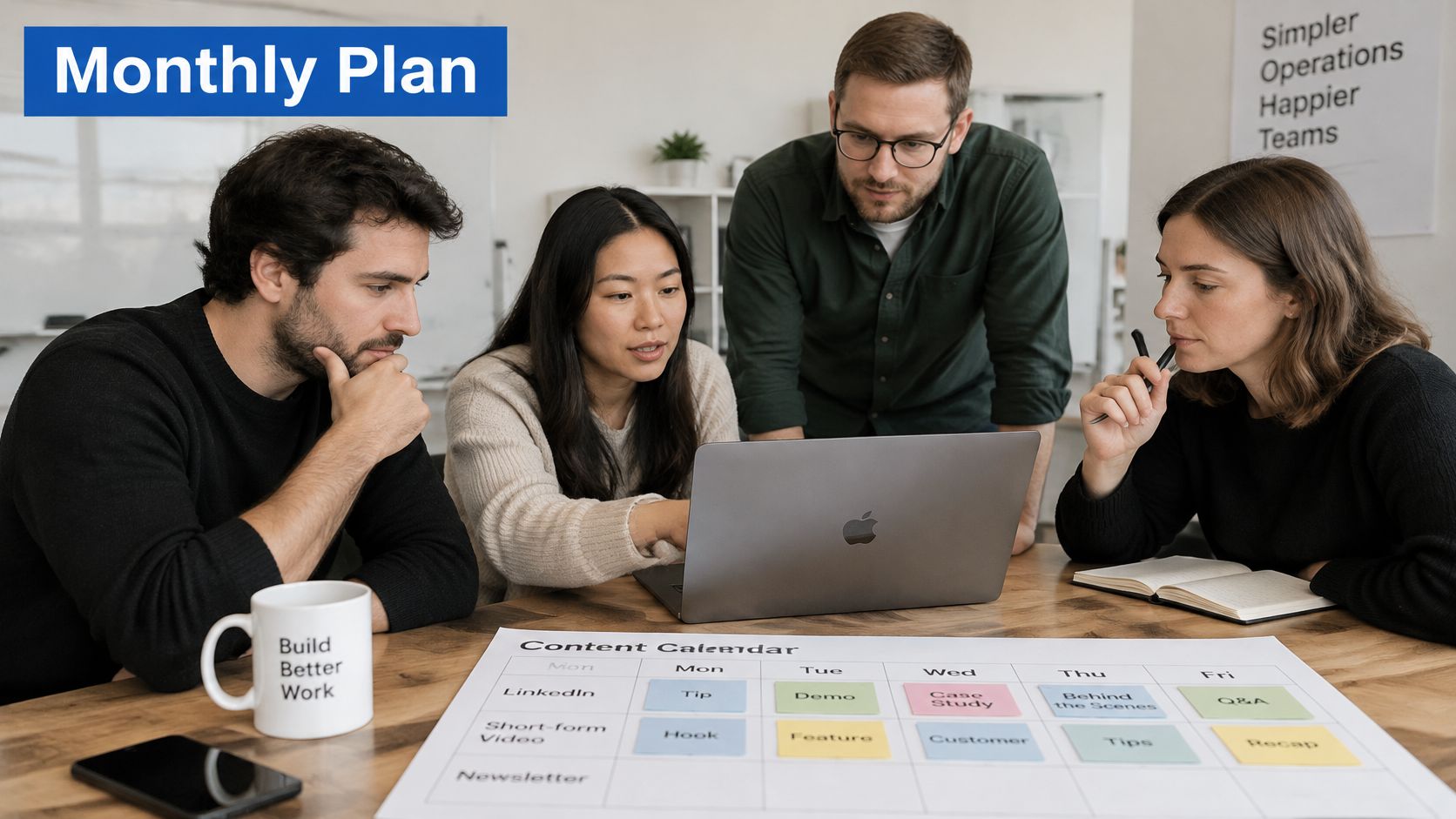
The team uses this hypothetical pattern across the month, bringing fresh evidence to each cycle.
| Day | Asset | Intended next step |
|---|---|---|
| Monday | LinkedIn document explaining an operational mistake | Tagged case-study visit |
| Tuesday | Short vertical Instagram video demonstrating the same issue | Qualified profile visit |
| Wednesday | Optional Instagram carousel showing additional steps | Resource or case-study visit |
| Thursday | LinkedIn conversation post asking operators to challenge the argument | Substantive response or relevant follow-up |
| Friday | Unassigned production buffer | No publishing requirement |
For the opening cycle, the team examines unclear approval ownership. Later cycles tackle duplicate handoffs, missing escalation rules, and incomplete process records. Each topic must have approved evidence before it becomes a document or demonstration.
The video doesn't recite the document. It shows the workflow problem on screen, with captions and a clear explanation of what changed. The optional carousel earns its slot only if a visual sequence adds something the document didn't already explain.
The embedded video can serve as a separate viewing break while the team considers its own production routine.
Make the empty slot intentional
Friday stays empty so an unfinished asset can move without displacing the core commitments. The team doesn't fill the gap because the calendar makes it visible.
For a hypothetical solo-creator version, reduce the commitment to three weekly posts across two channels, with a format experiment every fortnight. Keep the evidence review and useful next step; cut optional production first.
At the scenario's day-28 review, retain the LinkedIn document if it improves on comparable account history and produces useful tagged traffic. Remove the carousel if it merely duplicates the argument without adding useful actions. Don't add Facebook when the audience evidence hasn't justified it.
The decision is whether each asset earned another production slot, not whether the team managed to fill every day.
Business Signals When Engagement Is Not Revenue
Platform analytics can't independently follow a person from a feed encounter to a closed deal. DesignRush's discussion of social media ROI explains why measurement needs evidence beyond in-app activity. High engagement can coexist with weak commercial results, while a quiet post may still assist a later signup.
Separate the job of the content from the business signal it could support. This prevents a popular discussion post from being evaluated as though it were a product demonstration.
Content jobs and the business signal they can support
| Content job | Next action to measure | Where to look | What it does not prove |
|---|---|---|---|
| Discovery | Qualified profile visits or branded-search lift | Platform analytics plus search data | That a view became revenue |
| Education | Consented lead, such as email or download | Tagged link and CRM | That comments equal purchase intent |
| Product proof | Landing action, trial, or demo start | Tagged link and CRM stage | Full credit for the closed deal |
| Community | Repeat purchase, referral, or survey mention | CRM and post-purchase survey | That low likes mean no commercial value |
Build an evidence trail without overstating it
Use tagged links that identify the campaign and asset. Pass those fields into lead records when your forms and consent practices permit, and preserve the distinction between an initial visit, a later return, and a recorded conversion.
Define the assisted-conversion window before inspecting results. Choose it to reflect your buying process, document the rule, and avoid extending it just to capture more conversions.
Add a post-purchase or signup question about how the customer heard about you. Treat the answer as another piece of evidence, not an infallible reconstruction of the customer's journey.
Keep organic publishing, paid campaigns, creator activity, and support interactions separate in reporting. Otherwise, a paid campaign's results may obscure whether the organic calendar supported any useful action.
Report contribution and uncertainty separately
For a hypothetical monthly report, write that a dozen demo starts had a documented social touch, but that the team can't claim social caused all of them. Then identify what remains unknown: untracked sharing, missing consent, self-reported recall, or another channel's influence.
That language is more decision-useful than assigning revenue to every engaged post. To connect the reporting conversation with the wider sales process, Sprints & Sneakers on revenue marketing is a useful companion resource.
Without advanced attribution software, maintain a compact report containing the content job, observed action, CRM progress, and uncertainty. Investigate where people stop taking the intended next step before commissioning more assets.
Optimize the next publishing cycle for cleaner learning and useful business actions, not the largest impression total.
Social Media Scheduler brings drafting, per-channel tailoring, scheduling, and performance measurement into a shared calendar. Visit Social Media Scheduler to put your selected channels and sustainable cadence into practice, then review which posts supported the business actions you planned to measure.