10 Social Media Scheduler Template Resources
Oct 7, 2026 · 19 min read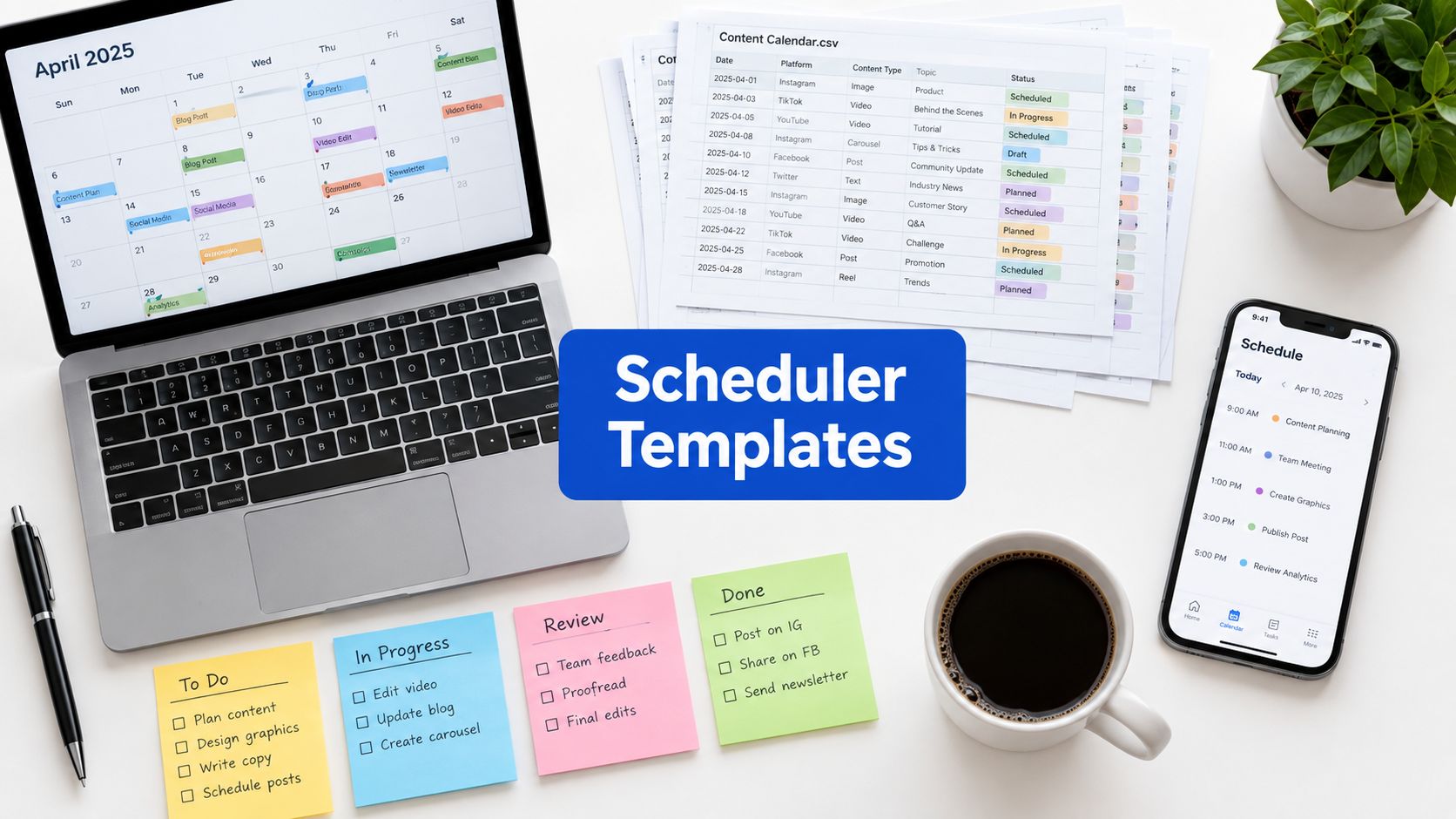
The most attractive calendar is usually not the most useful one. A polished grid can still fail if it doesn't show who owns the post, what needs approval, which asset is attached, or how the work gets from draft to publishing. For teams working across multiple networks, the critical test is whether a social media scheduler template supports an operating system for content, not just a place to drop dates.
That's the standard used here. The comparison covers spreadsheet downloads, task-management templates, database-style systems, and a live scheduling platform, with attention to planning, collaboration, customization effort, and the gap between organizing posts and publishing them. The best fit depends on how your team works, how much structure it can maintain, and whether scheduling, tailoring, and measurement need to live in one place or several.
The practical difference shows up fast. A sheet can be fine for a small team that publishes predictably, while a database or task board becomes more valuable once ownership, approvals, and asset handoffs start to matter. A live platform makes the most sense when the calendar has to do more than store ideas, especially now that social media reaches nearly two-thirds of humanity and users spread attention across several platforms each month, not just one DataReportal's global overview report.
1. Social Media Scheduler Homepage
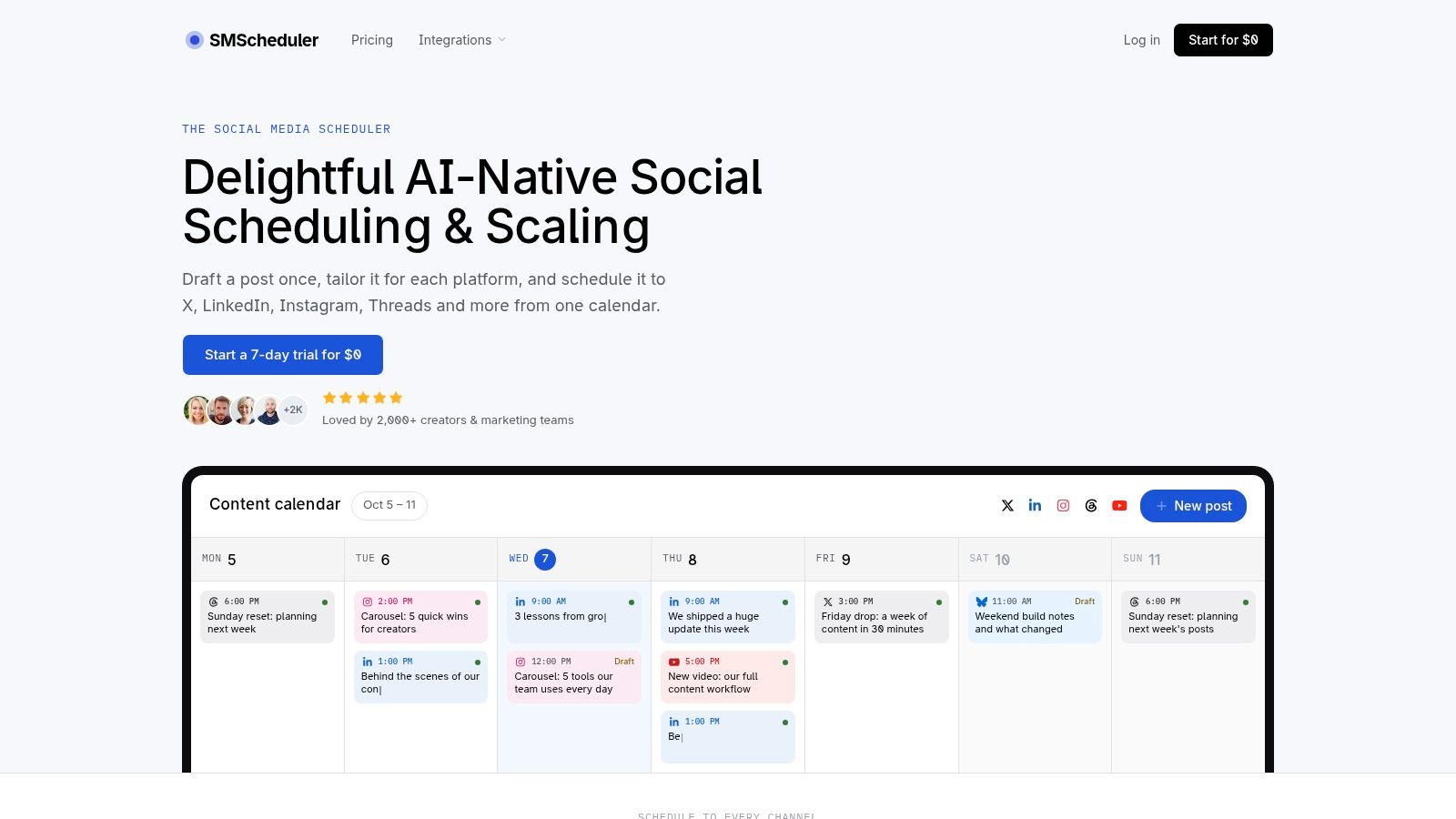
Social Media Scheduler is the strongest fit when the template has to behave like a workflow system instead of a static planner. Its single-calendar view is built for teams that need to coordinate across X, LinkedIn, Instagram, Threads, Facebook, TikTok, YouTube, and Bluesky without bouncing between tools.
The operational advantage is in the handoff. One post can be drafted once, then adapted per platform before publication, which matters because audience attention is uneven and platform-specific formats behave differently. That design fits the reality that people spend time across multiple platforms and that scheduling should support channel-specific timing, not a universal posting clock DataReportal's April 2025 statshot.
Why it ranks first for publishing systems
The best templates make bad publishing habits harder to repeat. Social Media Scheduler does that by combining visual planning, live status tracking, and automated publishing, so the calendar doesn't stop at organization. Draft, queued, and published statuses also help teams see where work is stuck, which is usually the missing piece in spreadsheet-based workflows.
Practical rule: if your team spends time copying the same idea into multiple networks, the template should reduce duplication before it adds more planning fields.
Its analytics layer also matters because the schedule becomes a learning loop. Instead of treating every post as a one-off, teams can look back at what performed and adjust timing, format, and channel choice accordingly. That's especially useful when the goal isn't just consistency, but consistent improvement.
The main limitation is that AI tailoring still needs human review for voice, nuance, and sensitive claims. Some advanced network-specific post types may also depend on platform API constraints, so teams with very specialized publishing needs should verify those details before committing.
2. Hootsuite Social Media Calendar Template
The Hootsuite social media posting schedule template is a sensible starting point if your team wants a familiar spreadsheet and doesn't want to adopt new software yet. It comes in Google Sheets and Excel formats, which makes it easy to share, duplicate, and brand without retraining the whole team.
Its value is less about sophistication and more about friction reduction. Hootsuite's own guidance frames a posting schedule as the timing layer of a broader content plan, and this template mirrors that idea with monthly and weekly views, campaign tagging, and prebuilt columns. For teams that still run approvals in email or chat, that simple structure can be enough to make planning visible.
A key strength is accessibility for non-specialists. Marketing managers, freelancers, and clients usually understand a sheet immediately, which lowers the coordination cost of getting everyone into the same process. The tradeoff is that the sheet doesn't enforce workflow discipline on its own.
Where it breaks down
The weakness shows up when the team gets larger or posting frequency rises. Version control can become messy, and there's no native approval layer or automation to stop someone from publishing the wrong draft. If you need the calendar to do more than record dates, it'll start to feel like a planning artifact instead of an operating system.
A spreadsheet works best when one person still owns the final publishing step.
For teams that want a manual planning layer with a lighter publishing burden, this template is useful. For teams that need scheduling, performance tracking, and hands-off delivery in one workflow, it's better treated as an early-stage bridge.
How to customize it for a lean team
- Trim the columns first: keep platform, publish date, format, owner, and status, then remove anything nobody will update consistently.
- Add a handoff field: include a simple “ready to schedule” checkpoint so the sheet doesn't become a dumping ground.
- Use one naming rule: standardize campaign tags and asset names so the file stays readable for whoever picks it up next.
See how a leaner publishing system can cut setup time
3. Sprout Social Downloadable Social Media Calendar Template
The Sprout Social calendar template is best for teams that want structure before they move into a full scheduler. It's built around fields that mirror real workflow needs, including publish date, platform, format, copy, creative, campaign tags, owner, and approval status.
That matters because many templates organize ideas but ignore responsibility. Once multiple people touch a post, ownership needs to be visible in the calendar itself, not buried in a comment thread or a separate doc. Sprout's structure reflects that reality and makes it easier to see who owes what before anyone tries to publish.
The template fits teams that already understand review cycles and want to standardize them. It's especially useful for organizations where approvals aren't optional, because the sheet makes the approval state part of the plan instead of an afterthought. That helps prevent the common problem of posts looking “ready” while still waiting on legal, brand, or stakeholder sign-off.
Best fit and main limitation
The biggest strength here is workflow clarity. The biggest limitation is also clear, it's still a spreadsheet, so the template can organize the process but can't automate it. It also carries some assumptions from Sprout's own style of social management, which is helpful if those assumptions match your team and less useful if they don't.
If your team keeps asking “who approved this?” the calendar needs a real approval field, not a shared memory of who said yes.
Use this template when governance matters more than speed. If your content pipeline is still small, the structure will feel helpful rather than heavy. If your team is already publishing at scale, you'll probably want the same fields inside a system that also handles scheduling and reporting.
How to adapt it for a mid-sized team
- Split owner and approver: don't let one column do both jobs.
- Mark risk levels: flag sensitive posts, campaign launches, and claims that need extra review.
- Add asset links early: make sure creative files live with the post record, not in a separate folder hunt.
4. Later Free Social Media Content Calendar Template
The Later Google Sheets calendar template is designed for creators and small teams that want something simple enough to maintain every week. It includes platform, copy, asset links, and status columns, plus monthly and weekly planning views for quick visibility.
Its appeal is practical. You can duplicate it fast, share it with stakeholders, and start mapping content ideas without adopting Later's broader platform. That makes it useful for teams that need a shared plan more than they need process heavy lifting.
The template is also a decent fit for visual thinkers. Because it combines weekly and monthly planning, it gives both the detailed and the strategic view without making the team learn a database or workflow engine. For a solo creator or a small in-house team, that's often enough.
Where it stays lightweight, and where it doesn't
The tradeoff is predictability. If your content volume is low, manual upkeep won't feel painful. Once publishing becomes frequent, though, a sheet starts to lag behind the actual work, especially when assets change, timing shifts, or approvals take longer than expected.
The template also doesn't solve measurement inside the sheet. That means the team still needs another place to judge what worked and what didn't. For that reason, it's best when planning is the problem, not when the whole publishing chain is the problem.
Simple customization that pays off
- Add a status ladder: draft, in review, approved, scheduled, published.
- Separate platform from format: don't make one field carry both.
- Attach a version note: record which creative or caption variant got approved so nobody publishes the wrong one.
5. HubSpot Social Media Content Calendar Template
The HubSpot social media content calendar is a strong starter pack for teams that want planning guidance with their template. It's more than a blank grid, because the multi-tab structure gives teams a broader framework for organizing campaigns, channels, and content categories.
That broader setup is useful for teams that are still learning how to calendar social properly. Instead of forcing everyone to invent their own structure, it gives them a usable starting point with space for copy, links, and visuals. The result is less debate about format and more attention on the actual content plan.
It's also easier to socialize internally than many more technical tools. Marketing leads can hand it to non-technical stakeholders, and people usually understand what they're looking at quickly. That makes it useful in organizations where social media planning involves several functions, not just the social team.
Pair a more complete planning template with a repeatable monthly process
The tradeoff behind the convenience
The main downside is weight. More tabs can help planning, but they also increase the chance that the file becomes harder to maintain, especially when multiple people are updating it. The download is also gated, so access requires a little more commitment than a template you can duplicate instantly.
For smaller teams, the depth may be more than they need. For newer teams, though, the structure can prevent them from under-planning important campaigns. It works best when you want a fuller content governance layer and can tolerate a slightly heavier file.
A good starter template should teach the workflow, not just store the schedule.
6. Asana Social Media Calendar Template
The Asana social media calendar template is the right choice when your team already lives in Asana and wants social planning to sit inside the same workspace as everything else. Its task-based structure gives you calendar, list, and board views, plus custom fields for platform, publish date, and status.
That makes it better than a spreadsheet for ownership. Each post becomes a task, so it's easier to assign work, move items through review, and keep status visible without creating a separate process doc. For growing teams, that can matter more than a prettier planning surface.
The template also fits a broader project-management mindset. If social posts depend on design, copy, approvals, and campaign coordination, a task system keeps those moving parts together. The limitation is that this is still a planning and workflow layer, not a native social publishing tool.
Best use case and limit
Asana helps if your team wants clearer accountability and already uses automated workflows inside the platform. It helps less if you're hoping for direct auto-publishing, because the template doesn't do that by itself. The value is in coordination, not distribution.
Use a weekly operating rhythm to keep task-based planning from fragmenting
If your team is already task-driven, this is a clean fit. If your process is still mostly ad hoc, the extra structure may feel like overhead until the rest of the workflow catches up.
7. ClickUp Modern Social Media Calendar Template
The ClickUp modern social media calendar template suits teams that want a more configurable operating space than a simple calendar. It gives you prebuilt fields for platform, due dates, publish dates, and assets, plus calendar, list, board, and timeline views.
That flexibility helps agencies and internal teams that need to manage more than one client or campaign at a time. Posts, briefs, and tasks can live together, which reduces the friction of chasing context across different docs. If the team needs to see work from multiple angles, ClickUp handles that better than a flat sheet.
The core strength is the status flow. You can build a fairly detailed process around the content lifecycle, which is useful when posts move through multiple people before publishing. The tradeoff is setup complexity, because configurability also means more decisions up front.
Where it makes sense
This template is strongest when the team already has a publishing process and wants to formalize it. It is weaker when people expect the calendar itself to preview the final social post, because the view is task-centric rather than native to social presentation.
Use ClickUp when the calendar has to connect briefs, assets, and delivery, not just dates.
If your team likes structure and doesn't mind setup time, it can become a very solid planning hub. If you need something quick and low-maintenance, the learning curve may feel heavier than the value at first.
8. Airtable Content Calendar
The Airtable content calendar template is the best database-style option in this group. It's a better fit than a sheet when your team wants to link posts, campaigns, assets, and collaborators without duplicating the same information in multiple places.
That relational structure matters more than most teams expect. Once a campaign touches multiple posts and assets, a database reduces the chance that one update gets missed in three different places. It also makes it easier to create separate views for different stakeholders, which is valuable when social managers, designers, and approvers don't need the same level of detail.
The template is especially useful for teams moving beyond early-stage planning. It's still customizable, but it behaves more like an operational system than a static file. That said, the setup effort is higher, and some advanced automations may push you toward paid usage.
Best for linked planning
Airtable is a strong fit when the calendar has to connect to broader marketing operations. It handles the relationship between a post, its campaign, and its assets better than a spreadsheet does. The limitation is that you have to build the workflow with intent, or it can turn into a flexible but underused database.
Use a relational setup when one campaign spawns multiple posts and assets
For teams outgrowing sheets, that tradeoff is usually worth it. You get cleaner data, clearer ownership, and views that can change by audience without breaking the underlying structure.
9. Trello Editorial Content Calendar Board Template
The Trello editorial calendar template is the simplest board-first option in the set. It works well for small teams that think in cards and lists rather than in rows, and the calendar view gives it enough structure for scheduling without making the system feel heavy.
Its best feature is accessibility. Trello is easy for clients, founders, and non-marketers to understand quickly, which makes it useful for teams that need visibility more than they need strict process design. Labels for channels and campaigns help filter content, and card templates keep briefs from drifting too far apart.
The downside is depth. Compared with database-based tools, Trello carries less metadata and fewer native workflow options. It can still work, but once a team needs more fields, more statuses, or more automation, the board can start to feel cramped.
Where it fits best
Trello is best for lean teams, early-stage brands, and editorial-style workflows where a simple visual path matters more than precision. It's less suitable when you need a lot of content-specific detail or a strong approval chain. The board can show what's coming, but it won't manage complexity for you.
Simple boards are useful when everyone can see the next move at a glance.
That makes Trello a good entry point, not usually the final destination. If the workflow matures, teams often outgrow it once the number of stakeholders and content formats increases.
10. Notion Content Calendar Template
The Notion template gallery is the best choice for teams that want planning, briefs, and documentation in one workspace. Its linked databases and flexible views make it easy to create a content calendar that sits alongside the notes, assets, and related tasks behind each post.
That unified workspace is the appeal. Instead of splitting planning across a doc, a spreadsheet, and a task board, Notion lets you pull those pieces together in a way that's easy to duplicate and customize. For smaller teams that care about context as much as scheduling, that can be a big win.
The drawback is publishing. Notion is excellent for planning, but the template doesn't natively solve auto-publishing. Sharing also needs care when external stakeholders are involved, because permissions can become messy if the workspace isn't set up intentionally.
Best fit for flexible documentation
Notion is most useful when the calendar is only one part of a larger content system. It's less compelling if the main goal is hands-off scheduling or in-platform analytics. Teams that want to keep briefs, assets, and tasks beside the calendar will get more value from it than teams that only need a posting grid.
The best use case is a small to mid-sized team that already uses Notion heavily. The worst use case is a team that needs strict workflow control without spending time on workspace design.
Top 10 Social Media Scheduler Templates, Quick Comparison
| Tool | Core features | UX & Quality | Value / Price | Target audience | Unique selling points |
|---|---|---|---|---|---|
| socialmediascheduler Homepage | AI drafting & per‑channel tailoring, unified visual calendar, automated publishing, analytics & recommendations | ★★★★★ Live statuses & real‑time analytics | 💰Paid SaaS (trial available) | 👥 Solo creators → social teams | ✨AI-native "draft once, tailor per channel", supports Threads/Bluesky, data‑minimizing 🏆 |
| Hootsuite, Social Media Calendar Template | Google Sheets/Excel template, weekly & monthly views, prefilled columns | ★★★ Familiar spreadsheet UX | 💰Free | 👥 Small teams & spreadsheet users | ✨Quick setup, shareable, no new software |
| Sprout Social, Downloadable Template | Spreadsheet with publish fields, owner & approval status, guidance | ★★★ Practical pro structure | 💰Free | 👥 Teams needing ownership & approvals | ✨Built-in approval/ownership fields; Sprout best practices |
| Later, Free Content Calendar (Google Sheets) | Columns for platform, copy, assets & status; monthly/weekly views, walkthrough tips | ★★★ Fast, simple planning | 💰Free | 👥 Creators & small teams | ✨Walkthrough tips, minimal setup for quick visibility |
| HubSpot, Social Media Content Calendar | Multi-tab monthly/channel structure, fields for copy/visuals, planning guidance | ★★★ Comprehensive starter pack | 💰Free (gated) | 👥 Teams new to content calendaring | ✨Marketing guidance & governance for planning |
| Asana, Social Media Calendar (in-app) | Tasks with custom fields, calendar/board/list views, in-app automations | ★★★★ Scales with task workflows | 💰Free template; paid Asana tiers for automations | 👥 Teams already on Asana | ✨Clear ownership & approval flows via tasks |
| ClickUp, Modern Social Media Calendar | Multiple views (Calendar/List/Board/Timeline), custom fields, automations | ★★★★ Highly configurable | 💰Free template; paid for advanced automations | 👥 Agencies & teams needing granular flows | ✨Robust statuses, central briefs and templates |
| Airtable, Content Calendar (base) | Relational tables for posts/campaigns/assets, calendar/kanban/gallery views | ★★★★ Scalable relational DB | 💰Free tier; paid for heavy records/automations | 👥 Teams outgrowing sheets | ✨Relational base reduces duplication, flexible stakeholder views |
| Trello, Editorial/Content Calendar Board | Card templates, Calendar power‑up, labels for channels/campaigns | ★★★ Kanban simplicity | 💰Free template; power‑ups may require paid plan | 👥 Small teams & clients | ✨Low learning curve, visual card‑based workflows |
| Notion, Content Calendar Template | Linked databases for posts & briefs, calendar/board/timeline toggles | ★★★ Flexible all‑in‑one workspace | 💰Free template; Notion account required | 👥 Users preferring unified docs + DBs | ✨Combines planning, briefs & assets in one page |
Turn the Template Into a Reliable Publishing Workflow
The right social media scheduler template depends on the operating system behind it. Pick a spreadsheet if you need fast, lightweight planning. Pick a task board if ownership and approvals matter more than speed. Pick a database if campaigns and assets need to stay linked. Pick a scheduling platform when publishing, tailoring, and measurement have to live together.
The next step is to make the template smaller before you make it bigger. Duplicate the resource, remove fields your team will never maintain, and add only the columns that support real handoffs. That usually means platform, format, owner, approval state, asset link, and a clear publish status. If your team posts across multiple networks, add platform-specific formats and time slots so one idea can be adapted instead of copied blindly.
Then test one publishing cycle end to end. Assign ownership, move one post through approval, publish it, and review what slowed the process down. If the schedule failed because people didn't know what to do next, fix the workflow. If it failed because the tool couldn't support the handoff, the template is the wrong layer for your team.
The strongest schedules also separate planning from execution. That means clear responsibilities, realistic cadence, and a defined bridge from draft to published post. It also means review steps for accessibility, factual claims, and sensitive timing, because a calendar that ignores those checks can make automation too easy.
If your team wants a template that already behaves like a publishing system, Social Media Scheduler centralizes planning, tailoring, scheduling, and performance measurement in one visual workflow. It's built for teams that need the calendar to do more than look organized, and it fits naturally if you're ready to turn planning into consistent execution.
If you want a single workspace that links the calendar to publishing and learning, Social Media Scheduler gives you that operational layer. It helps creators and teams plan across networks, tailor content per platform, and keep performance visible after the post goes live.